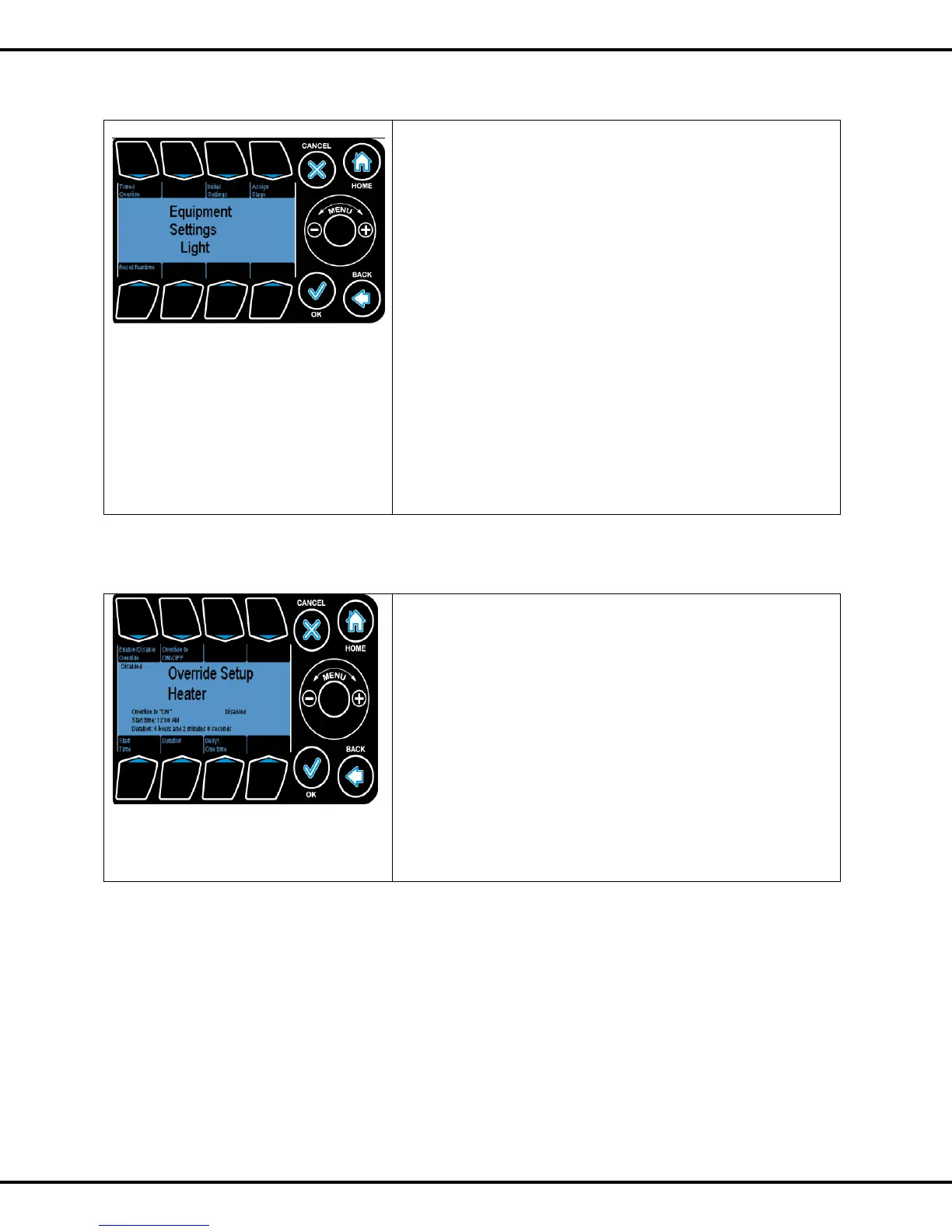
Selecting a channel gets you to the equipment screen. Here
you can:
Press #1 for Timed Override
Press #3 for Initial Settings (set the equipment name, its
type, the energy type, etc.)
Press #4 for Assign Stages to each of the equipment
channels – see 5.0 Stages section on Page No: 56 for details.
Press #5 for Reset runtime The runtime counter for an
equipment channel can be reset in the main Equipment
Settings menu.
This is useful when a user changes any equipment previously
mapped to a channel.
Note: The runtime is set to 0 if yes is selected.
Note: This cannot be undone.
Timed Override, if enabled, will FORCE the equipment to switch
ON or OFF.
The time override is provided for the user to set either a daily
recurring event or a single event.
Press #1 to enable or disable the override
Press #2 to switch on/ off the equipment when the override is
enabled.
Press #5 to change the start time.
Press #6 to change the duration
Press #7 to set it daily or one time.
Please refer to Page No: 47 to change time



 To Next Page