960-0001-20 iGrowSeries 100 Installation and User Manual 29
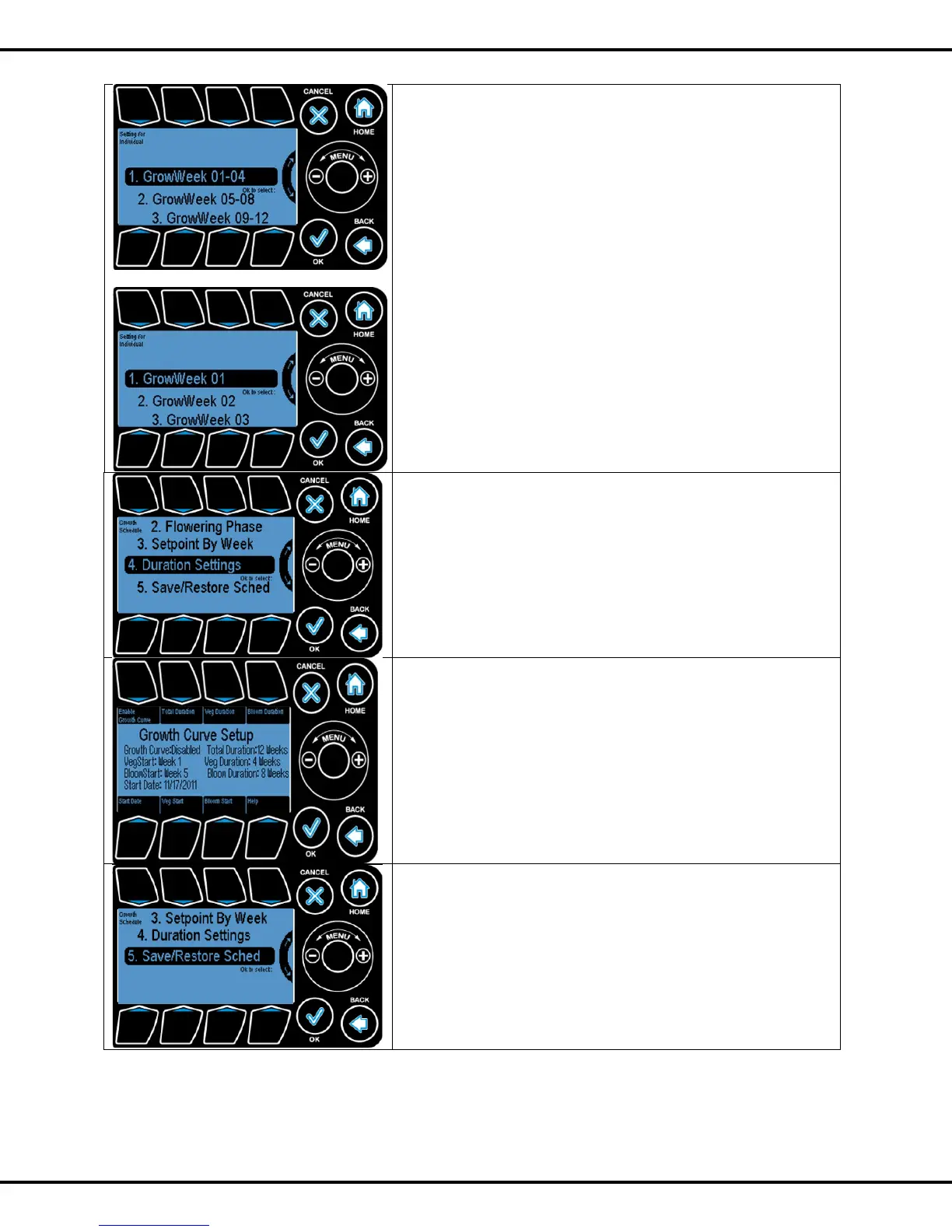
Here you select which group of four weeks you want to
program.
Press OK to select. You will then go to the next screen.
Here you can select which week you want to program.
Press OK to select. You will then go to the screens shown in
sections 1.1 -1.4 above.
This option lets you enter the start date, that is, when week 1
is to begin, for this growing approach. Other entries include,
total duration, vegetative duration, flowering duration and so
forth.
This takes you to the growth curve setup screen shown on the
next screen.
Press #1 to enable or disable the growth curve process Press
#2 to enter the total number of weeks for the growing process.
Press #3 to enter the number of weeks for the Vegetative
phase.
Press #4 the number of weeks for the Flowering phase
Press #5 to enter the Start date
Press #6 to enter the Vegetative Start date
Press #7 to enter the Flowering Start date
This option lets you save the growth schedule settings into a
USB, SD card or System Memory.
This is similar to Save /Restore Configuration. Please refer to
Page 51



 To Next Page