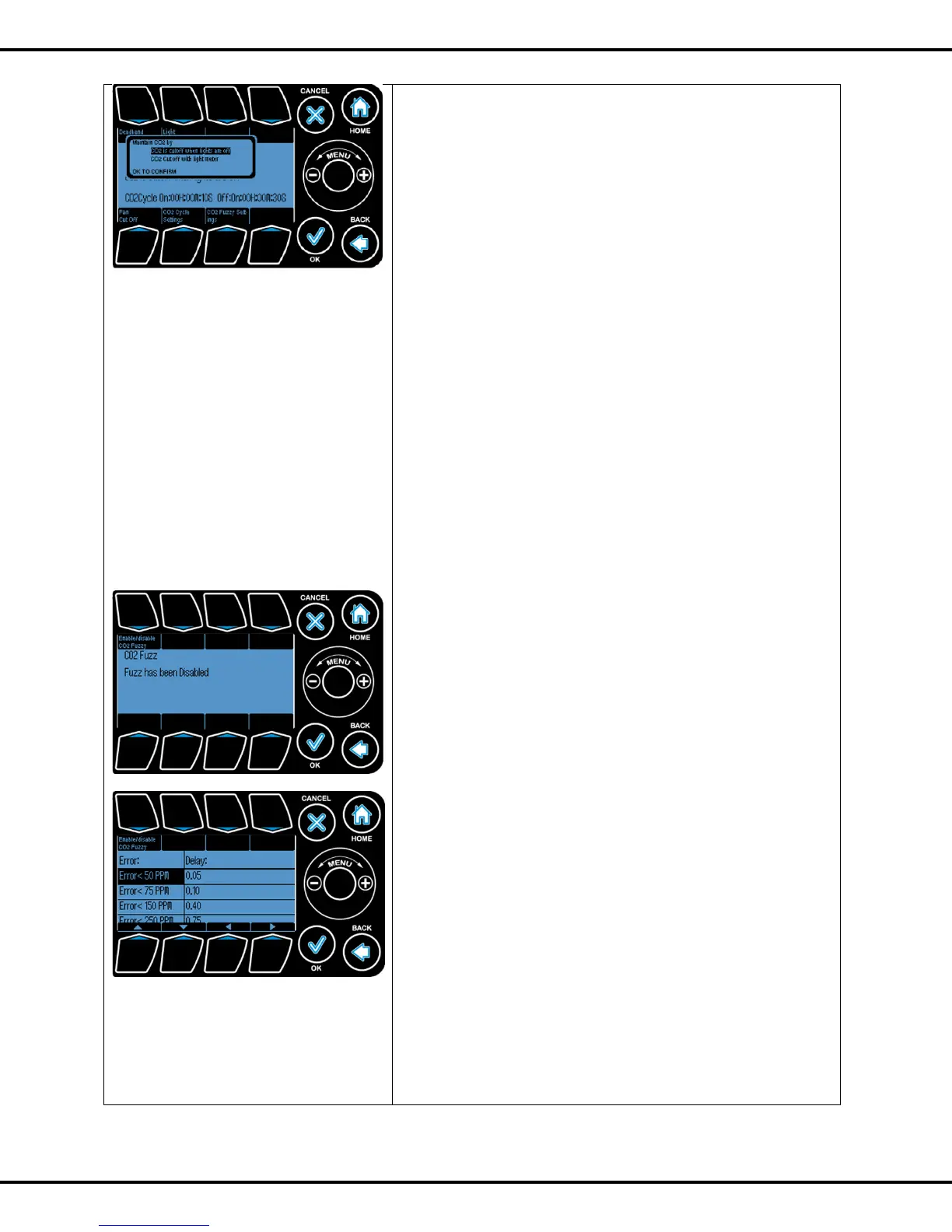
deadband. If the light level falls below the threshold, the
controller will consider this condition to be the "night" condition
and stop injecting/ generating CO2. Once the light level has
increased beyond the threshold + deadband, the CO2
injection process (if needed) will resume.
Press #2 to go to these settings, Use Wheel to select which
setting you want. Press OK
Fan cut off: If enabled, the controller will not inject CO2 into
the grow room when the ventilation fan (if there is one) is
turned on. Press #5 lets you to enable/disable this option.
The CO2 level, if needed to, is raised using two methods:
Cyclical: In this mode, the CO2 output will be pulsed
whenever the CO2 level has fallen below the CO2 setpoint
(minus the deadband amount). By default, the controller has
been programmed to cycle on for 10 seconds (i.e. inject CO2
for 10 seconds) and cycle off for 50 seconds. The cycle
repeats again until the CO2 level has increased beyond the
setpoint.
Press #6 to switch on/ off the cycle time settings. Once you
selected the option, Press OK. Now you can change the On/
Off time as shown in screen.
2. Adaptive control/ CO2 Fuzzy Settings: In this mode, the
controller will intelligently inject the CO2 into the room to bring
the level up to the desired level as quickly as possible with
minimal overshoot. The iPonic controller will actually learn the
characteristics of the growroom and adapt its parameters
accordingly to optimize the CO2 responsiveness and
accuracy. You will observe that the CO2 gas is being injected/
generated more aggressively in the beginning. As the gap
between the desired setpoint and the level measured narrows,
the CO2 level being added will taper off accordingly to
maintain the optimal response curve.



 To Next Page