105
User Manual
Tide Info
The Tide Info feature is the combination of a new tide heights database that will be included within
new C-CARDs and new features which calculate the tide graph for all primary and secondary ports
world-wide. This function can calculate the tide heights for any past or future date and as a by-product
of this calculation will also display the Maximum and Minimum Tide height and time for the day
selected plus the times of Sunrise and Sunset. At some chart levels, the chartplotter will display a new
Tide Diamond Symbol for every Port or tide point in the database covered by that particular C-CARD.
Tide & Currents
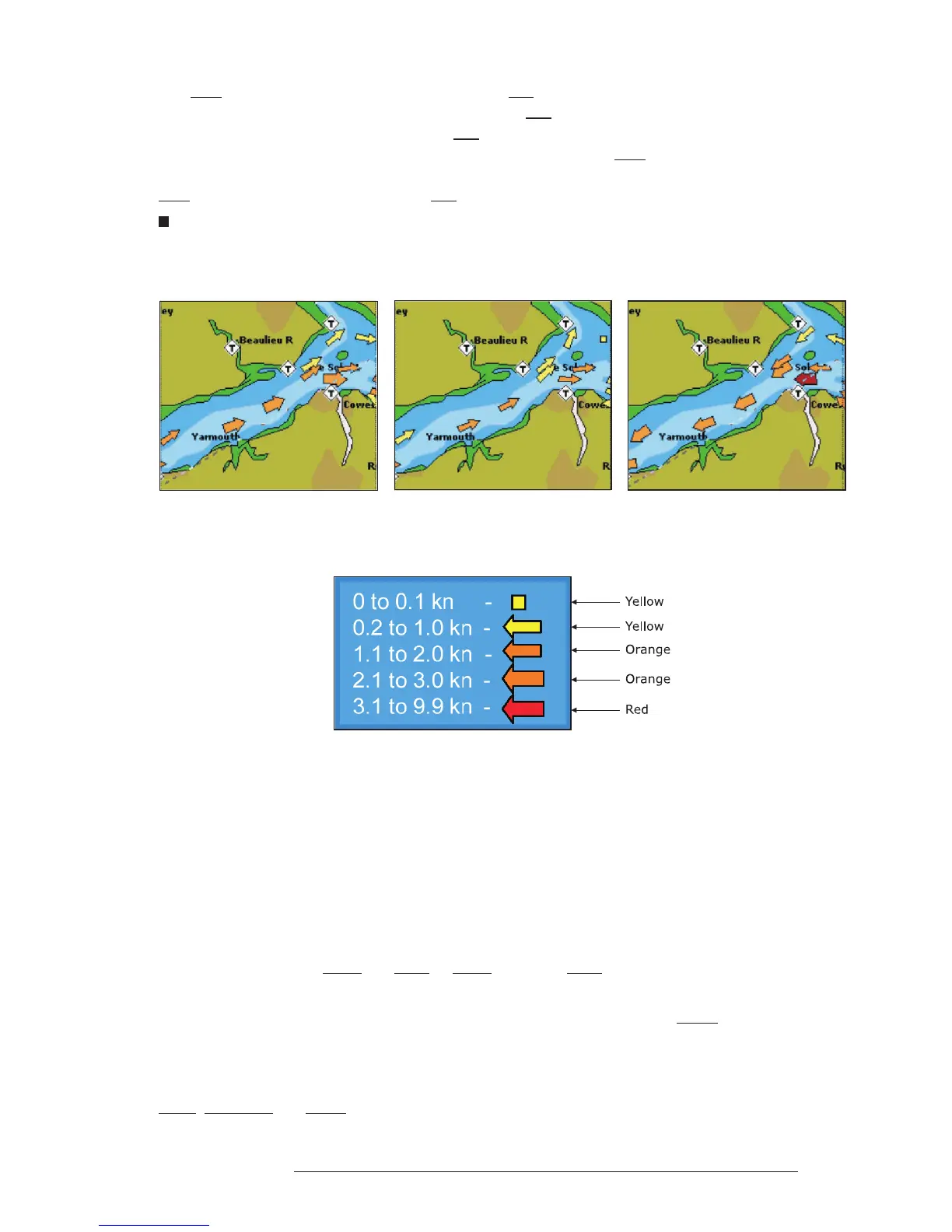
The new worldwide database with tidal stream information is now available with MAX C-CARDs.
When data/time is available, Tidal stream arrows are shown on the charts, indicating the direction and
strength of the Tide.
Fig. A.1a - Tides & Currents
If no data/time is available from the GPS or the chart plotter is not in Simulation mode, the icon on the
map is generic one. The colour of the arrow denotes the strength of the current as follows:
Fig. A.1b - Tides & Currents table
When the chart plotter receives a valid position fix, the Tide icons are shown on the charts on the basis
of the current date and time: the screen displays and changes arrows as date/time changes.
Time Line
The location where the ship will be after the time set by the user.
Tracks & Routes
Recommended and established routes for ships at sea, including traffic separation schemes, deep water
routes, ....
TRN = Turning
The difference between COG and BRG. If COG is 80° and BRG is 75°, TRN is 5° Left.
TTG = Time To Go
The estimated time needed to reach your destination, based on your current speed and the distance to
destination.
User Point
Place on the chart identified by its coordinates and displayed on the screen with a reference symbol (see
Mark, Waypoint and Event).



 To Next Page