45
User Manual
Chart Boundaries: On/Off/Auto. The default setting is On.
'MENU' + "MAP SETTINGS" +'ENTER' + "Other Map Configurations" + 'ENTER'
+ "Chart Boundaries" + 'ENTER'
Value Added Data: On/Off. The default setting is On.
'MENU' + "MAP SETTINGS" +'ENTER' + "Other Map Configurations" + 'ENTER'
+ "Value Added data" + 'ENTER'
3.5.2 GETTING AUTOMATIC INFO
The type of Automatic Info is user selectable.
'MENU' + "ADVANCED SETTINGS" + 'ENTER' + "SETUP" + 'ENTER' +"AUTO
INFO" + 'ENTER'
The possible settings are:
- Off: disabled, no automatic info shown at all.
- On Points: only on points. This is the default setting.
- On All: on all objects (points, lines and areas).
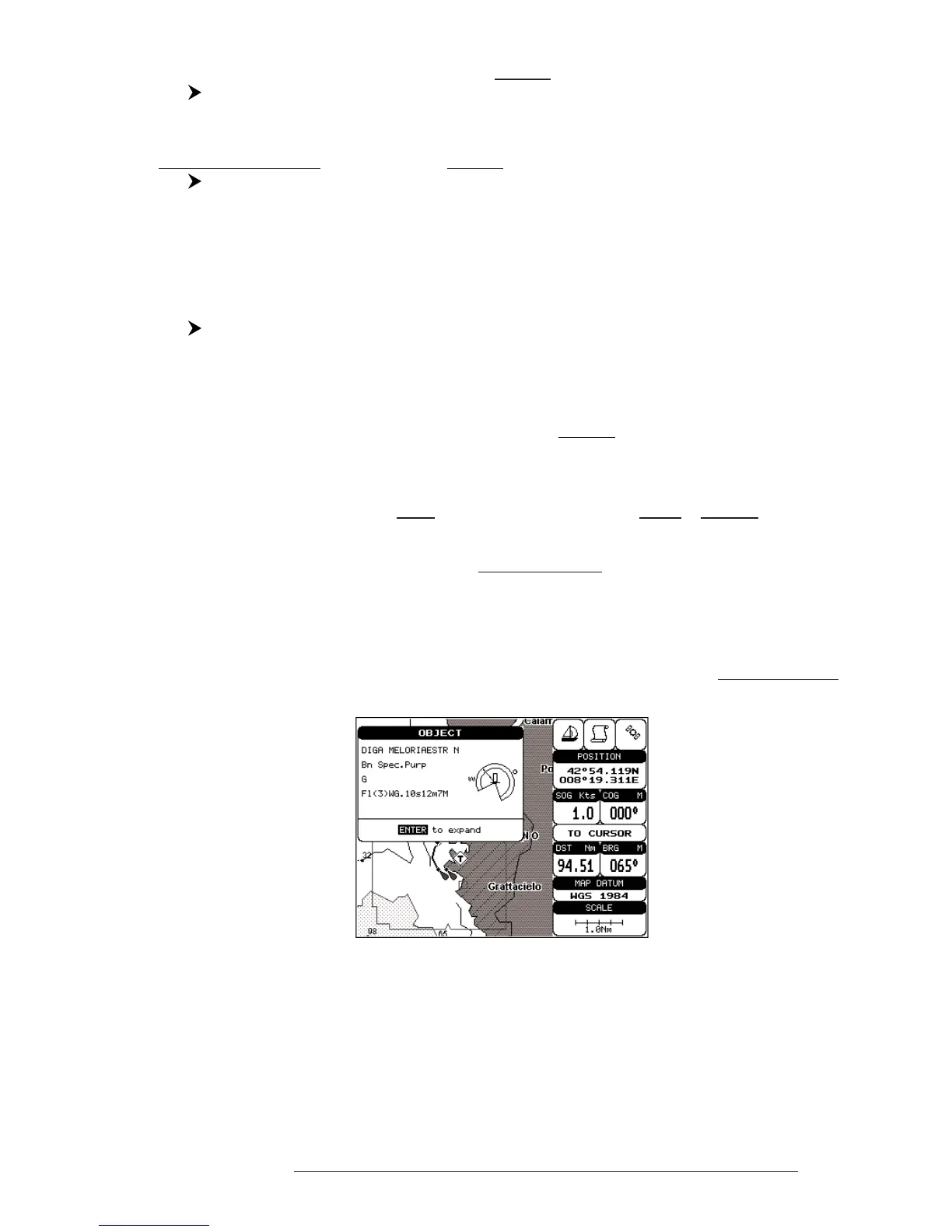
The Automatic Info On Points shows information when the cursor is placed
on points (as Port Services, Tides, lights, wrecks, rocks, buoys, beacons, obstruc-
tions, land markers, etc.). The Automatic Info On All shows information when the
cursor is placed on points, on lines (as Depth contours, Traffic Separation, Territo-
rial Sea, Cartographic Lines etc.) on areas (Depth, Built-up, Sea, Attention, Restricted
etc.) and on names (on the beginning of the text -hot spot- or on any of the characters
of the name -name message box-).
The details on Land, Source of Data, Cartographic Area and Spot Soundings
are not shown.
Fig. 3.5.2 - Automatic Info on Points window
If you press 'ENTER' all available information about the cartographic point
under the cursor will be shown.



 To Next Page