47
User Manual
3.5.4 INFO FUNCTION
Place the cursor in any place you want and press:
'MENU' + "INFO" + 'ENTER'
to show the Info Tree and Expanded Info page (see Par. 3.5.4).
3.5.5 GETTING PORT INFO
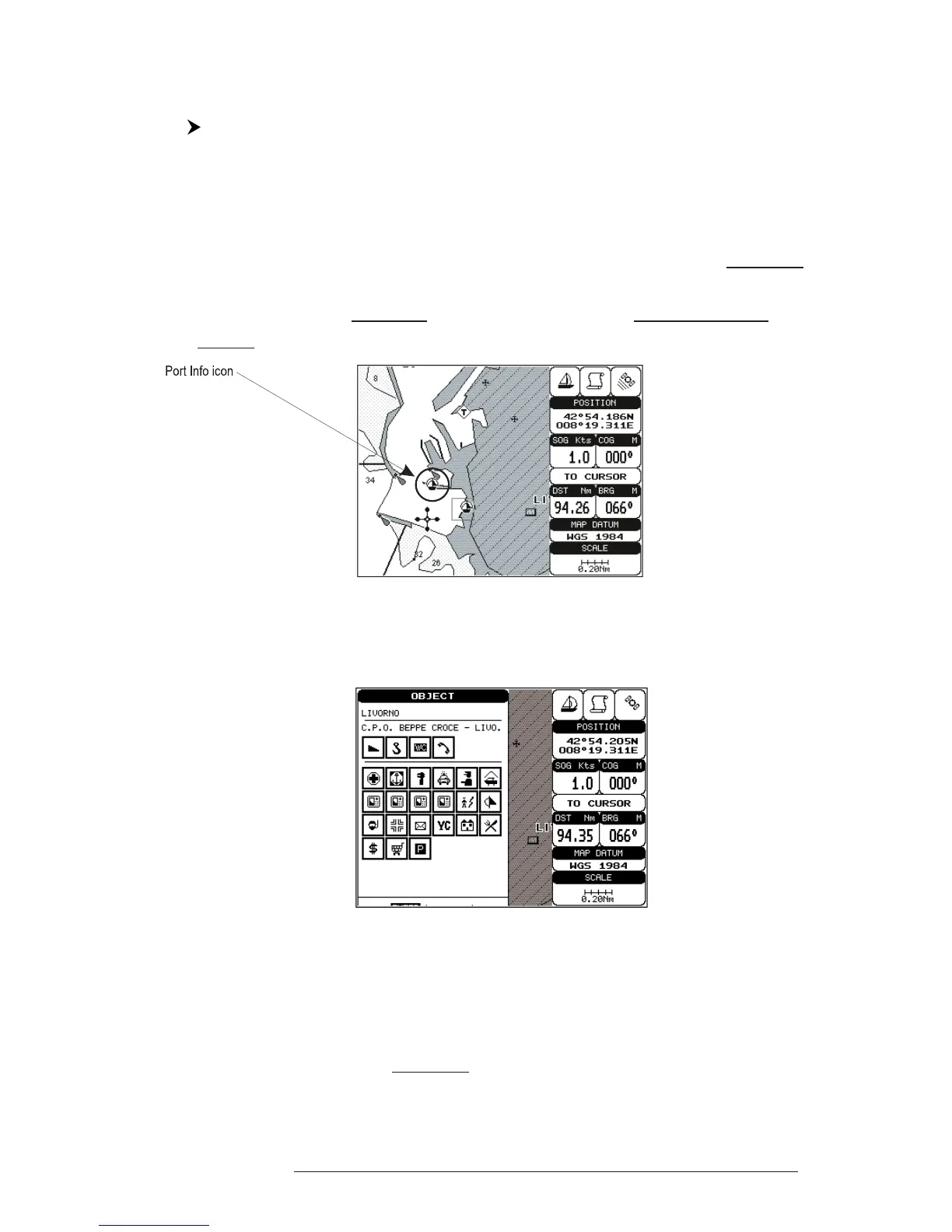
Upon viewing the chart of a port or harbour, you will see a Port Info icon
that can be clicked on to query the available information immediately displayed
with many details. The Port Info icon is visible only if the Ports & Services option is
On (default setting).
Fig. 3.5.5 - Port Info icon
The available information is shown in the Automatic Info window where
icons of the available services are shown:
Fig. 3.5.5a - Automatic Info window
To expand information about that object press 'ENTER'.
3.5.6 GETTING TIDE INFO
When you will see a Tide Info icon you can click on it to query the available
information that will immediately be displayed.



 To Next Page