48 User Manual
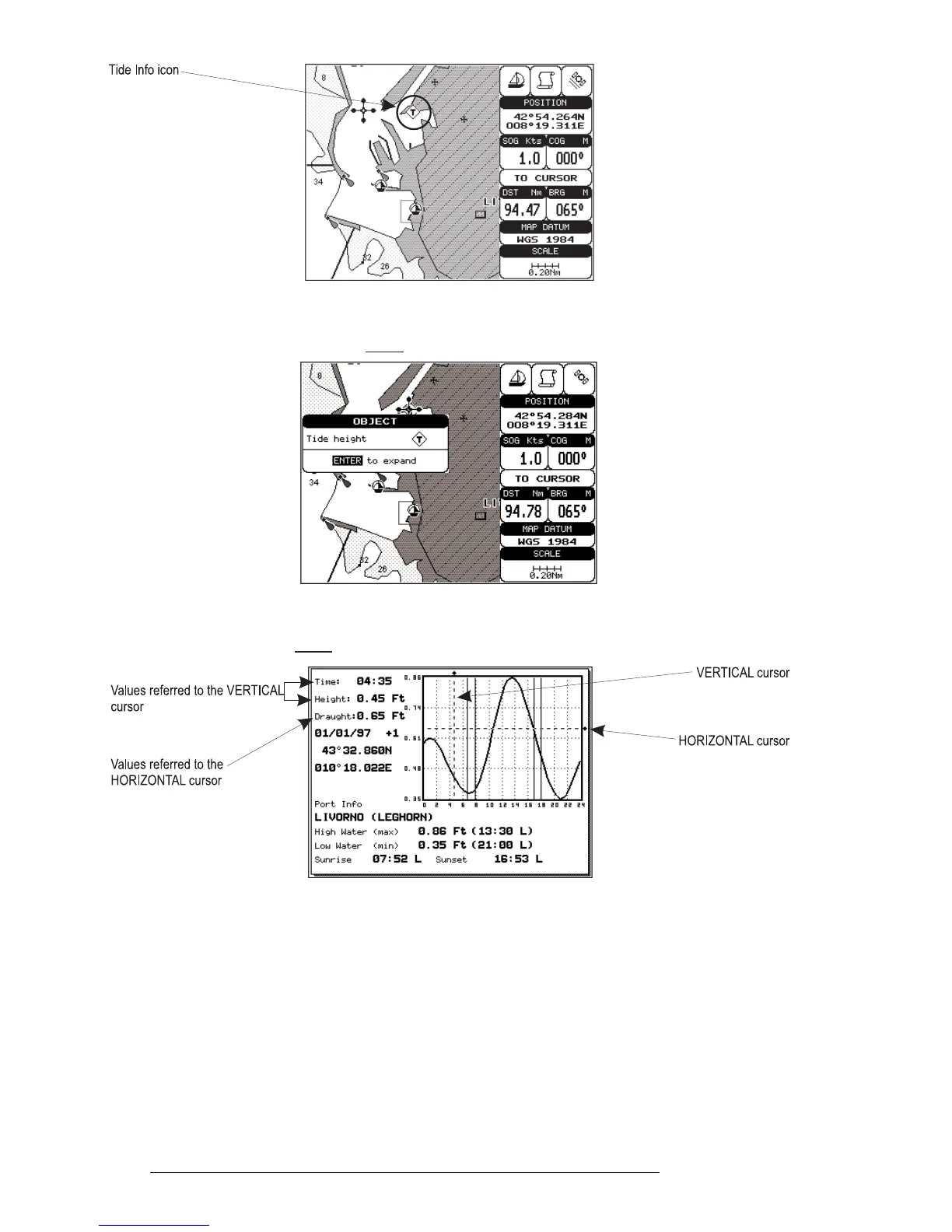
Fig. 3.5.6 - Tide Info icon
Place the cursor on the Tide symbol, a Automatic Info window is opened:
Fig. 3.5.6a - Automatic Info on Tide
To display the Tide Graph page, press 'ENTER' for two times.
Fig. 3.5.6b - Tide Graph
Using the cursor key, it is possible to move the cursor anywhere on the
graph and display the time, height (vertical cursor) and draught (horizontal cursor)
on a particular graph point. Also use 'ZOOM IN' or 'ZOOM OUT' to go to previ-
ous or next day and 'ENTER' to set date (move the cursor key up/down to insert
the desired number and use it left/right to move cursor to left/right).



 To Next Page