77
User Manual
4.7.1.6 Graphical representation on Map Display
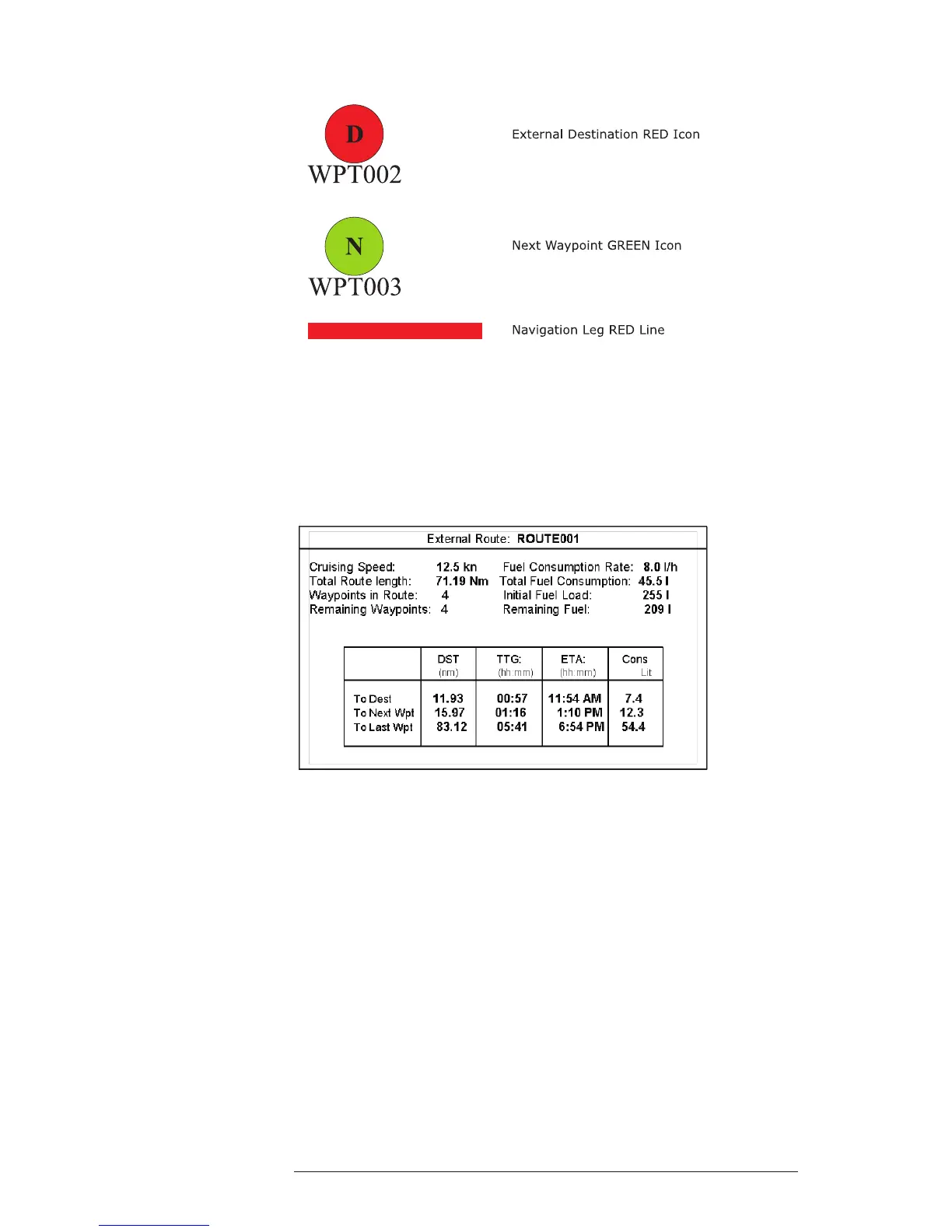
Fig. 4.7.1.6 - Graphical Displaying
4.7.1.7 Route Data Report
When the Navigation to the External Route is received, it will be possible to
display the information related to the External Route by entering the Route Data
Report.
Fig. 4.7.1.7 - External route on Route Data Report
- External Route : Name of the External Route (from PCMPN,0)
- Cruising Speed : Planned Cruising Speed (from PCMPN,1)
- Fuel Consumption Rate : Planned Fuel Consumption Rate (from PCMPN,1)
- Total Route length Route: Length from First to Last Wpt. (from PCMPN,1)
- Initial Fuel Load : Volume of Fuel available before the navigation was
started (Liters)
- Total Fuel Consumption : Calculated Fuel consumption to navigate the whole
route.
- Waypoints in Route : No. of Wpts in the Route (from PCMPN,1)
- Remaining Waypoints : No. of Wpts from Dest to Last Wpt (from PCMPN,1)
- Distance to Destination : Distance from Ship to Destination (Calculated)



 To Next Page