71
User Manual
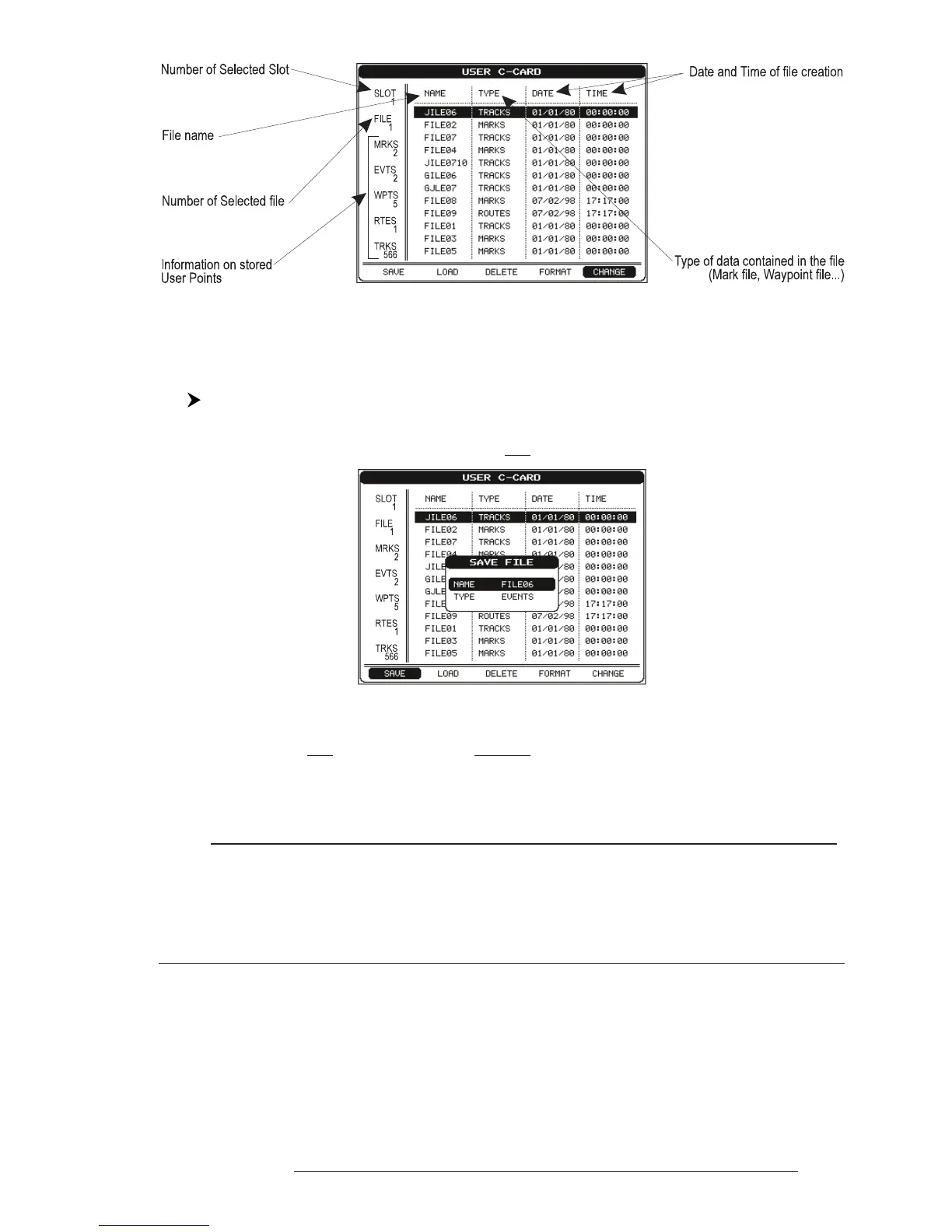
Fig. 4.5 -User C-CARD Menu
4.5.1 SAVING FILE
'MENU' + "ADVANCED SETTINGS" + 'ENTER' + "USER C-CARD" + 'ENTER'
+ "SAVE" + 'ENTER'
A window is opened to insert the file name and the type of data to save:
Fig. 4.5.1 - Save File function (I)
Select the file name. At first a default name is shown: use the cursor key to
insert the name. Press 'ENTER'. Select the data type to save among "MARK",
"EVENT", "ROUTE" or "TRACK".
Note
When naming a file, you may have trouble finding a name that uniquely identifies the file's
contents. Dates, for example, are often used in filenames; however, they take up several characters,
leaving you with little flexibility. The secret is to find a compromise, a point where you can
combine a date with a word, creating a unique filename. The maximum length of the filename
is 8 characters. The characters may be numbers (0, ..., 9), letters (A, ..., Z) and spaces (for example
legal identifiers are "ABC", "AA", "12121212", "A B C", "1 A 1", and so on.
Press 'CLEAR'. On the screen appears:



 To Next Page