38 User Manual
- Perspective View ("Real World" perspective view of the chart, updated realtime
during navigation)
MAX and NT/NT
+
C-CARD coexistence
- When NT
+
data and MAX data cover different areas, the chart plotter gets data
from both charts (depending on the current position).
- When NT
+
data and MAX data cover the same area, the chart plotter gets data only
from MAX chart.
3.5.1 MAP MENU
It is possible to select the Map Menu following the procedure:
'MENU' + "MAP SETTINGS" +'ENTER'
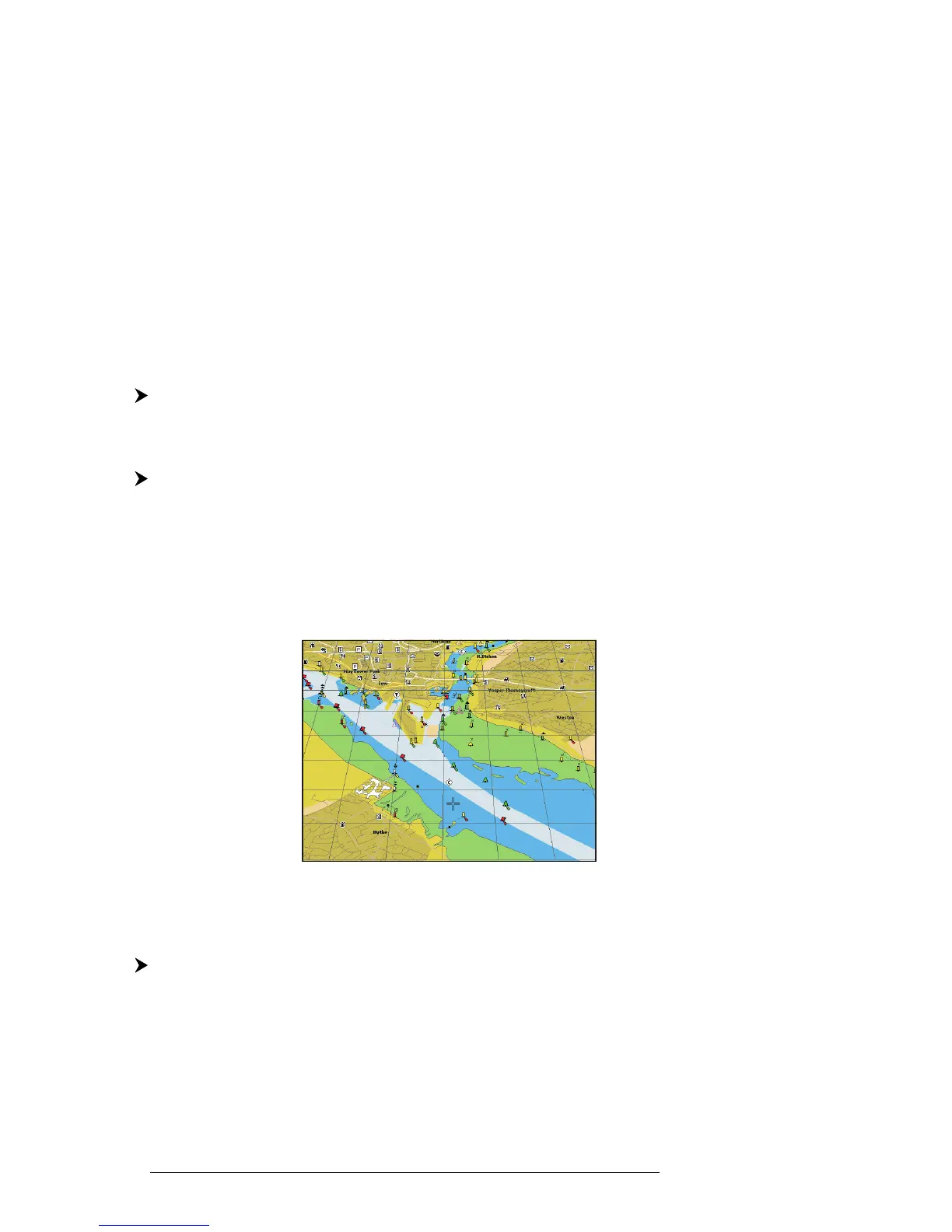
3.5.1.1 Perspective View
'MENU' + "MAP SETTINGS" +'ENTER' + "Perspective View" + 'ENTER'
Chart data may be projected in perspective mode during navigation. This
function allows setting the panoramic View of the chart.
As the upper side of the map is more compressed than the lower side, a wider map
area is visible. The perspective view allows showing more chart information immedi-
ately ahead and around the cursor.
Fig. 3.5.1.1 - Perspective View
3.5.1.2 Palette
FOR
C
OLOR
C
HART
P
LOTTER
'MENU' + "MAP SETTINGS" +'ENTER' + "Palette" + 'ENTER'
It is possible to set the palette used to enhance the visibility of the screen
depending on the surrounding light condition. The possible choices are Normal,
Classic, NOAA, Night Vision and Sunlight. The default setting is Classic. Normal
is recommended when the chartplotter is not exposed to the direct sunlight. When



 To Next Page