26 User Manual
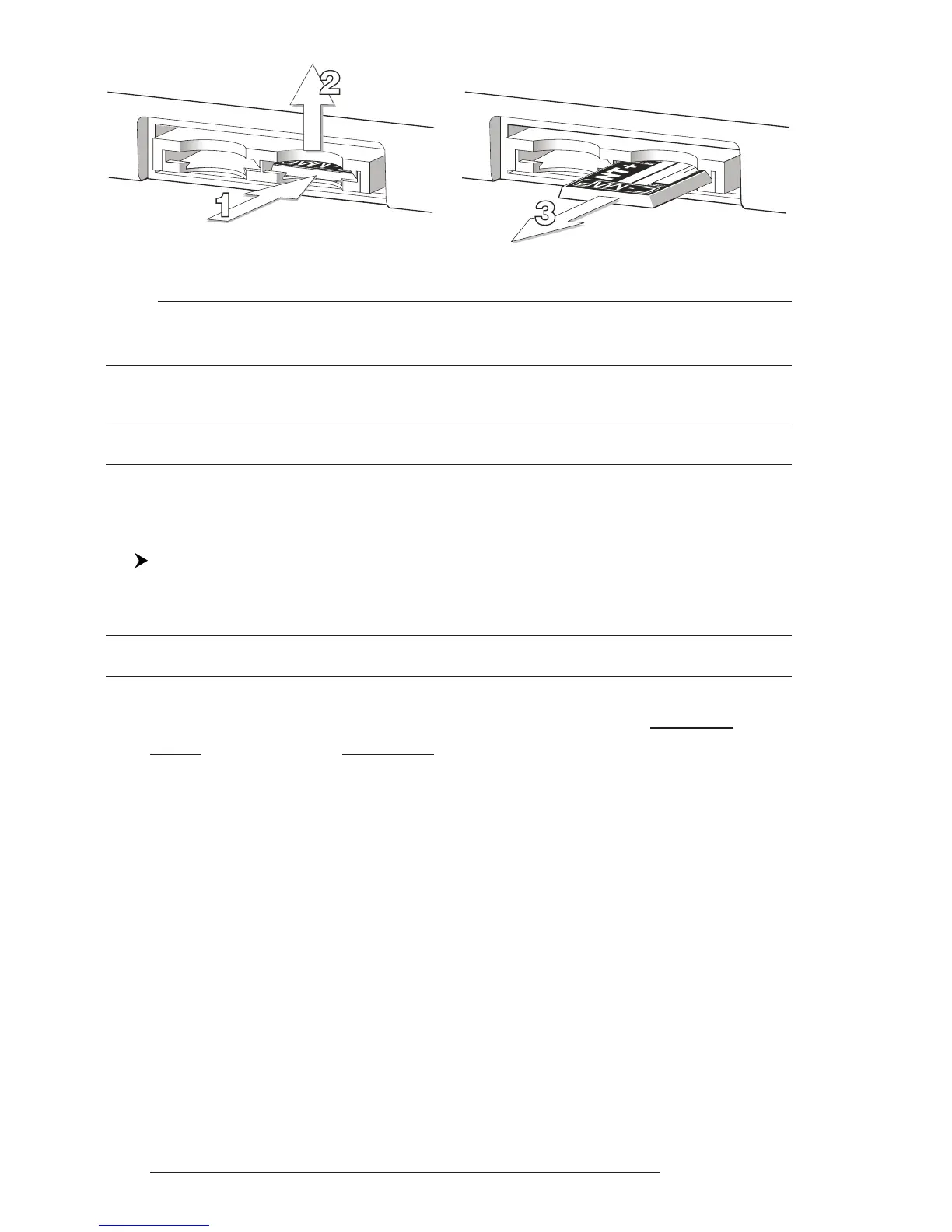
Fig. 2.6.2 - Removing C-CARD
Note
C-MAP is continuously creating new charts and revising old ones. If you wish to receive
information on the newest availbale charts, you can write for the catalog of available
C-MAP C-CARD at your dealer.
2.7 MENU OPTIONS
You may select how the chartplotter displays primary information (such as
how time is displayed) from the main Menu. Refer to Chapter 5 for more information.
'MENU'
2.8 DATA ENTRY
Information is keyed into the chartplotter when editing a Waypoint, enter-
ing a Route or using the Fix Correction functions. When the field is highlighted:
- Enter or edit data by pressing up/down cursor key to step through the
available characters until the preferred character is displayed.
- Press right cursor key to move the cursor to the right.
- Use left cursor key to move the cursor to the left.



 To Next Page