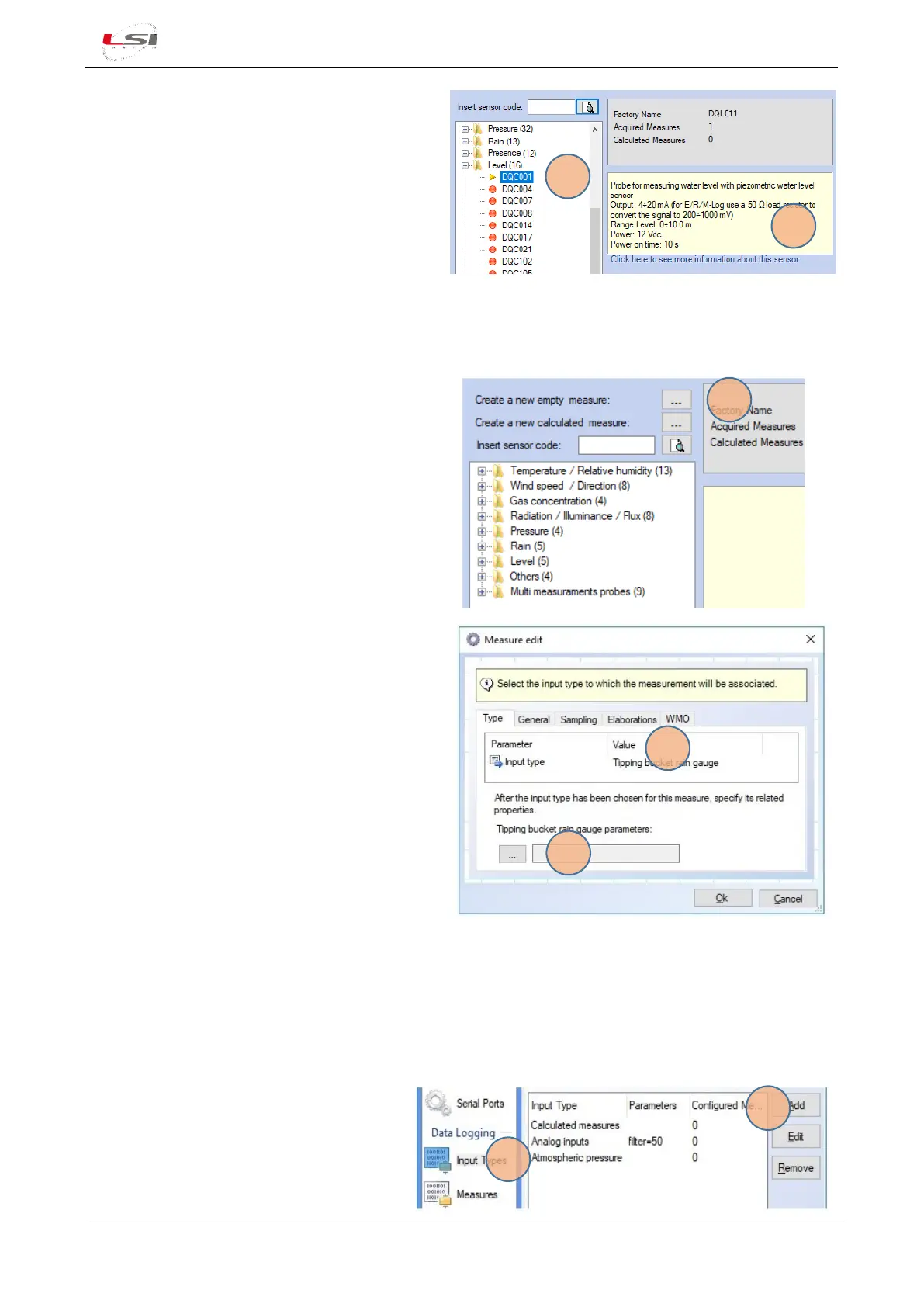
1. Select Measures in the Data Logging section
and press [Add].
2. Expand the category (e.g. “Level”) and select
the first sensor (5). The program will display
its characteristics (6).
3. Scroll the list to find the most similar sensor.
4. Once the appropriate sensor has been
identified, press [Ok].
5. If requested, select Add a new input type (e.g. “Tipping bucket rain gauge”), press [Add] and check that
the displayed parameters are adequate for the type of selected sensor.
Starting from new sensor (not from the sensors library):
1. Select Measures in the Data Logging section
and press [Add].
2. Press […] (1)Create a new empty measure.
3. Select Input type based on the sensor type (2).
For more information about the input types,
see §4.1.5.
4. Set the parameters relating to the input type
choosen (3).
5. Set the parameters of General, Sampling and
Elaborations sheets.
For the RMAP protocol it is also necessary to
set the parameters of the WMO tab.
In the case of a new sensor (not available in the 3DOM sensor library) with Modbus RTU output is used:
➢ set input type by specifying the communication parameters
➢ set the measurements by specifying the Modbus parameters for data reading
Set input type:
1. Select Input Types from Data Logging (1).
2. Press [Add] (2).
3. Select Modbus RTU Master, then press
[Add].
4. Set the required parameters (for more
info §4.1.5.5).



 To Next Page