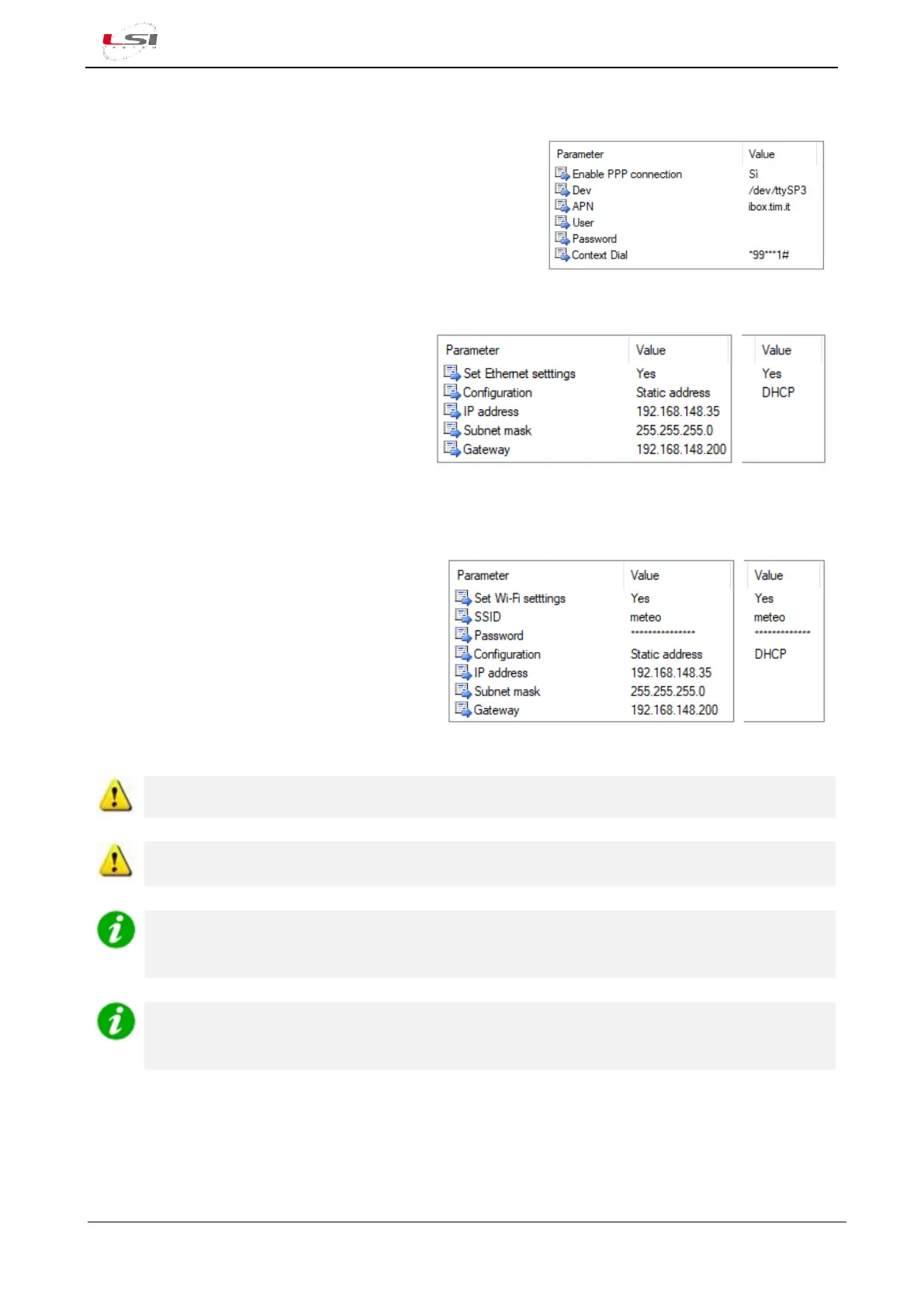
2.2.5.1 PPP interface (3/4G modem)
3G/4G modem is connected to Alpha-Log COM1 serial port,
where its power supply mode needs to be set (Dev:
/dev/tty/SP3). APN, User, Password and Context Dial are those
relating to the telephone provider used.
For further information, see §4.1.3.
2.2.5.2 Ethernet interface
If the IP address is assigned by the server, set
Configuration to DHCP. If, instead, it is a static
address, set Configuration to Static address and
specify IP address, Subnet mask and Gateway.
For further information, see §4.1.3.
Consult your network administrator for more details.
2.2.5.3 Wi-Fi interface
Set SSID and Password.
If the IP address is assigned by the server, you only
need to set Configuration to DHCP. If on the
contrary it is a static address, set Configuration to
Static address and specify IP address, Subnet mask
and Gateway.
For further information, see §4.1.3.
Consult your network administrator for more details.
Password cannot be hidden in the configuration file.
Connect a Wi-Fi USB stick into one of the two USB ports (3) of the instrument to connect Alpha-
Log to a WLAN network.
If an Internet connection is required and there is no LAN or WLAN network available for Alpha-Log
connection, use a 3G/4G modem equipped with appropriate SIM card (having activate data traffic,
check the data volume) and configure PPP interface.
It is possible to specify one or more gateways for connecting Alpha-Log to the Internet. The first
used is the specific one of the used network interface, the others are defined as Preferential
gateways. The insertion order defines its priority.



 To Next Page