3.3.2 Configuring ALIEM sensors not from the 3DOM sensor library
If the sensor is not in the library list, it is advisable to choose one from the list with similar characteristics and
then change its properties or create a new one.
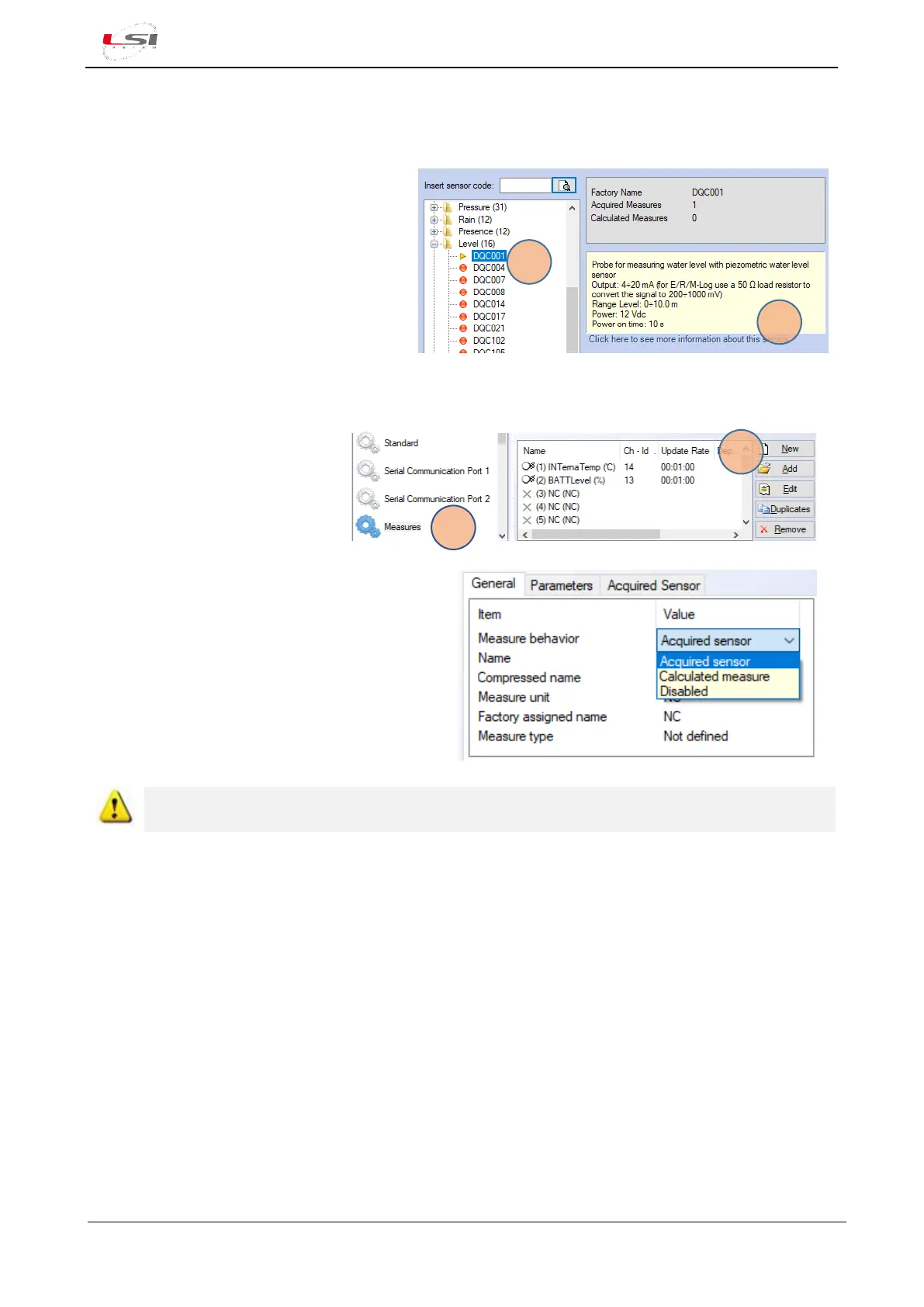
1. Press [Add] from Measure List Panel.
2. Expand the sensor’s category (e.g.
“Level”) and select the first sensor (5).
The program will display its features (6).
3. Scroll the list until you find the most
similar sensor.
4. Once identified, press [Ok] to confirm
measurements.
Starting from new sensor (not from the sensors library):
1. From section General
Parameters, select Measures
(1).
2. Press [New] (2).
3. As Measure behaviour select Acquired sensor.
4. Set the remaining items of the General tab.
5. Set the items of Parameters and Acquired
sensor tabs.
ALIEM module is not producing any statistical elaboration. All elaborations are made by Alpha-Log
using the row data received by ALIEM module (§2.2.4.2).
3.3.3 Saving and uploading configuration to ALIEM
1. In the 3DOM’s Toolbar, press [Save] to save the configuration; confirm Measures Order and then
Configuration State by pressing [Ok].
2. Press the name of the newly created configuration with the right key of your mouse and select Upload...
to send it to ALIEM.
3. After sending the configuration, press [Close] in the Communication window.



 To Next Page