2.2.6 NFTP, MQTT, NTP, Modbus protocols configuration
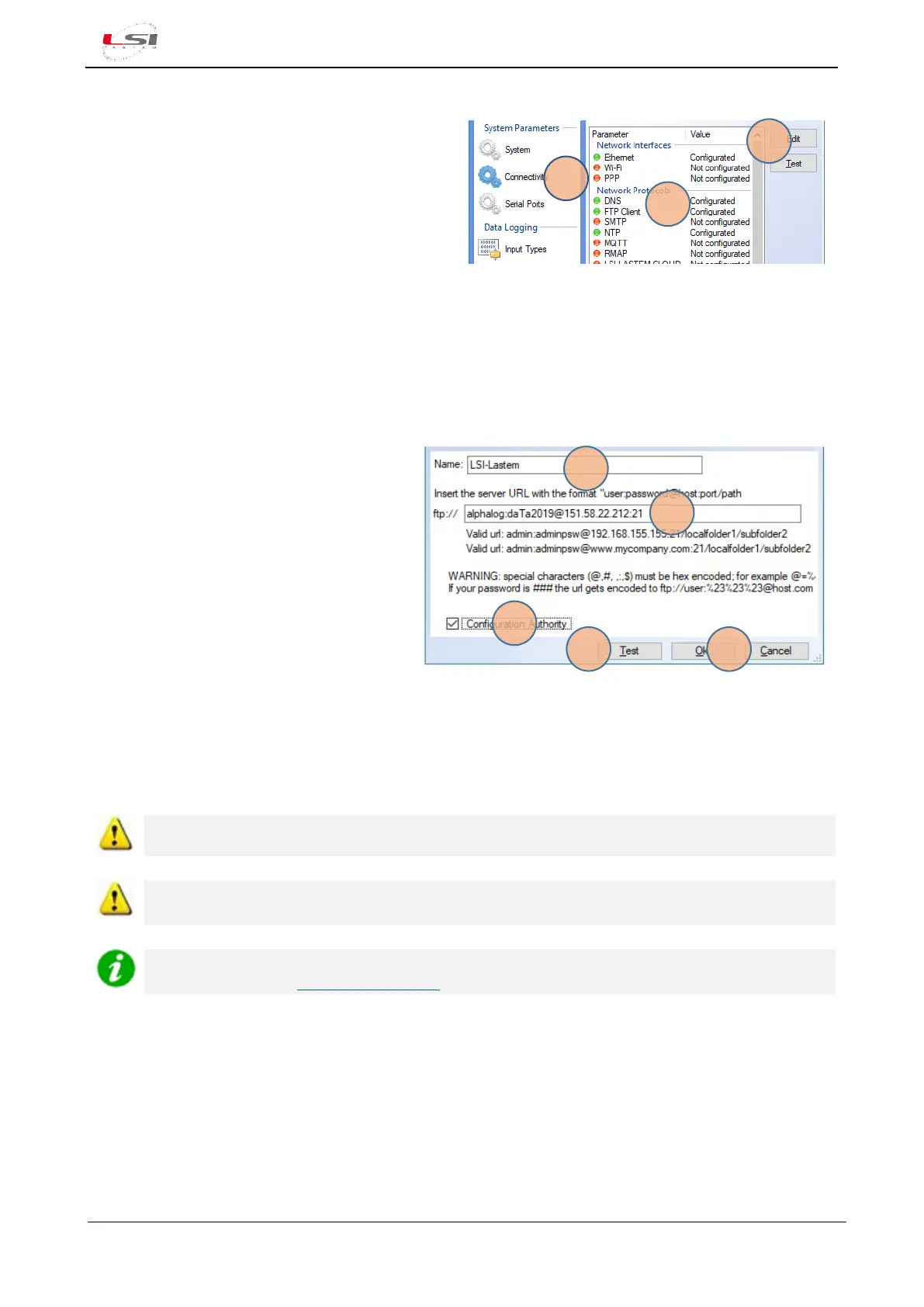
1. System Parameters-Connectivity (4).
2. Network Protocol (5) to be set up/changed (e.g.
FTP).
3. Press [Change] (6).
Alpha-Log supports Modbus RTU and TCP protocol. Read INSTUM_03762 user’s manual for more
information.
In the next sections some examples are reported.
2.2.6.1 FTP protocol for data the configuration file management (Configuration Au-thority)
Set the FTP area from where Alpha-Log will download the configuration file:
1. Enter the identification Name (7) of FTP
site and URL (8) in the specified format.
The side panel shows an example of the
FTP site named LSI-Lastem.
2. Press [Test] (10) to perform a connection
test to the FTP site.
3. enable the Configuration Authority
checkbox (9).
4. Press [Ok] (11).
If Configuration Authority is enabled, each time the configuration is saved using 3DOM, it is also sent to the
same FTP area. In concurrence with every data transfer via FTP, Alpha-Log monitors the FTP area that has
been set up as Configuration Authority and, if it detects the presence of a new configuration file, this is
automatically uploaded; then Alpha-Log will start operating in accordance with the new configuration.
Password cannot be hidden in the configuration file.
It is possible to specify several FTP areas for data delivery, but only one area can be appointed as
Configuration Authority.
LSI LASTEM offers its customers an FTP service. For more information contact the commercial
service by writing to info@lsi-lastem.com.



 To Next Page