Other inputs type are needed if new added sensors will use different Input type from those already existing.
If a new sensor is selected from the 3DOM sensors library, its input type is automatically set. Otherwise,
proceed as follows:
1. Select Input Types from Data Logging
section (1).
2. Press [Add] (2).
3. Select the type of input suitable for
the sensor output, then press [Add].
4. Set the required parameters.
4.1.5.1 Analog inputs
Analog inputs type is used to acquire sensors with voltage output, as
- battery voltage
- Analog In input on the data logger terminal block (§Fig. 2).
This input is used by sensors with voltage output up to 2000 mV. In case of sensors having current output
(0/4 ÷ 20 mA), it is possible to convert the signal into voltage, applying a 100 Ω resistor between terminals
17-18.
For this type of input Alpha-Log uses a filter to reduce the noise
produced by the mains power supply. During setup, it is possible
to choose the frequency of the mains voltage used (50/60 Hz).
4.1.5.2 Tipping bucket rain gauge
The Tipping bucket rain gauge is used by Alpha-Log for the acquisition of rain gauges. This type is associated
with the Pulse/Freq1 and Pulse/Freq2 inputs of the data logger (§Fig. 2).
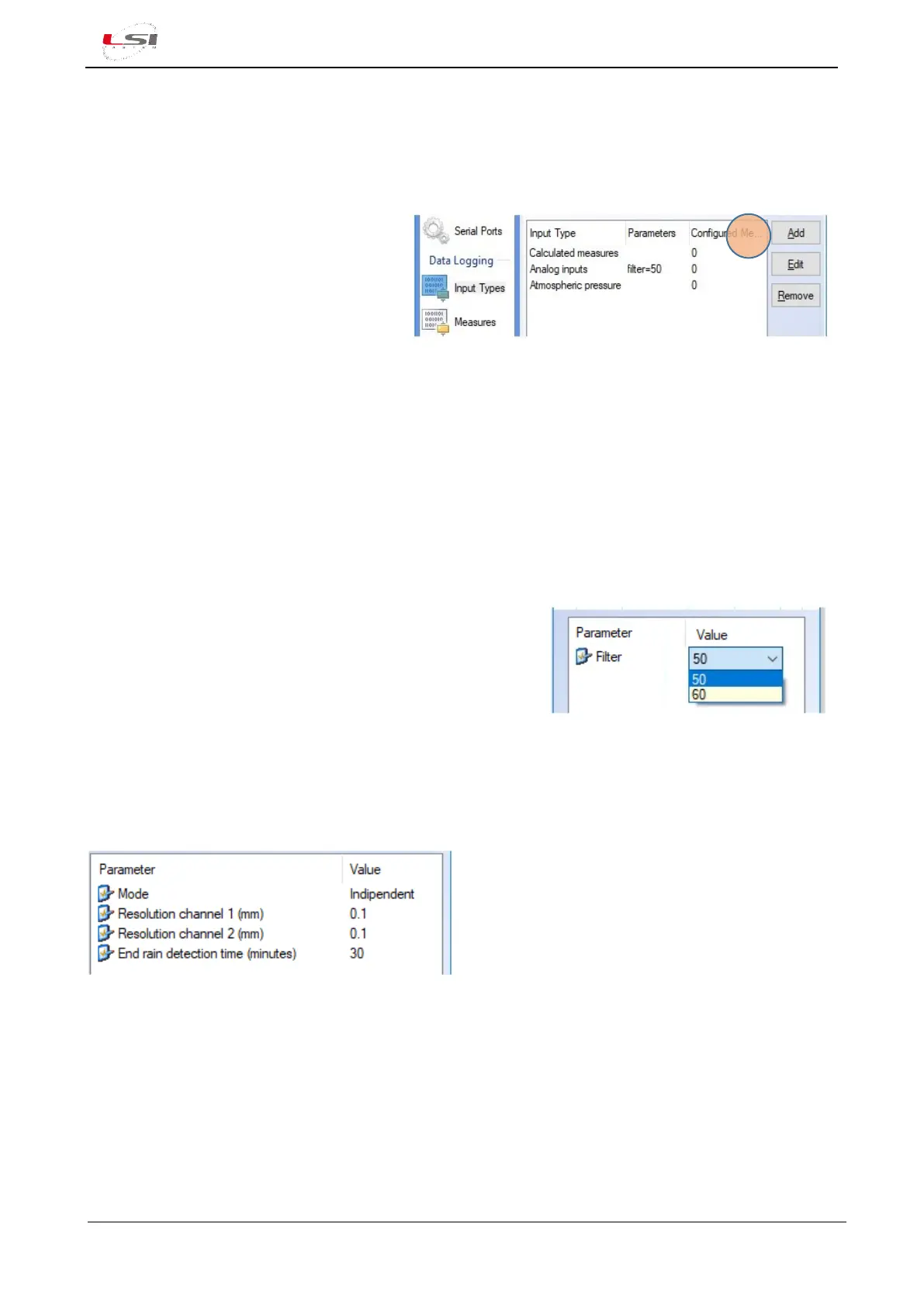
Set the following:
➢ Mode: indicates rain gauge type used in Pulse/Freq1 and Pulse/Freq2 inputs:
o Indipendent: one reed relay. In this case it is possible to connect two rain gauges, one for
each input.
o Central double reed: if the rain gauge has two reed relays placed in a central position.
o Lateral double reed: if the rain gauge has two reed relays placed in a lateral position.
➢ Resolution channel 1 (mm): it indicates the amount of rain generated by each pulse in channel 1.
Depending by the resolution of the sensor, set 0.1, 0.2 or 0.5.



 To Next Page