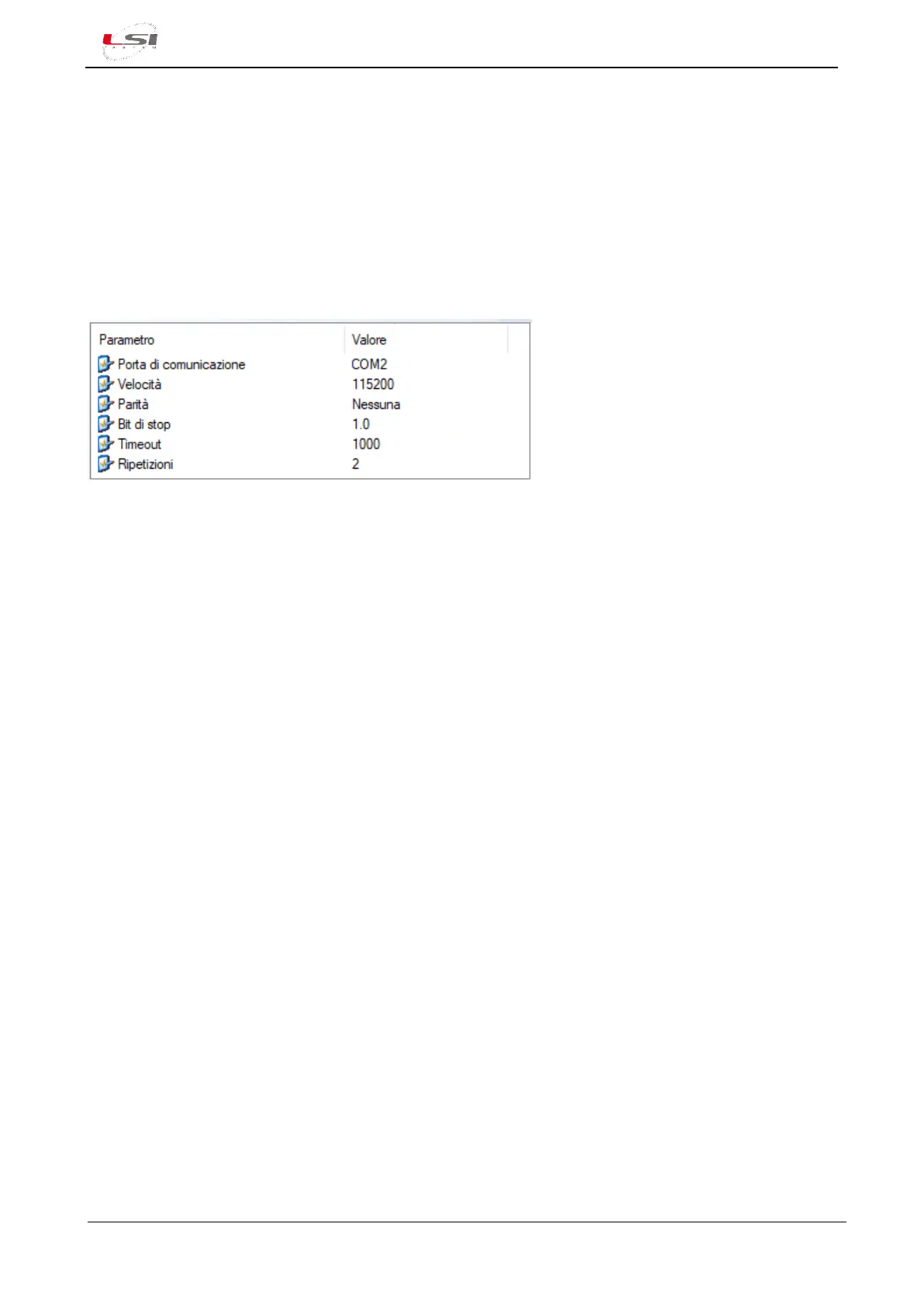
To access the configuration of serial port Com2 or Com3 connected to a Modbus RTU device (e.g. ALIEM),
select Input types from the Measurements acquisition section, then select and open the MODBUS RTU Master
type. If it’s not present, add it with the dedicated button.
➢ Communication port: is Alpha-Log’s port where the Modbus RTU device is connected. Com2 (6) if
connection is RS-232 type; Com3 (§Fig. 2) if it’s RS-485 type.
➢ Speed, Parity and Stop Bit: must be the same set in the Modbus RTU device.
➢ Timeout: is the waiting time expressed in ms for receiving the response to a command sent.
➢ Repetitions: is the number of repetitions of the command after a timeout.
Fig. 14 – Com2 port configuration for Modbus RTU example.
Configuration parameters related to the Com4 also can be found in Input types, in the Measurements
acquisition section. Select and open the interested type (e.g. RTR Thermo Hygrometer). If it’s not present,
add it with the dedicated button. Parameters are the same of the Modbus RTU Master type.
4.1.5 Input types
Each measurement is associated to a type of physical input used by the sensor connected directly to Alpha-
Log. Sensors connected to ALIEM module are not following this logic.
Input types:
- Analog inputs
- Tipping bucket rain gauge
- Lightning Sensor
- Thermo-hygrometer RTR
- Modbus RTU Master
- SDI-12
- Atmospheric pressure
- Thermo-hygrometer SNS
- Boschung
- Temperature TI
- Frequency/Pulse inputs
- Calculated measures
By default, the factory input types are only the following:
- Calculated measures
- Analog inputs
- Atmospheric pressure



 To Next Page