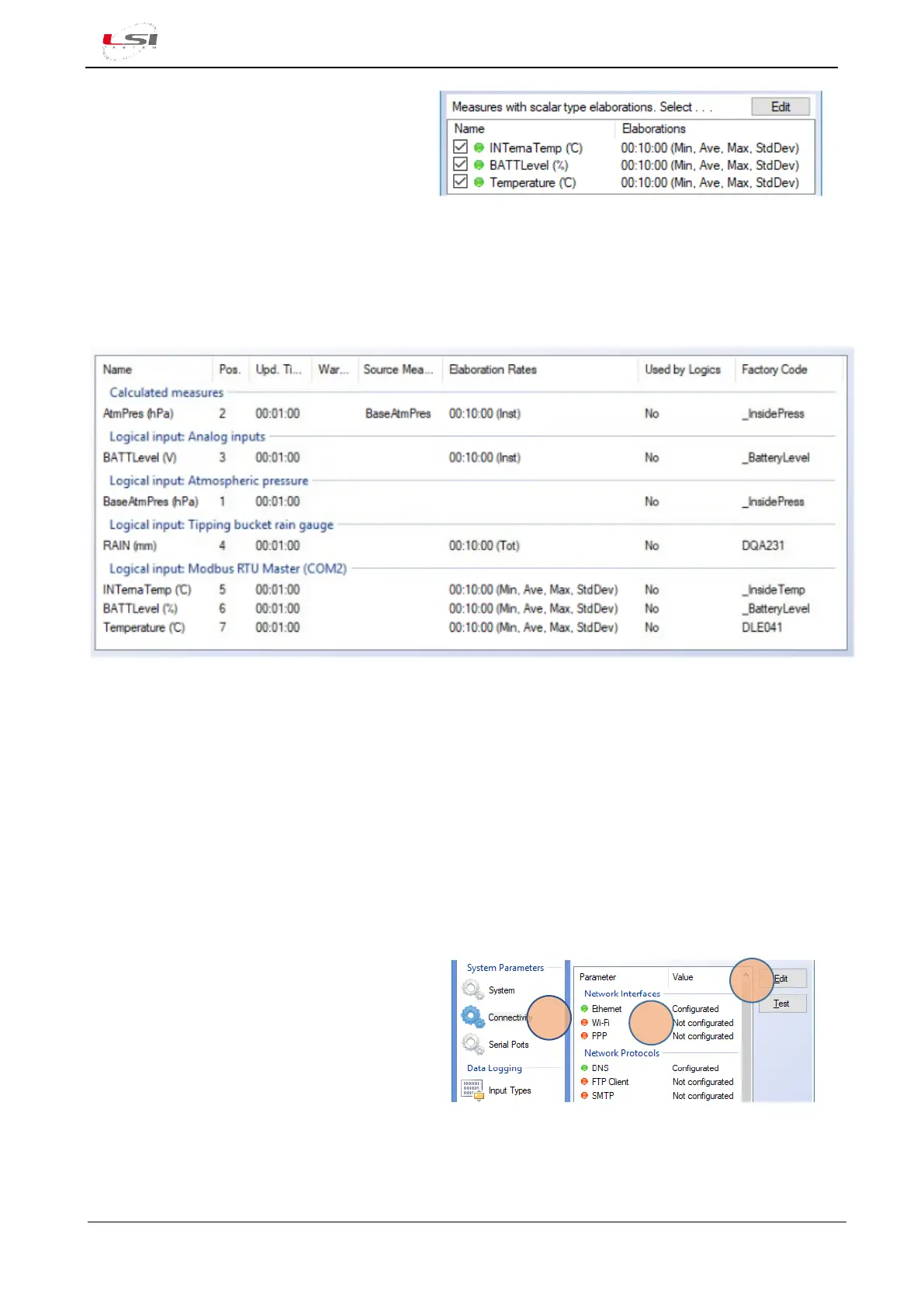
10. Press [Ok] in the Set Elaborations window.
The Set elaborations for imported measures
window will be updated with the selected
elaborations.
For each channel it is possible to set many elaboration rates.
Example Temperature channel: Min/Ave/Max every 10 min, 1 hr, 24 hrs.
Press [Ok] once completed the selection of the measurements to be imported.
The new measurements will be added to the Measurements panel.
For more information on the procedure for importing the ALIEM configuration into Alpha-Log, refer to the
chapter Alpha-Log import measures of 3DOM - User manual.
Once completed the configuration of all probes/channel, it is possible to list them as wished. In the next step
will be to configure the instrument connectivity.
2.2.5 Configuring Internet connectivity – network interfaces
Services such as sending data to an FTP server, sending e-mails, managing Alpha-Log configuration in remote
mode as well as clock synchronization, require Internet connection. If you wish to use such services, you
should configure the network interface (LAN or WLAN) you need to use.
1. Select Connectivity (1) in the System
Parameters section.
2. Select the item in Network Interfaces (2) to
be set/changed.
3. Press [Edit] (3).
4. Enter all requested parameters.
5. Press [Ok].
For further information, see §4.1.3.
As an example, below is a list of some interface configurations for Internet connection.



 To Next Page