For more information, see §4.1.2
2.2.3 Setup of the log file rows concerning diagnostic information
Select System->Diagnostic to set the rows number of the log file which will include diagnostic information.
This file becomes available when FTP Authoriy is set (§2.2.6.1).
2.2.4 Alpha-Log sensors configuration
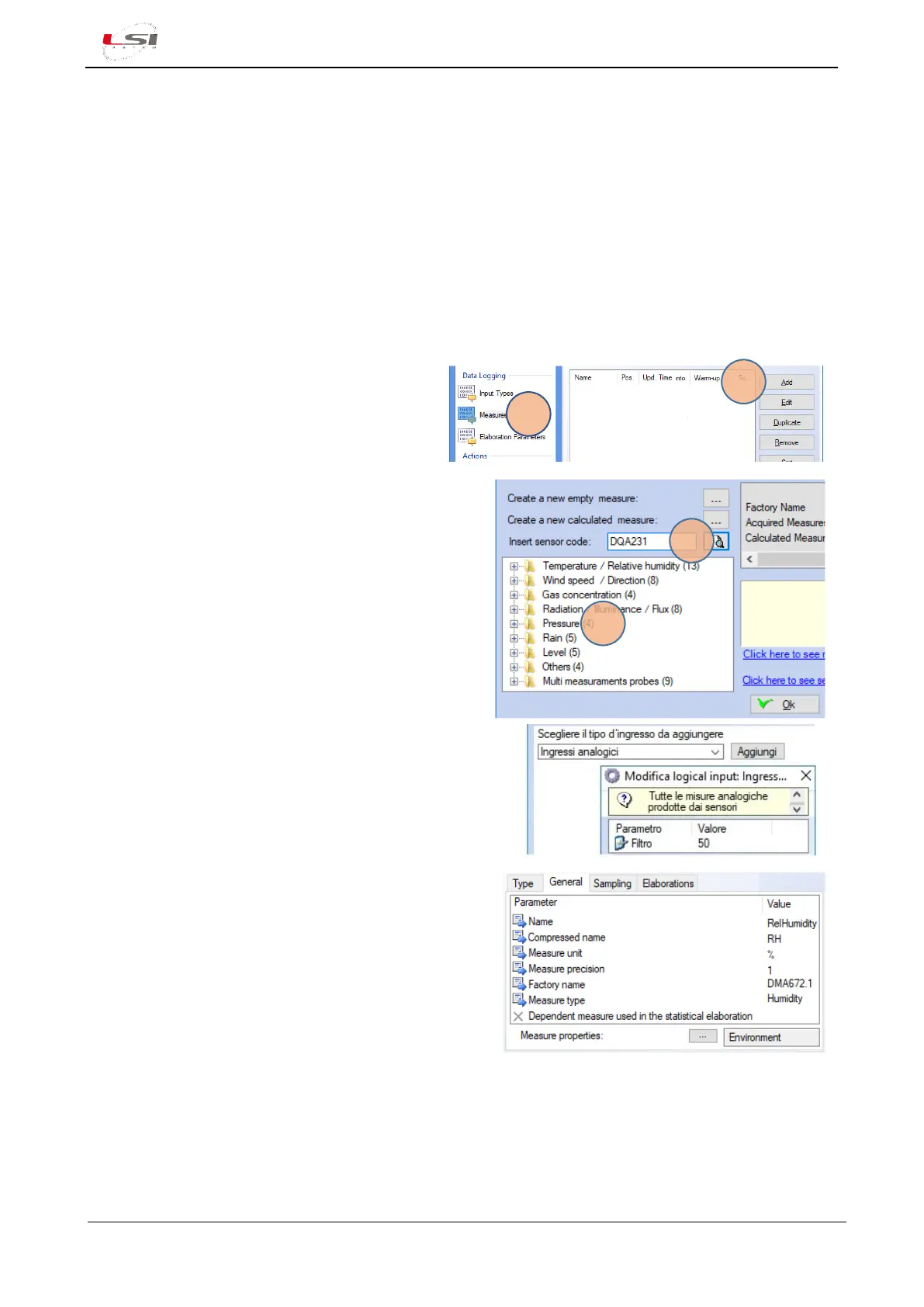
When one of configuration models suggested by 3DOM is used, remove the sensors not used and/or to add
the ones missed. To add sensors, it is possible to search inside the 3DOM sensors library:
1. In the section Data Logging, select
Measures(1).
2. Press [Add](2).
3. Enter the commercial code (e.g. DMA672.1) and
launch the search (3), or select the code from its
category (4) and press [Ok].
If the sensor hasn’t been found, see chapter
§2.2.4.1.
4. Select Add a new input type (e.g. “DMA672.1: Analog
input”) and press [Add].
5. Set/check that the parameters are appropriate for the
selected type of sensor (e.g. DMA672.1 sensor: Filter
value=50. The quantities measured by the sensor (e.g.
DMA672.1: “RelHumidity” and “AirTemp”) will appear.
6. Double click on the new measurement name and
check parameters in the next labels are correct:
General, Sampling, Elaborations
7. Repeat the operation for the next sensors.
See also §4.1.6.
2.2.4.1 Configuring sensors is not available in the 3DOM sensors library
If the sensor is not in the library list, it is advisable to choose one from the list with similar characteristics and
then change its properties or create a new one.
Starting from a similar sensor:



 To Next Page