1. Start 3DOM.
2. Select Instrument->New…
3. Select E-Log – R/M-Log, S-Log, ALIEM… and
press [Continue] and then [Next].
4. In the Communication parameters window,
set:
• Connection type: Serial.
• Serial port: the number of PC port to
which it is connected (e.g. COM1).
• Bit rate (bps): 9600.
5. Press [Save], then [Next] to connect to the
instrument. Press [Next] and then [Finish] to
continue.
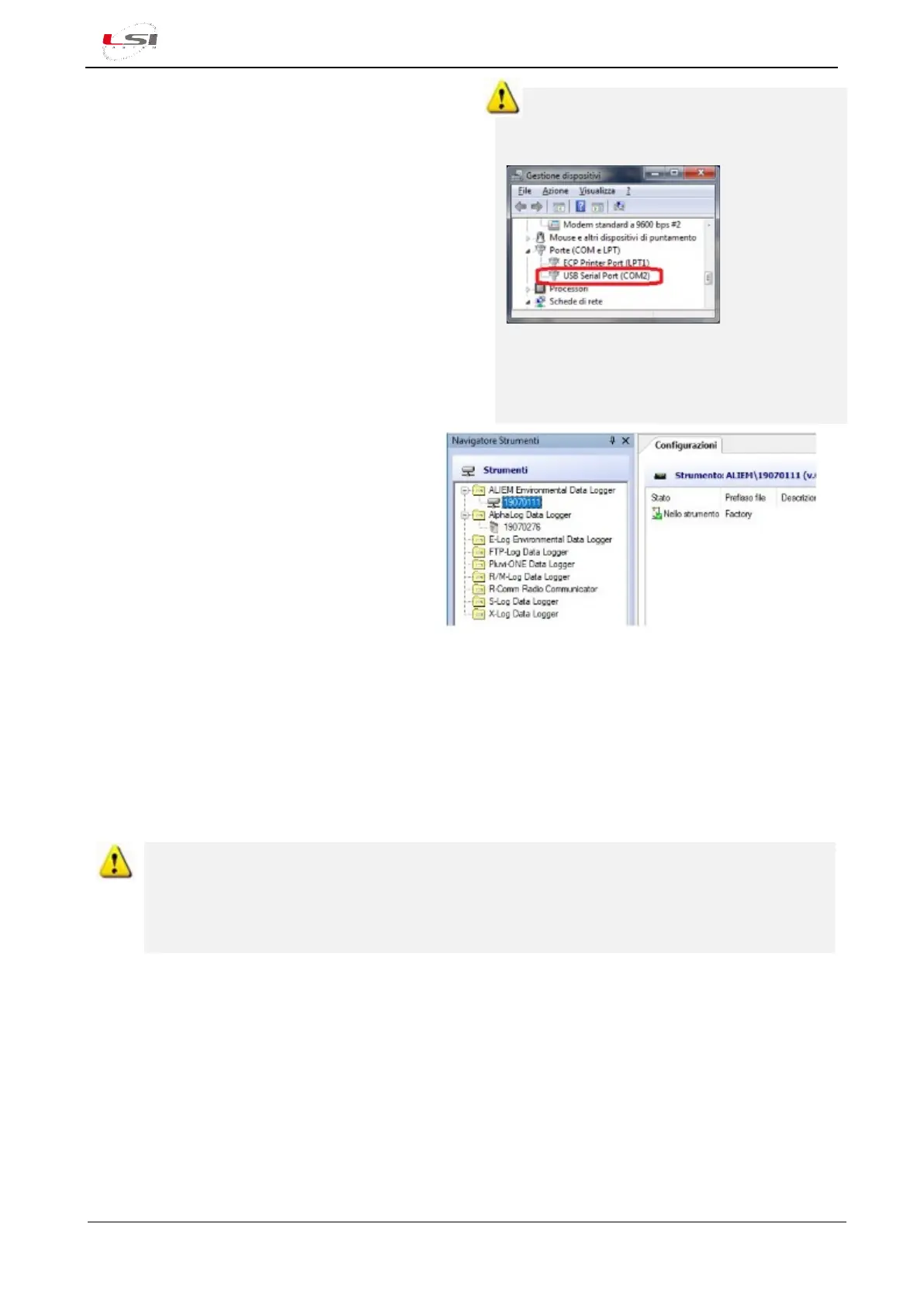
In MS Windows, to check the PC serial port
where the USB adapter is connected, select
System in the Control Panel and select Hardware
setup. Expand
the Ports list
(COM and
LPT). Identify
the port
number called
USB Serial
Port. In the case more than one USB port is
listed, disconnect and reconnect the adapter and
check with port will disappear and reappear. Set
the same COM number in the 3DOM.
6. Select [Yes], then [Continue] to download
the configuration. At the end, press
[Close], assign a name to the
configuration (e.g. “Factory”) and press
[Ok].
3DOM will update the Instruments Browser and
the Configurations with the instrument’s serial
number and the configuration just downloaded.
3.3 Configuring ALIEM
ALIEM is provided with a factory configuration. Moreover, some configuration models are available (§Alpha-
Log configuration templates). In both cases it is required to start from one of these configuration models and
to adapt it according to the specific requirements. When completed, this new configuration will be sent to
the instrument, which will start operating based on the options selected.
ALIEM configuration is performed independently from Alpha-Log configuration. Only at the end,
the ALIEM configuration is "imported" into an existing Alpha-Log configuration. The ALIEM
configuration process can only be performed via PC directly connected to ALIEM. While Alpha-Log
is reachable and remotely configurable, an ALIEM module, even if connected to Alpha-Log, cannot
be reached if not disconnected from Alpha-Log and connected to a PC.
Edit the factory configuration model:
1. Select the serial number of the instrument in the Instruments Browser list.
2. Select the saved setting (e. g. “Factory”), choose Configuration->Save as New Configuration…, assign a
name to the setting (e. g. “Custom”) and press [Ok].
3. Open the configuration by selecting Configuration->Edit…
Edit one of the configuration model:
1. Select the serial number of the instrument in the Instruments Browser list.
2. Select Configuration-> New…, choose one of the available model, assign a name to the setting (e. g.
“Custom”) and press [Ok].



 To Next Page