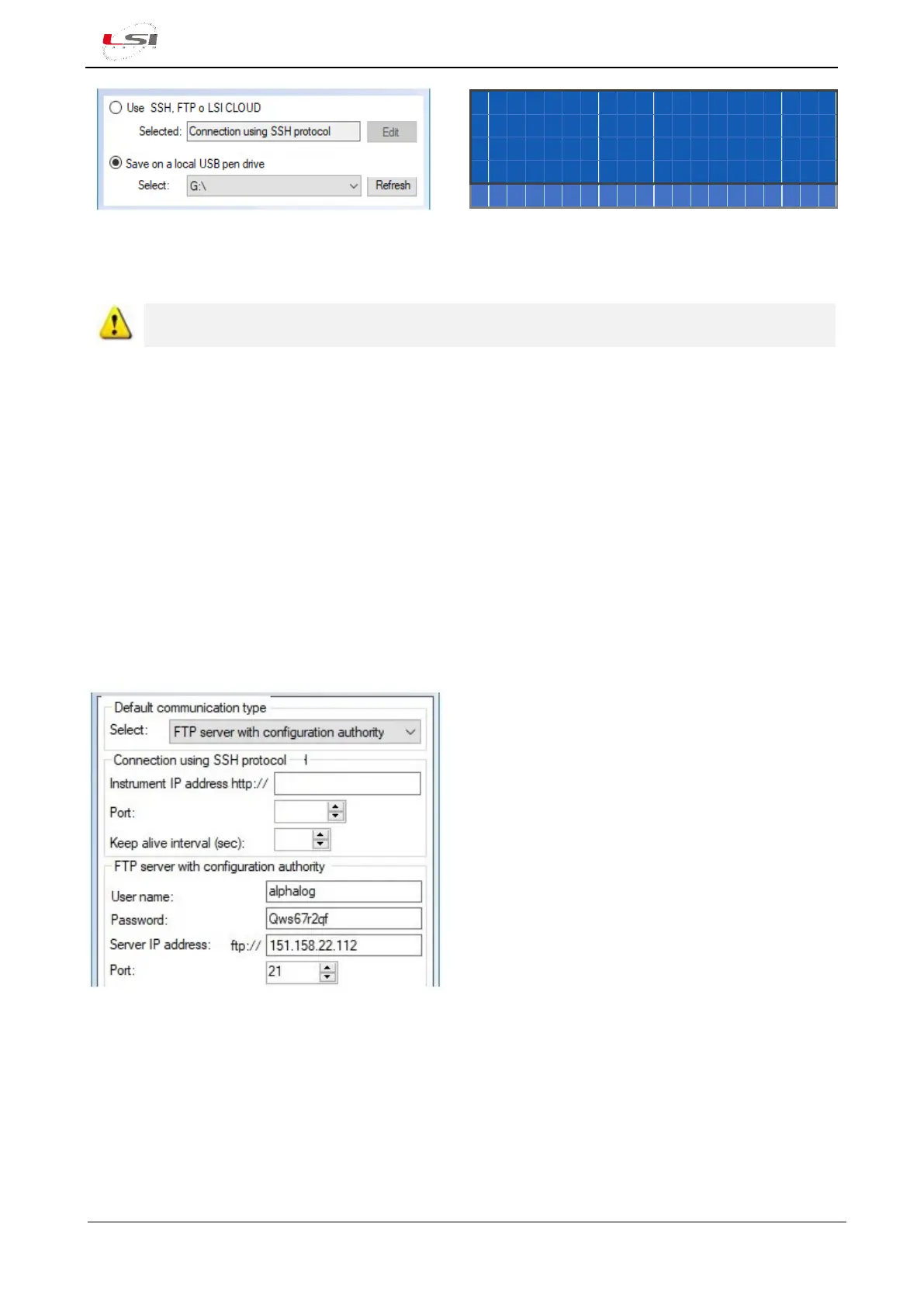
Fig. 21 – Configuration file transmission on a USB pen drive identified on the G:\ unit example
ADVANCED FEATURES functions are active only if Advanced mode (§5.1.4.3) is enabled.
4.1.11.3 Sending via FTP server
Alpha-Log supports FTP protocol for the file transmission in client/server mode. This type of transmission
assumes the FTP server to already be configured properly. The FTP server indicated in the configuration must
have a checkmark on Configuration Authorities option.
In the guided transmission procedure of 3DOM’s configuration, set the following parameters up:
➢ Default communication type: FTP server with configuration authority.
➢ User name.
➢ Password.
➢ Server IP address.
➢ Port.
➢ Destination directory.
Fig. 22 – FTP connection example
Alpha-Log will update the configuration at the end of Elaboration data delivery time rate.



 To Next Page