➢ Resolution channel 2 (mm): it indicates the amount of rain generated by each pulse in channel 2.
Depending by the resolution of the sensor, set 0.1, 0.2 or 0.5.
➢ End rain detection time (minutes): it indicates the time between one pulse and the next to interrupt
the rain intensity calculation. It is possible to set any time from 3 to 2880 minutes. The default value
is 30 minutes.
Other parameters related to the rain measurement using tipping bucket rain gauges, are also needed:
That are:
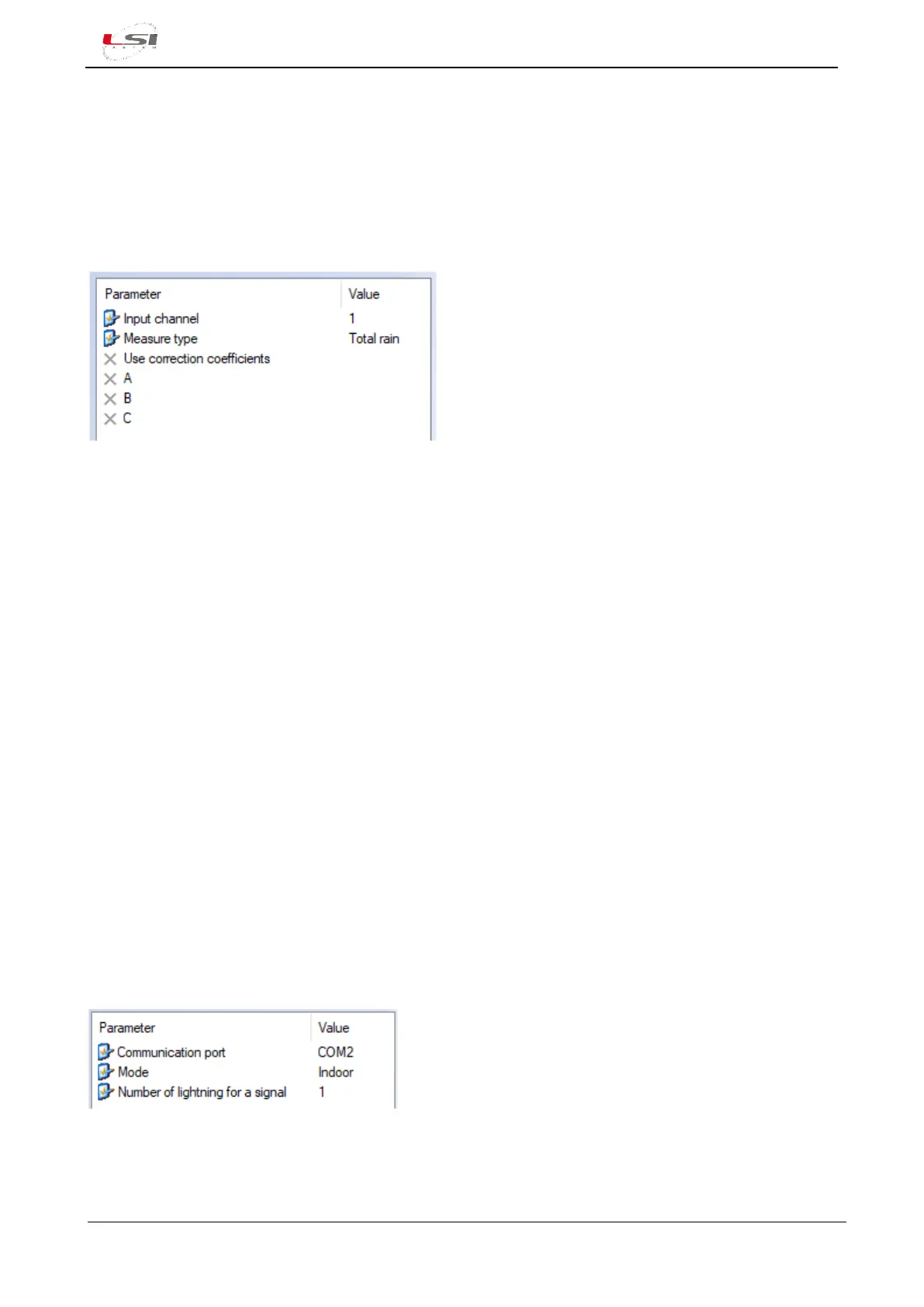
➢ Input channel: it specifies which is the input channel where the rain gauge is connected.
➢ Measure type: it is the type of measure associated with the rain gauge. It could be:
o Rain intensity: expressed in mm/h it is the intensity of rain calculation based on the
frequency of the pulses. Each impulse is given by each movement of the spoon across the
magnetic.
o Total rain: it is the rainfall recorded within the sampling rate (§2.2.4).
o Tip interval: it is the time elapsed between the last two pulses detected.
o Rain intensity (class A): expressed in mm/h it is the intensity of rain. The Class A is more
accurate since the correction coefficients are used in the calculation.
➢ Use correction coefficients: if set to Yes, it enables the coefficients A, B and C for the type of measure
Rain intensity.
➢ A, B, C: they are the correction coefficients for the calculation of the rain intensity measurement. The
coefficients are reported in the calibration certificate of the Class A rain gauge.
4.1.5.3 Lightning Sensor
The Lightning Sensor type is used for the acquisition of the LSI LASTEM DQA601.1 lightning sensor. It is
associated to:
- COM2(4): DQA601.1 (RS-232 port)
- COM4 (§Fig. 2): DQA601.3 (UART port). Always in COM4.
Parameters to be set:
➢ Communication port: it is the serial port where the sensor is connected.



 To Next Page