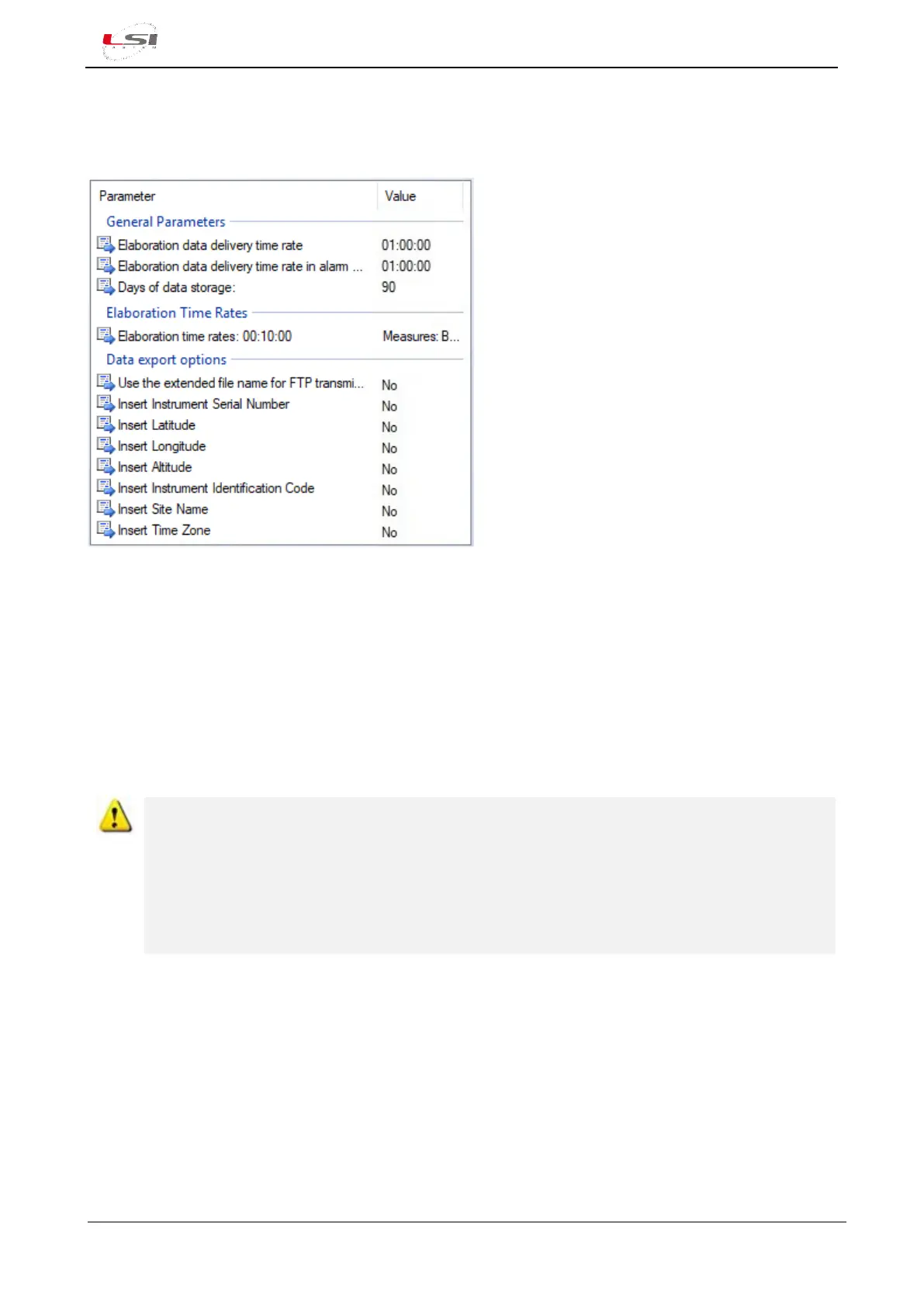
The parameters in the Data Export Options report which other parameters are to be sent by Alpha-log
together with the data elaboration of its measurements.
Fig. 15 – Elaboration parameters configuration example.
See Alpha-Log instrument configuration chapter from 3DOM’s user manual for more information.
4.1.8 Using the USB memory stick
It is possible to use a USB stick as addition to the internal memory of the Alpha-Log or as a device for files
exchanging from data logger to PC or the other way round.
The memory stick must be formatted with the FAT32 file system and must not have a capacity greater than
32 GB.
Although memory extension via USB stick is supported, long term uses are not recommended for
several reasons. The most important reason is due to the operating temperature limits of these
devices. You should be sure that your memory stick has an industrial protection grade (as the LSI
LASTEM XLA010 memory stick). Most of the sticks are tested to operate in environments with
moderate environmental temperatures (typically 10 ÷ 30 °C) therefore their use is limited in high
and/or low temperature operational conditions. Also, another reason concerns the type of file
system used: UBIFS used internally by Alpha-Log is more reliable than FAT32 used for the stick.
4.1.8.1 Use as an external memory
To use the USB key as external memory, insert it into one of the Alpha-Log USB ports (3). The data logger will
automatically recognize it. Through the MEMORY menu it is possible to view the capacity and the space used
(§5.1.4.5.2). The information is updated at the expiry of the Elaboration data delivery rate (§4.1.7).
The text files (* .txt) of the processed data are stored in aggregate form in the file named files.tar in the path
<serial>/data (where <serial> is the serial or user number of the Alpha-Log - for more info §2.2.1)



 To Next Page