2.4 Connecting ALIEM to Alpha-Log
Watch the following video tutorials related to the topics of this chapter.
Alpha-Log – ALIEM: ALIEM module
to Alpha-Log data logger, physical
connection and checks
Alpha-Log #15 - ALIEM module to Alpha-Log
data logger, physical connection and checks -
YouTube
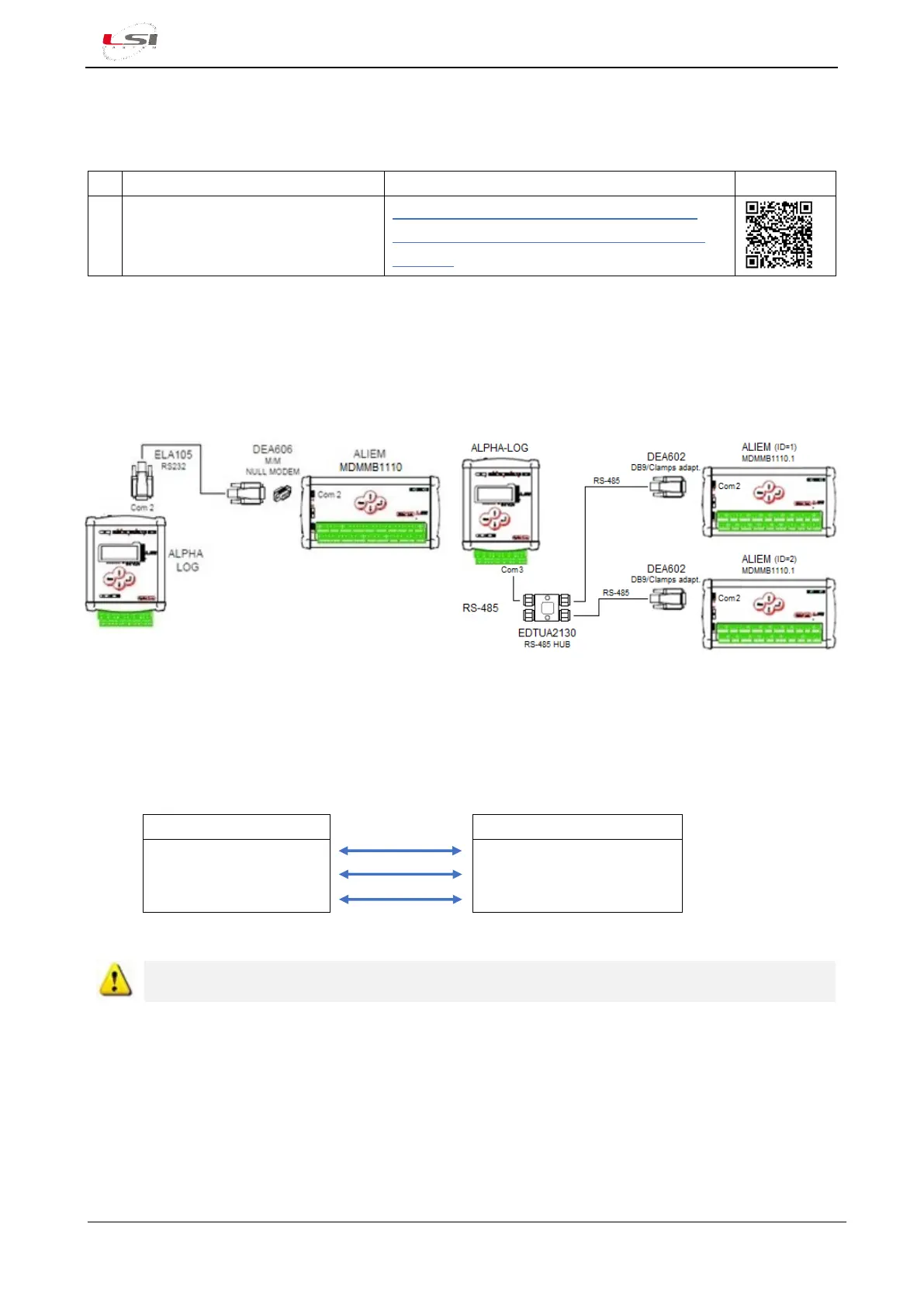
MDMMB1110 ALIEM module can be connected to the Alpha-Log Com2-RS-232(6), while one or more
MDMMB1110.1 ALIEM can be connected to Alpha-Log on the Com3-RS-485 port(10). In the first case, the
connection is made via the ELA105 cable and the DEA606 null modem adapter supplied; in the second, if
there are more than one ALIEMs, one or more RS-485 HUBs must be used.
One ALIEM module connection via RS-232
Several ALIEM units connection via RS-485
Alpha Log can manage on its RS-485 bus simultaneously other Modbus RTU slave devices, such as AIO
sensors.
ALIEM can be powered directly from Alpha-Log as follows:
64 -Vdc Power
65 +Vdc Power
66 GND
15 (o 16) -Vdc Power
13 (o 14) +Vdc Power
30 GND
For installation, follow the instructions given in chapter §1.3.
2.5 Check measures acquisition
Once the physical connection of the probes has been completed, the instantaneous values can be displayed
on 3DOM. The use of the software requires that Alpha-Log is connected to the PC via the Ethernet or Wi-Fi
port. If not, check the instantaneous values directly on the data logger display (§5.1.4.1).



 To Next Page