p/n 18603-001, Rev. C LTV
®
1200/1150 Ventilator Service Manual Page 8-9
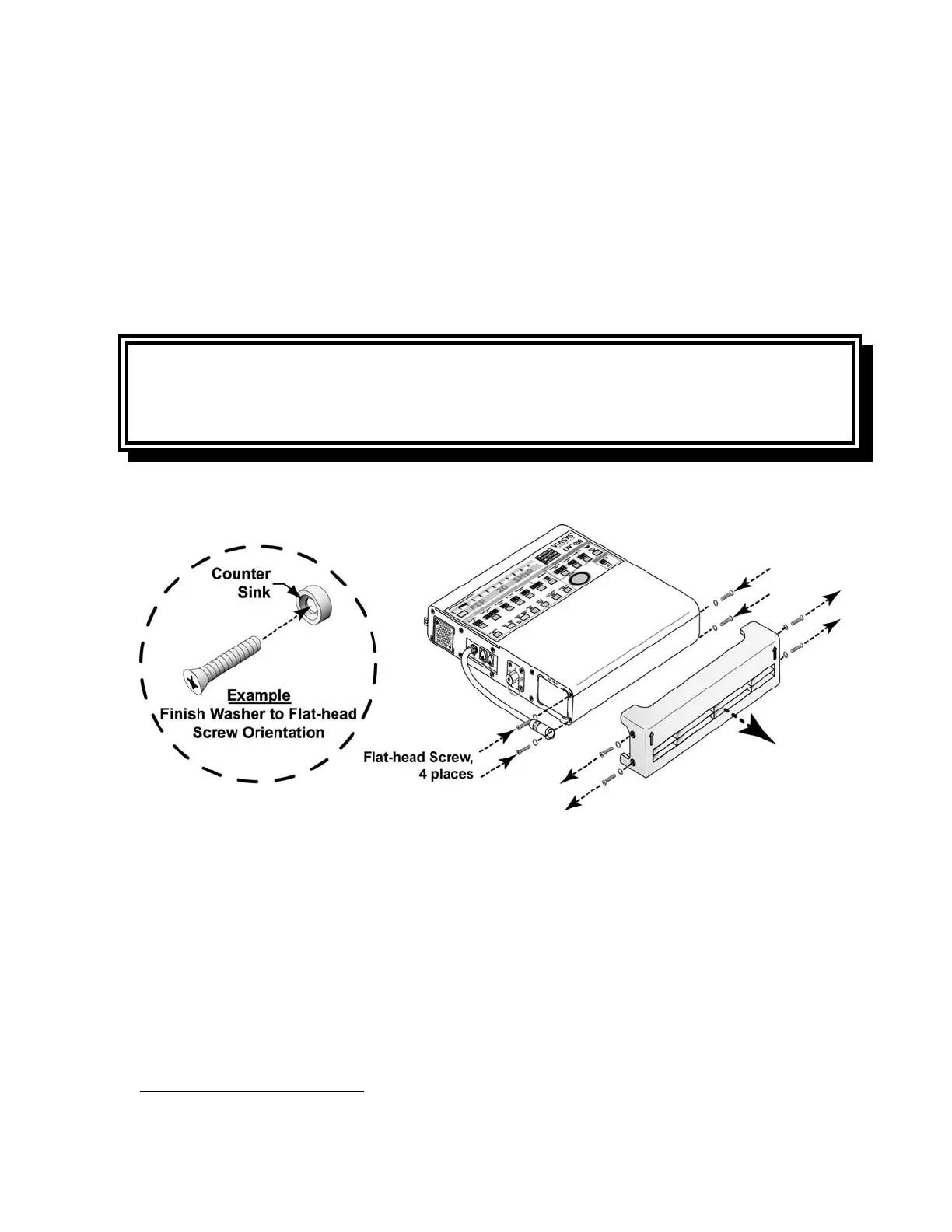
To permanently remove the lower protective boot
28
:
1) Lay the ventilator down (front up) and use a Philips-head screwdriver to remove the four
flat-head mounting screws and finish washers in the sides of the Lower Protective Boot,
as indicated in the illustration below.
2) Remove the lower boot and insert and thread four 1/4” flat-head mounting screws with
finish washers into the screw holes in the ventilator’s side panels, as indicated in the
illustration below.
• Finish washers should be already in place.
3) Torque tighten all four screws to 20 in-oz (0.14 Nm)
CAUTION
Damage to finish washers -Do not over tighten screws to avoid damage to the finish
washers.
28
See Appendix E - Reference Information,
External Accessories Screw Location, Type and Length for additional information.



 To Next Page