Page 8-78 LTV
®
1200/1150 Ventilator Service Manual p/n 18603-001, Rev. C
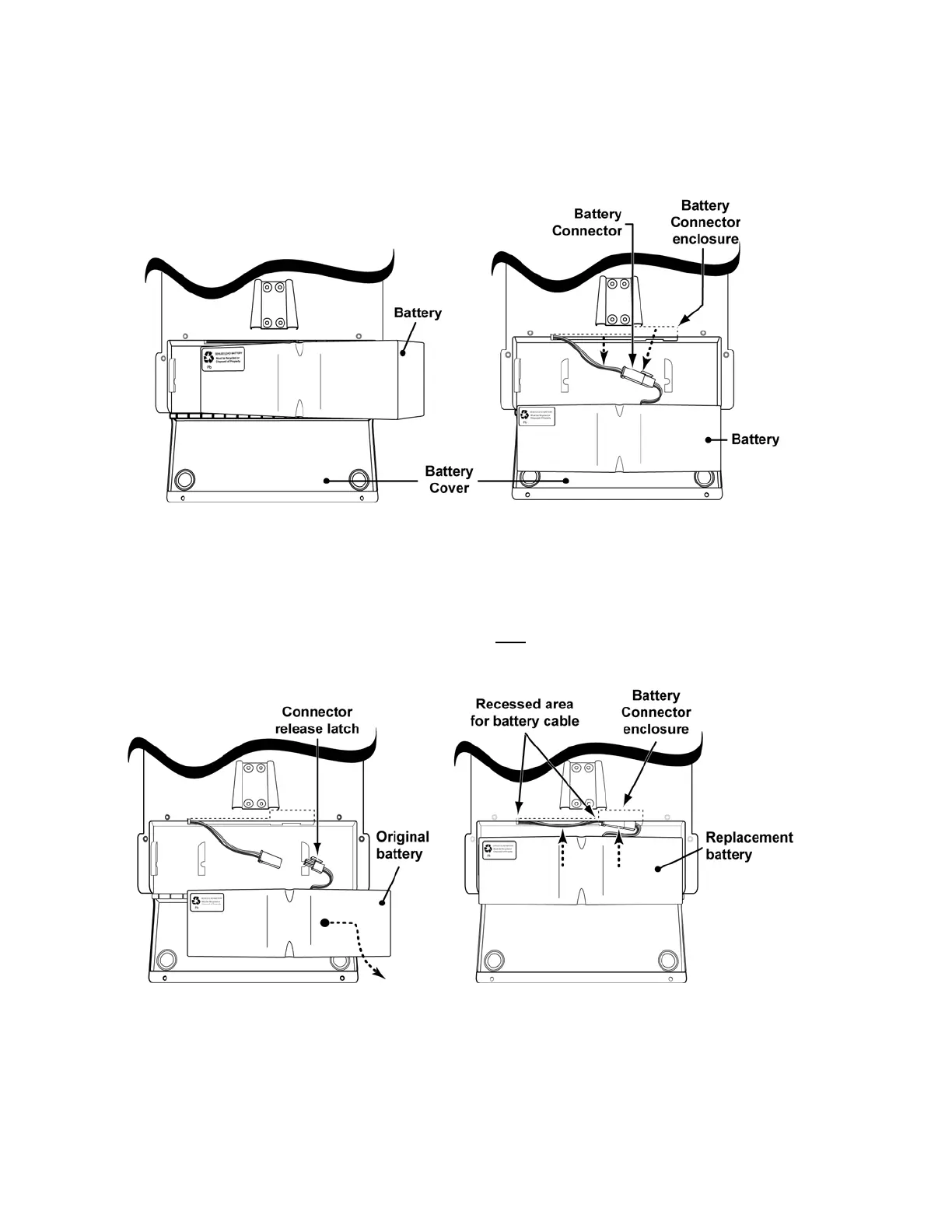
3) Lift the battery out of the battery compartment and while moving it over to sit on the
open battery cover, gently pull on the battery wires to remove the battery connector
and cable from their protective enclosures.
4) Press the connector release latch, disconnect the battery wire connector and set the
original battery aside.
5) Set the replacement battery on the battery cover and reconnect the battery
connector.
6) Position the battery over the compartment, fully
insert the connector into the
connector enclosure and route the cable into the recessed area under the lip at the
top of the battery compartment.



 To Next Page