Page 8-84 LTV
®
1200/1150 Ventilator Service Manual p/n 18603-001, Rev. C
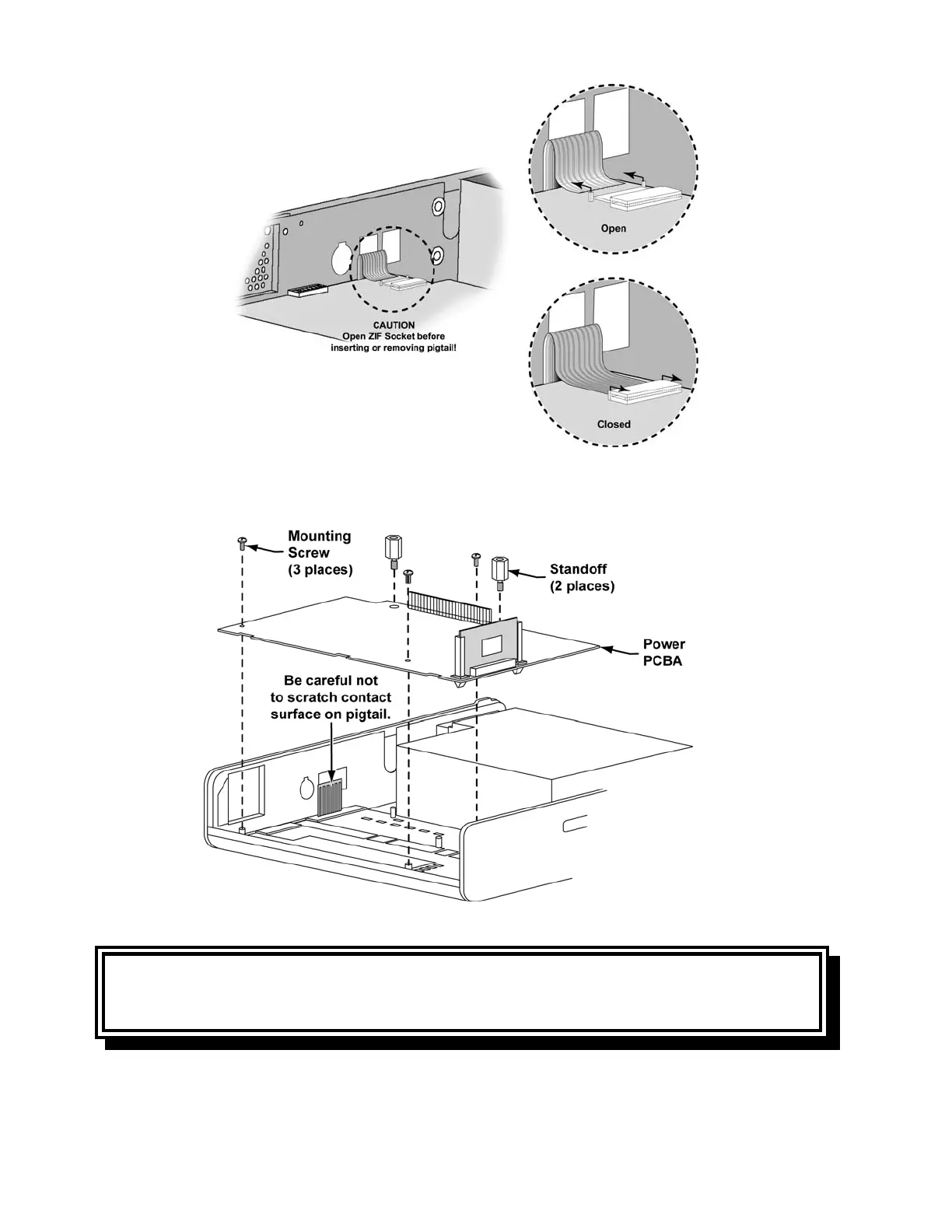
14) Remove the 3 main board mounting screws and two standoffs.
15) Hold the ribbon cable
out of the way and remove the main board.
CAUTION
Damage to the ribbon cable - Do not scratch the ribbon cable with the edge of the board
even minor scratches on the connections can cause the keypad connections to fail.
16) Remove the memory board from the main board (see instructions on page 8-88).



 To Next Page