System Basics 45
Selecta
PBL200051, Rev J
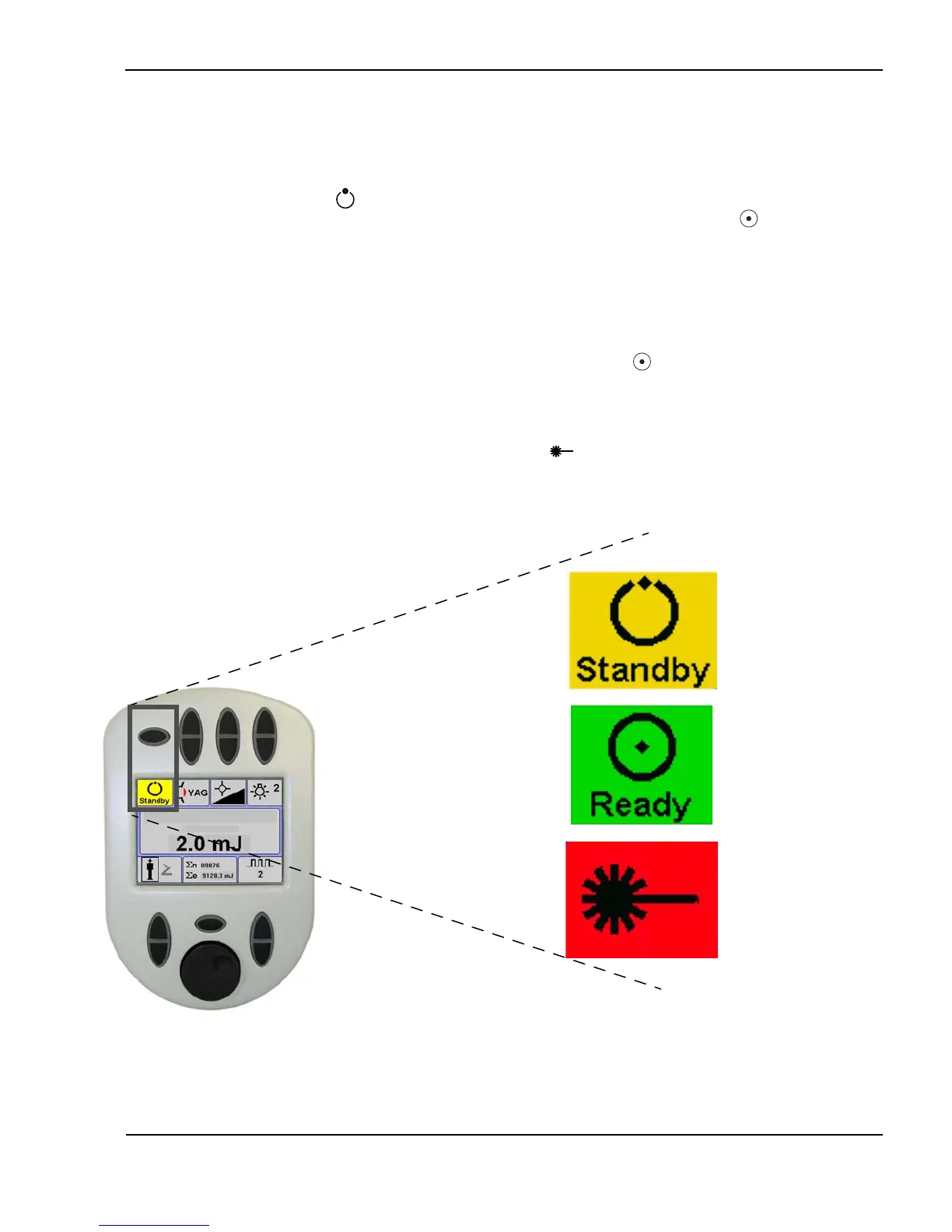
Standby, Ready, and Laser Emission mode
When the laser is turned on and has completed initialization, the laser defaults
to standby mode. The standby indicator illuminates on the remote control.
In standby mode , the joystick pushbutton and footswitch are disabled and
the safety shutter is closed; no treatment beam is available. In ready mode ,
the joystick pushbutton or footswitch is enabled and the treatment beam is
available.
To commence treatment, the clinician depresses the Standby/Ready toggle
button, placing the laser in ready mode. There is a two-second transition
between standby and ready mode, during which the ready icon on the remote
control flashes. When the system beeps and the ready icon illuminates on
the remote control, it indicates that the laser is fully powered and that laser
radiation (the treatment beam) is accessible via the user-selectable footswitch
or joystick pushbutton. When the clinician depresses the footswitch or
joystick pushbutton, the laser emission symbol illuminates on the remote
control, indicating that the system is emitting laser light to the treatment site.
Standby, Ready, and Laser Emission mode (photodisruptor screen shown)
Standby
Ready
Laser
emission



 To Next Page