Selecta
PBL200051, Rev J
52 Operation
Laser Basics
Remote Control
Use the selection buttons, icons, and displays on the remote control to change
and monitor laser system information. The active buttons, icons, and displays
illuminate when the remote control is connected and the system is turned on.
WARNING - Do not use the device if the remote display is blank,
unresponsive, or incorrect.
WARNING - Do not use the device if the remote displays error messages;
refer to maintenance section of this manual.
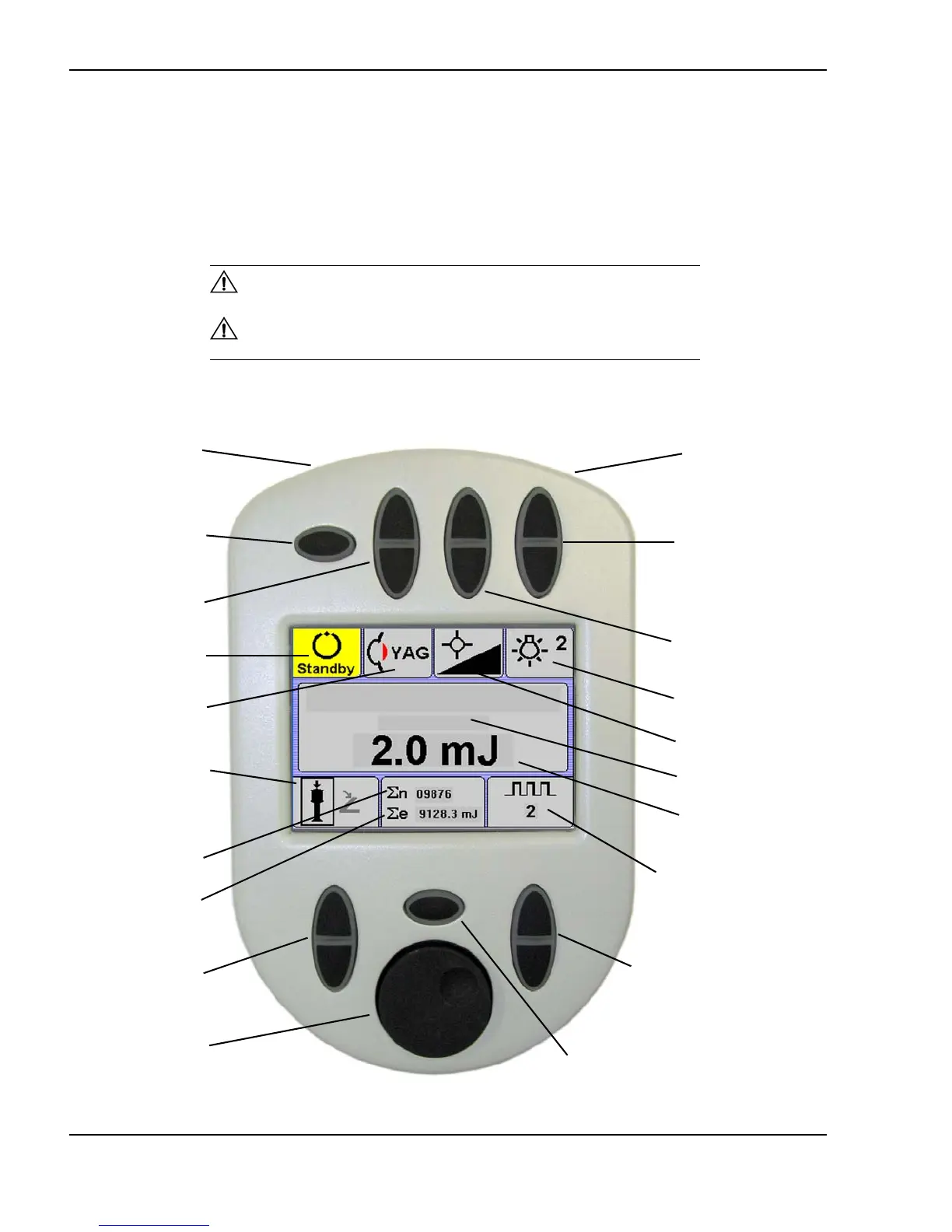
Photodisruptor Mode—remote control screen
Remote control (Photodisruptor-1064 nm screen shown)
Contrast wheel
(on top side)
Inactive in
Photodisruptor
mode
Laser mode
display
Standby/Ready
status display
Burst display
Total energy
delivered in mJ
Pulse count
Burst selector
Standby/Ready
toggle
Laser mode
selector
Energy control
Inactive in
Photodisruptor
mode
Pulse count &
total energy reset
Options toggle
(on top side)
Aiming beam
intensity adjustment
Aiming beam display
Error message display
Energy display
Illumination mirror
indicator
Joystick button or
footswitch laser
activation indicator



 To Next Page