Remote Control System Options 63
Selecta
PBL200051, Rev J
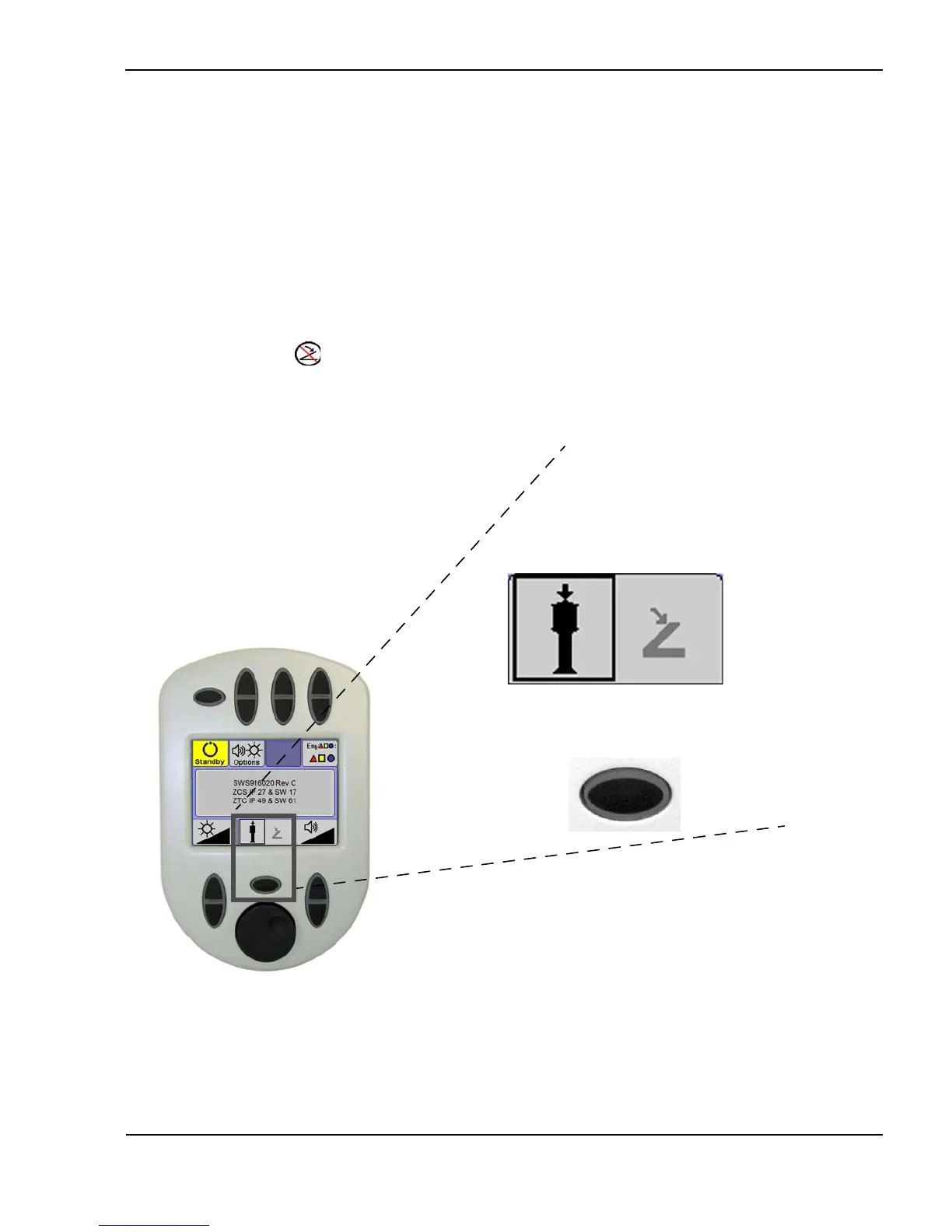
Laser activation mode—Joystick or Footswitch
The Selecta provides a choice of laser activation. By default, the laser is
activated by the laser pushbutton on the slit lamp joystick. However, the laser
can be activated either by a pushbutton on the slit lamp joystick or by a
footswitch. The currently active mode is highlighted on the options screen, as
shown below. To change the laser activation mode, press the Joystick/
Footswitch toggle button.
For safety, when the user selects either footswitch or joystick, the system
automatically disables the other. If the footswitch is selected on the options
screen remote control, but is not properly connected when the laser is turned
on, (footswitch not connected) displays on the remote control display and
the laser cannot be placed in ready mode.
Selecting joystick or footswitch laser activation
(Options screen—joystick activation shown)
Footswitch iconJoystick icon
Joystick /Footswitch
toggle button



 To Next Page