EasyManua.ls Logo

MacDon 9200 - Leaving the Windrower; Emergency Exit

MacDon 9200
146 pages
Print Icon
To Next Page IconTo Next Page
To Previous Page IconTo Previous Page
Loading...
OPERATION
Leaving the Windrower
A
CAUl1ON
:
Before
IeaWlg
the
~s
.....
for
arry
reason
:
1.
Park
00
level
ground I possible.
:z:
Be
sure
variable
speed
lever is in
the
neubaI
deIeoI
and
steering _ is locked
In
the
sttaighl
ahead
position.
3. Engage
the
parle
brake.
4. FlJly Iowef
head
...
and reel.
5. Disengage header drives.
6. Stop engine
and
remove
key
from ignition. A
chid
or
even
a
pet
could
engage
an
Idling
machine.
7.
Tum
011
all lights (and wiper).
8. Raise
arm
rest for
easier
exit
and
nH!fl1Jy.
9.
Lock
the
cab
door
when
leaving
thewindrower
......
_ed
. (When
the
door is locked,
tt
can
sIiI
be
opened from inside
the
cab)
10.
To
provide
more
secure
hand
and
loot mobi-
'Y,
pruverting slipping and
possilIe
~ury,
aJways lace
the
windnwver and use
the
hand
ral when dlsmoonling (or mounIing). .
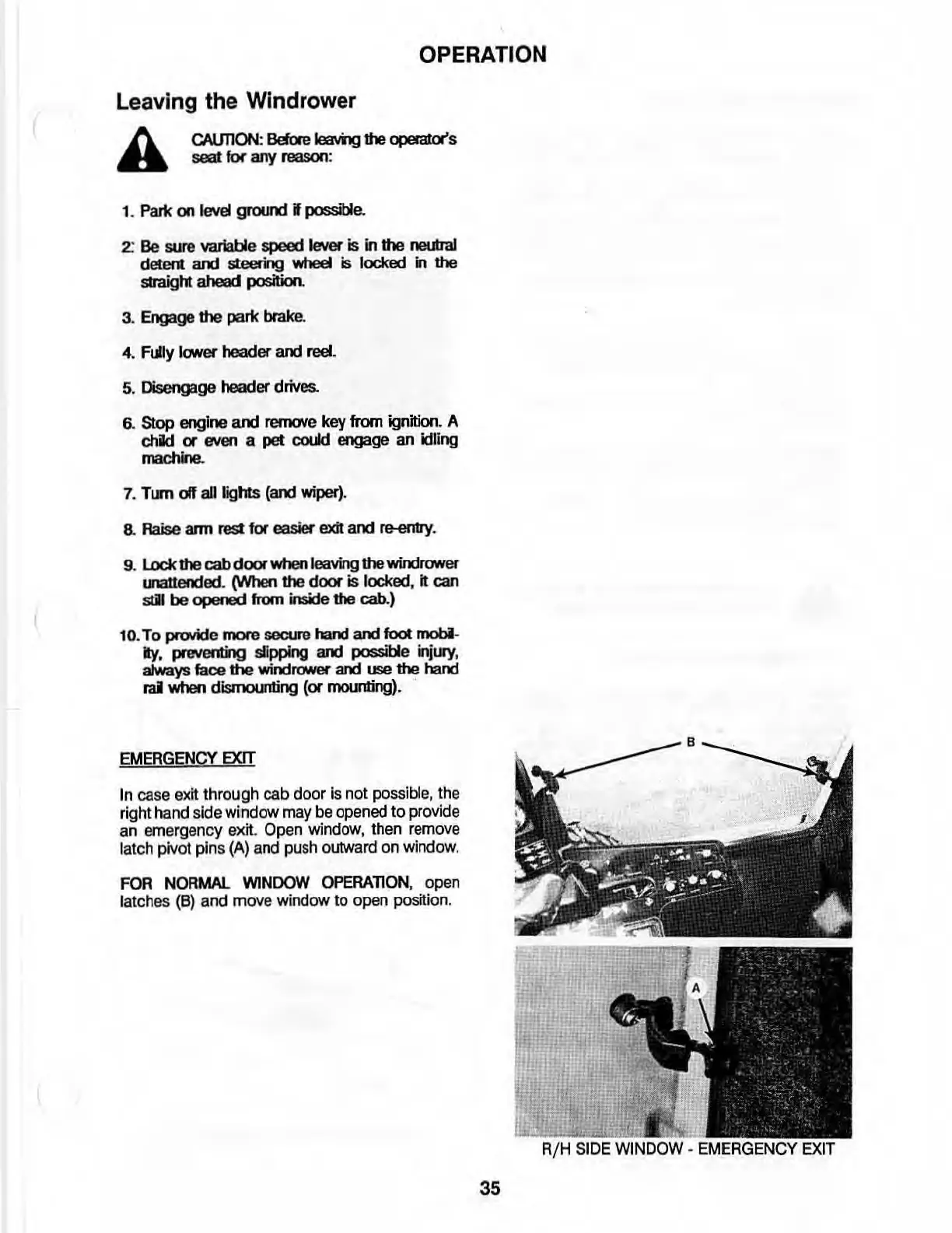
EMERGENcy
EXIT
In
case
exit
through
cab
door
Is
not
possibl
e,
th
e
right
hand
s
ide
window
may
be
opened
to
provid
e
an
emergency
exit
.
Open
window
,
then
remove
latch
piv
ot
pins
(A)
and
push
outward
on
window
.
FOR
NORMAL WINDOW OPERATION, open
latches
(8)
and
move
window
to
open
positi
on.
35

Table of Contents

Related product manuals