(
OPERATION
Attaching the Header (continued)
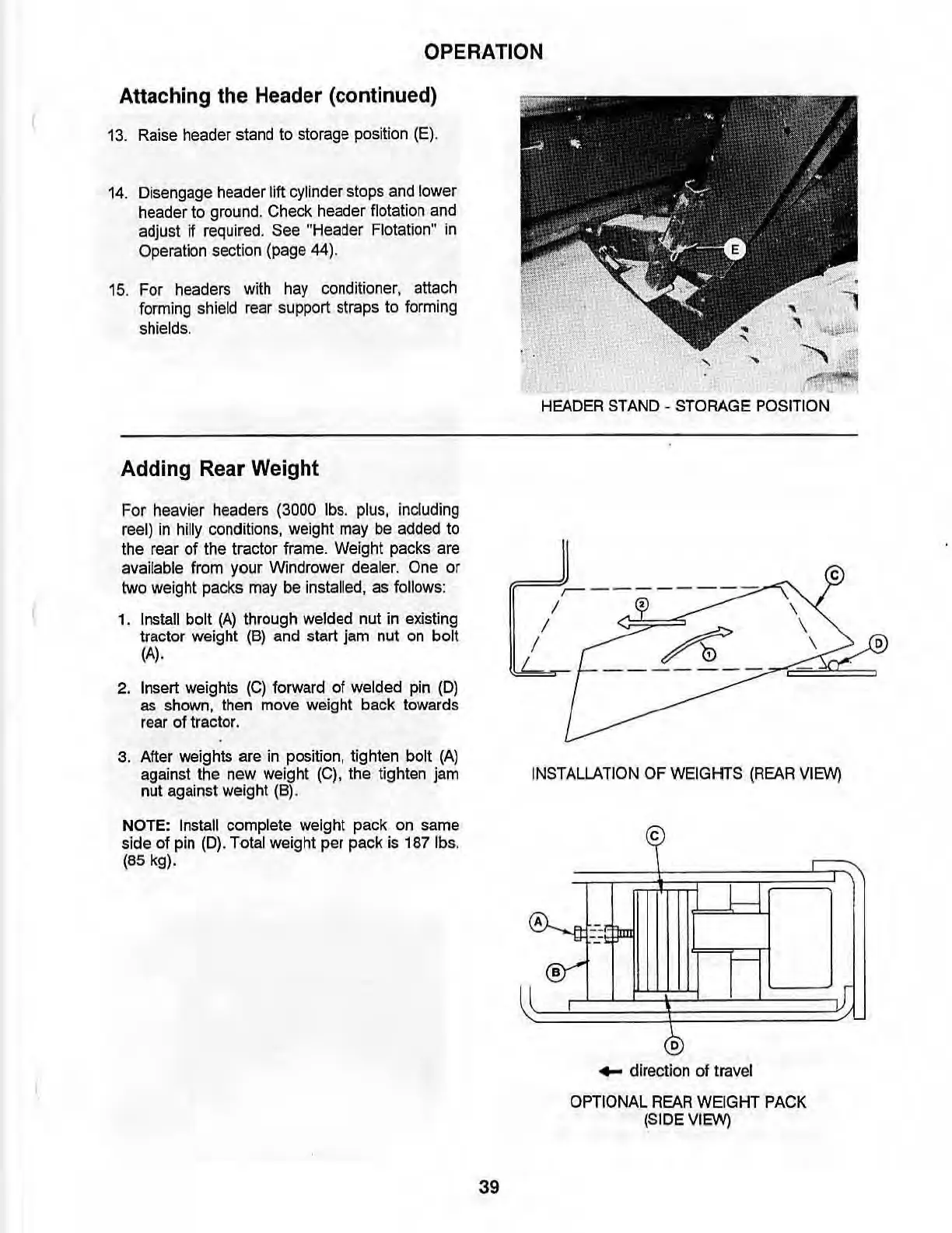
13. Raise header stand to storage position (E).
14.
Disengage header lift cylinder stops and lower
header to ground. Check header flotation and
adjust
if
required
.
See
"Header
Flotati
on"
in
Operation
section
(page
44).
15
. For
headers
with
hay
conditioner, attach
forming shield rear support straps to forming
shields.
Adding Rear Weight
For heavier
headers
(3000
lbs
.
plus,
including
reel)
in
hilly
conditions, weight may be added to
the rear
of
the tractor frame. Weight packs are
available from your Windrower dealer.
One or
two
weight
pa
cks
may
be
installed,
as follow
s:
1.
Install bolt
(A)
through welded nut in existing
tractor weight
(B)
and start jam nut
on
bolt
(A).
2.
Insert weights
(C)
forward of welded pin (0)
as shown, then move weight back towards
rear of tractor.
3.
After weights are in position, tighten bolt
(A)
against the new weight
(C)
, the tighten jam
nut against weight (8) .
NOTE: Install complete weight pack on same
side of pin
(D).
Total weight per pack is 1871bs.
(85
kg).
39
,
"-
,
~
'!
,
"'~
HEADER
STAND
-
STORAGE
POSITION
IF:=!J,.~----
-
--
-
/ , \
/ \
/ A \
INSTALLATION
OF
WEIGHTS
(REAR
VIEW)
~
-1
(A)..
--
Jm
.....
II
~
®
...
direction of travel
OPTIONAL
REAR
WEIGHT
PACK
(SIDE
VIEW)
lJ
o



 To Next Page