169441 202 Revision D
Single-reel headers
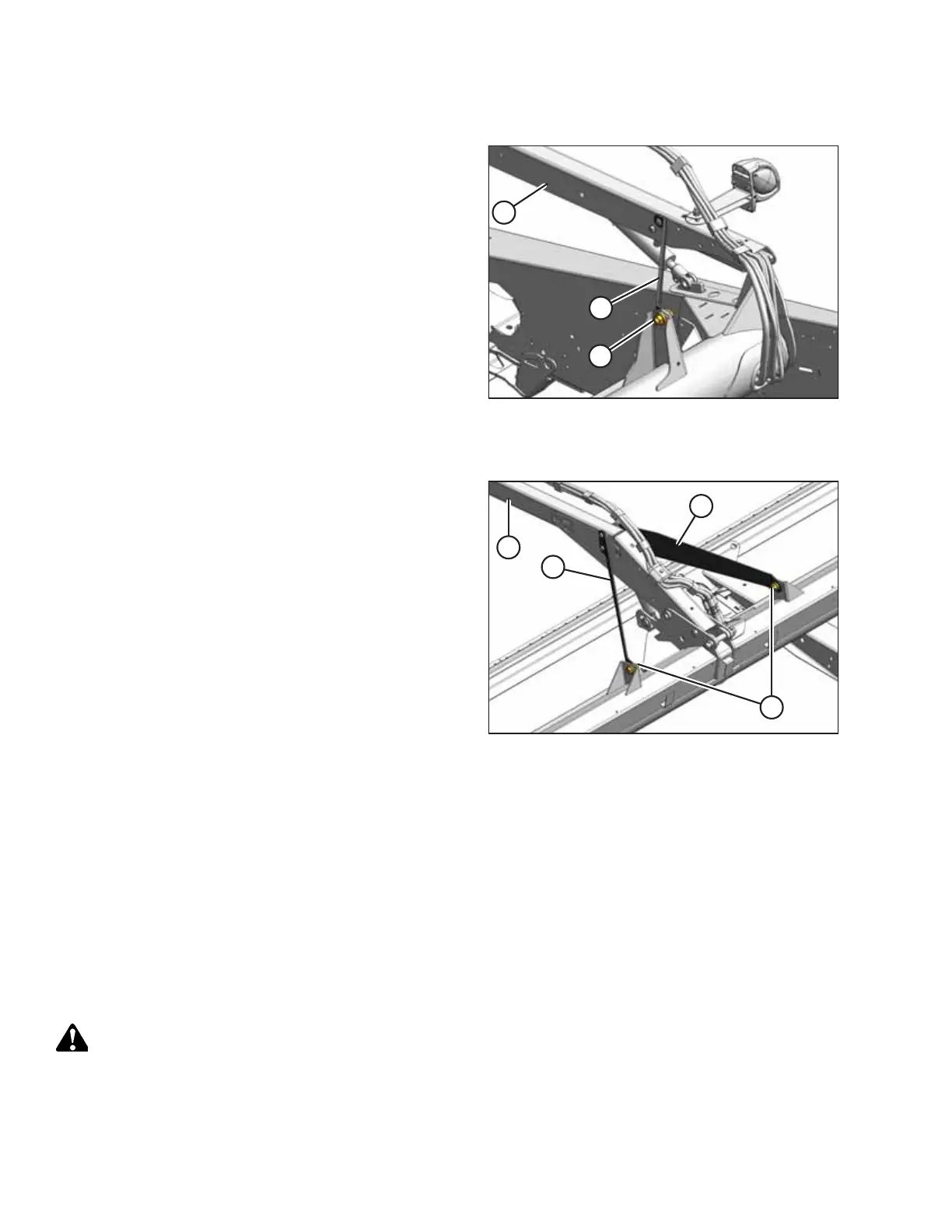
Figure 4.165: Reel Outboard Support Arm
6. Loosen bolt (A) on brace (B) at both ends of the reel.
7. Move the forward end of reel support arm (C) side to side
as required to center the reel.
8. Tighten bolts (A) and torque to 359 Nm (265 lbf·ft).
Double-reel headers
Figure 4.166: Double Reel Center Support Arm
9. Loosen bolts (A) on braces (B) at the center support arm.
10. Move the forward end of reel support arm (C) side to side
as required to center the reel.
11. Tighten bolts (A) and torque to 359 Nm (265 lbf·ft).
4.10.4 Reel Drive
All 7.6 m (25 ft.) and smaller headers have single reels; 9.1–10.7 m (30–35 ft.) headers are available in single-reel and
double-reel versions; all headers larger than 10.7 m (35 ft.) are only available in double-reel configurations. Single reels are
driven from the right arm and double reels are driven from the center arm.
Replacing Reel Drive Cover
The reel drive cover protects the reel drive components from dirt and debris.
Removing Reel Drive Cover
The reel drive cover protects the reel drive components from dirt and debris.
DANGER
To prevent bodily injury or death from the unexpected start-up of the machine, always stop the engine and remove the
key from the ignition before leaving the operator’s seat for any reason.
1. Shut down the engine, and remove the key from the ignition.
MAINTENANCE AND SERVICING



 To Next Page