169441 228 Revision D
Installing Plastic Fingers
Once the old plastic reel finger has been removed, a new one can be installed.
DANGER
To prevent bodily injury or death from the unexpected start-up or fall of a raised machine, always stop the engine,
remove the key, and engage the safety props before going under the header for any reason.
WARNING
To prevent bodily injury from the fall of a raised reel, always engage the reel safety props before going under the
raised reel for any reason.
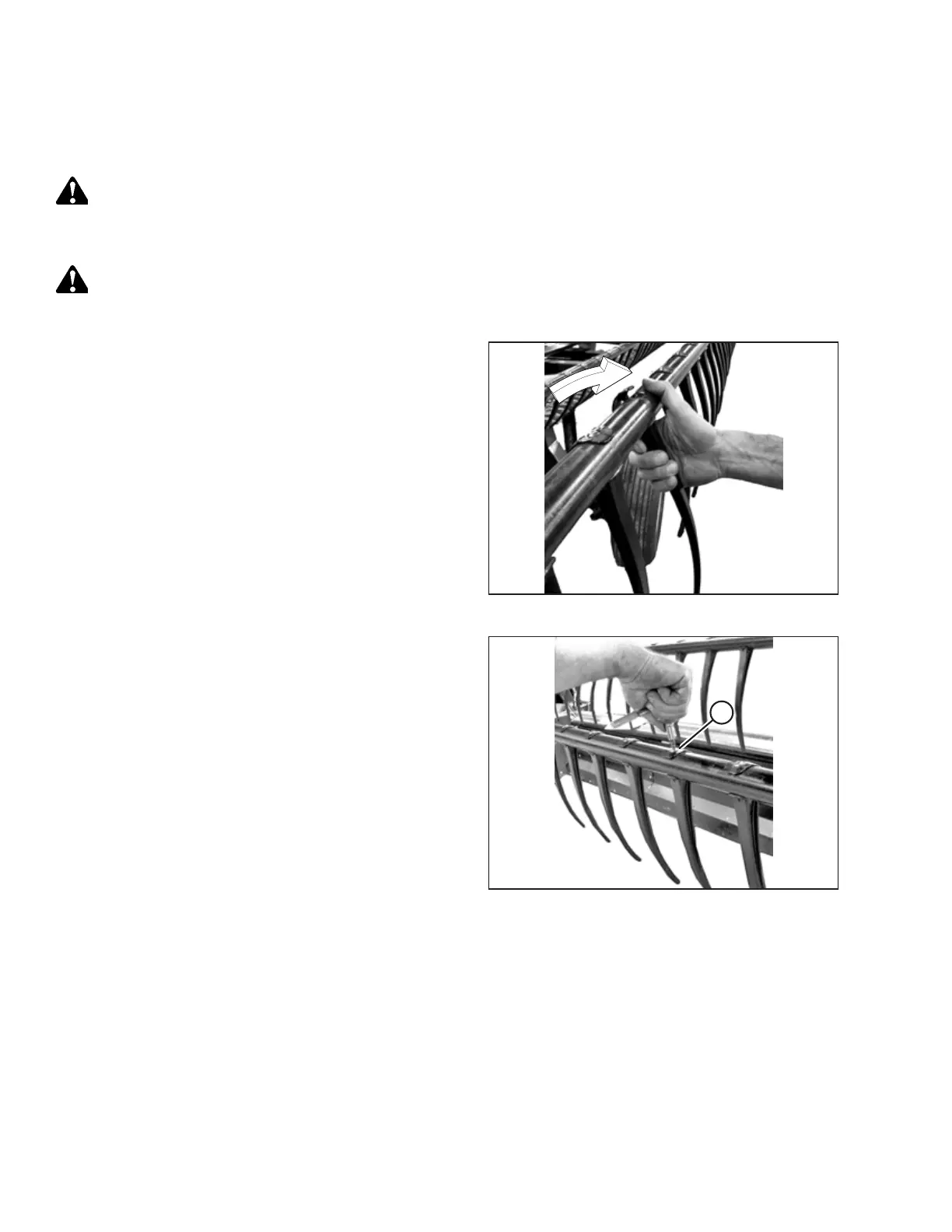
Figure 4.215: Installing Finger
1. Position the finger on the rear of the tine tube and engage
the lug at the bottom of the finger in the lower hole in the
tine tube.
2. Lift the top flange gently and rotate the finger until the lug
in the top of the finger engages the upper hole in the
tine tube.
IMPORTANT:
Do NOT apply force to the finger prior to tightening the
mounting screw. Applying force without tightening the
mounting screw will break the finger or shear the
locating pins.
Figure 4.216: Installing Finger
3. Install screw (A) using a Torx
®
Plus 27 IP socket wrench and
torque it to 8.5–9.0 Nm (75–80 lbf∙in).
MAINTENANCE AND SERVICING



 To Next Page