215620 148 Revision A
IMPORTANT:
When lowering the header lift legs without a header or
weight box attached to the windrower, ensure that the
tension on the float springs is fully released. This will
prevent damage to the header lift linkages.
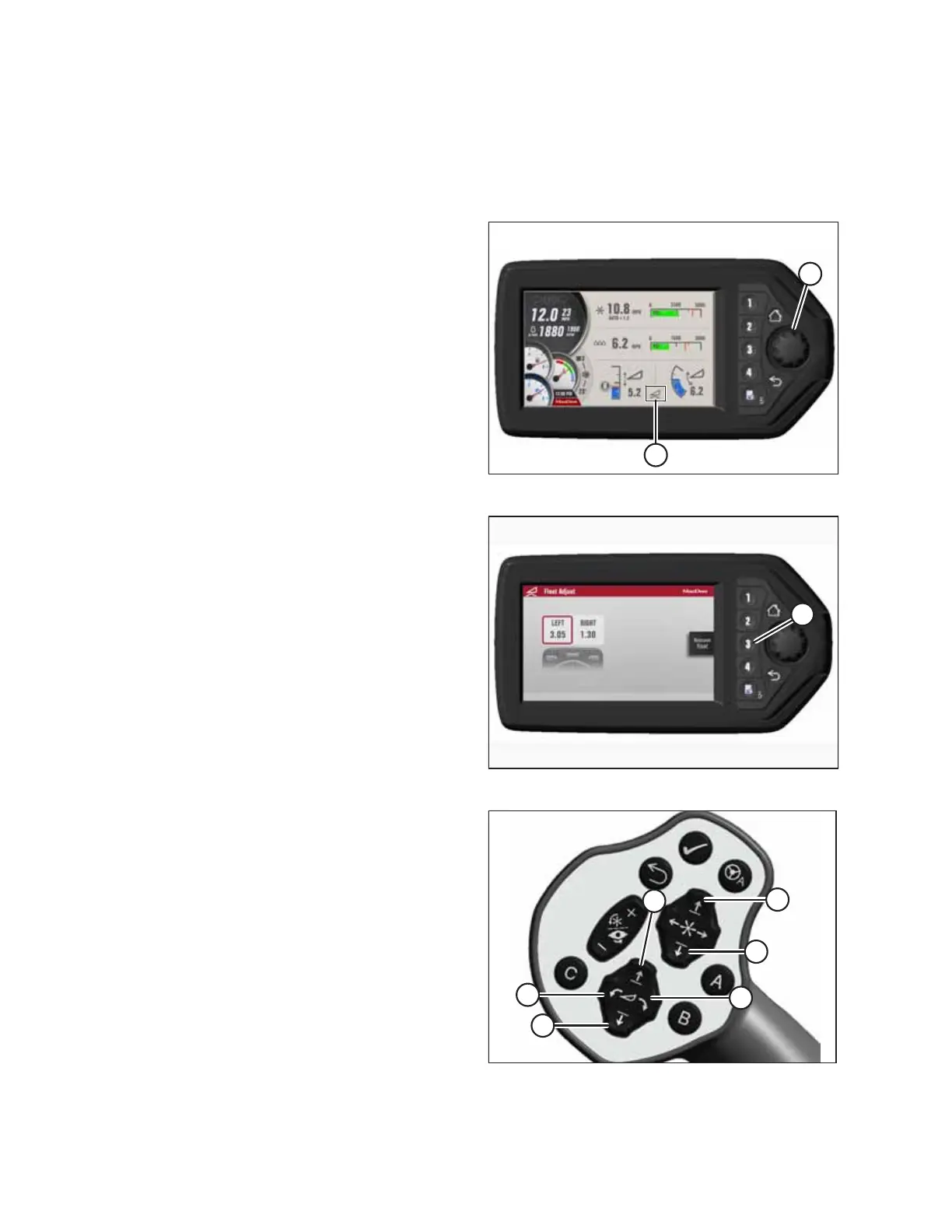
Figure 5.45: HPT Display
7. Press scroll knob (A) on the HPT to display the QuickMenu
system.
8. Rotate scroll knob (A) to highlight HEADER FLOAT
symbol (B), and press the scroll knob to select it.
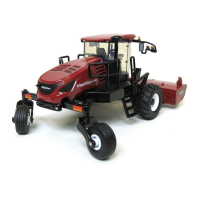
Figure 5.46: HPT Display
9. On the FLOAT ADJUST page, press soft key 3 (A) to remove
the float.
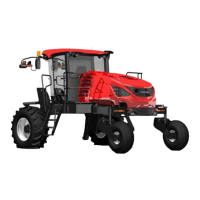
Figure 5.47: GSL Switches
A - Reel Down B - Reel Up
C - Header Tilt Down D - Header Tilt Up
E - Header Down F - Header Up
10. Windrowers equipped with the self-aligning
center-link kit:
a. Press HEADER DOWN switch (E) on the ground speed
lever (GSL) to fully retract the header lift cylinders.
b. Press REEL UP switch (B) on the GSL to raise the center-
link until the hook is above the attachment pin on the
header.
IMPORTANT:
If the center-link is too low, it may contact the header as the
windrower approaches the header.
ATTACHING A HEADER TO THE WINDROWER


 To Next Page