215620 72 Revision A
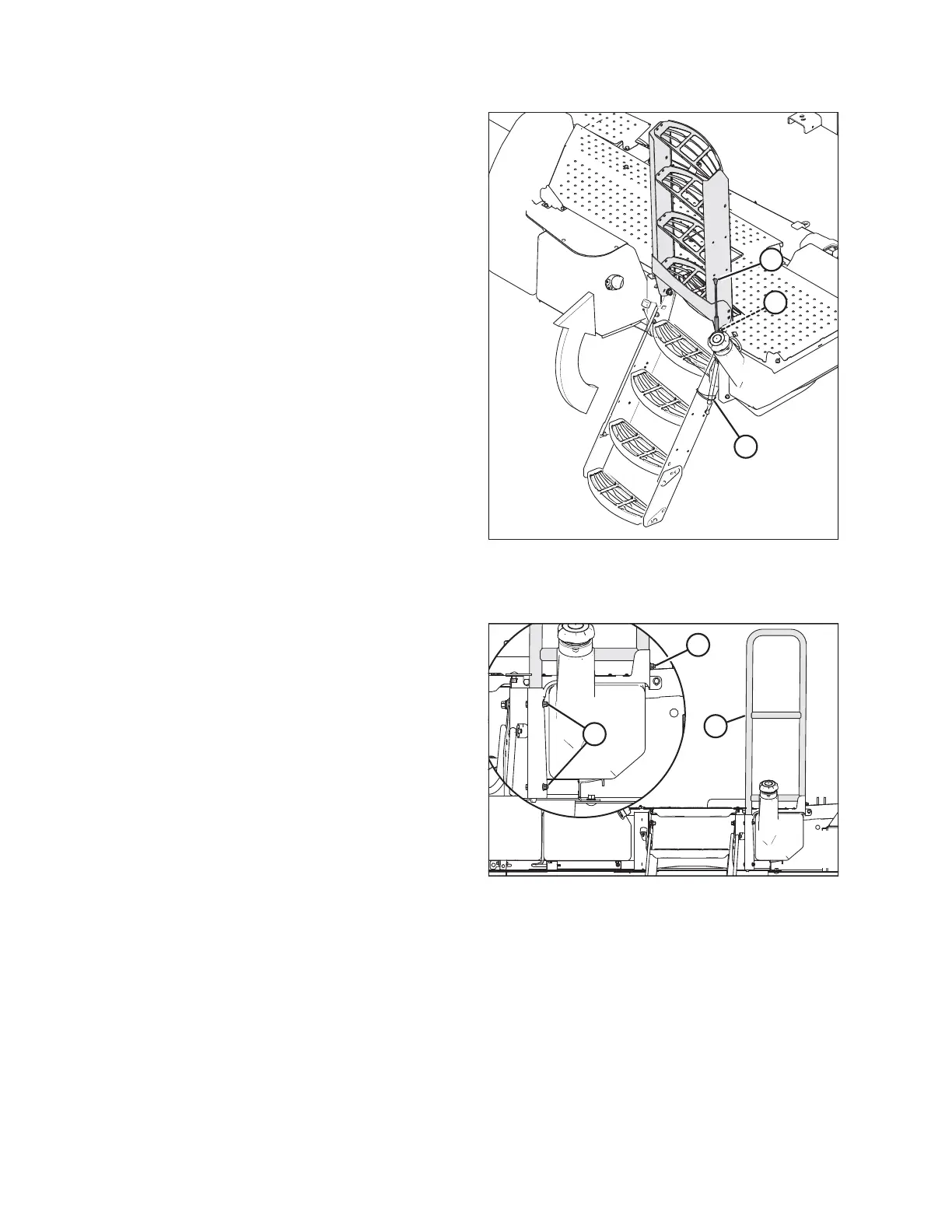
Figure 3.61: Platform Steps
21. Remove the shipping wire from shock (A) (lowered position
shown transparent in illustration at right).
22. Rotate the steps up. Ensure latch (B) engages to lock the
steps in place.
23. Rotate shock (A) up and connect to the steps with the
existing hardware.
Installing right platform handrails
Figure 3.62: Front Handrail – Right Platform
24. Retrieve forward handrail (A). Remove and retain existing
hardware (three bolts and nuts).
25. Insert the handrail tube into the channel to the right of the
steps, and secure with existing hardware (B) and (C).
26. Torque the hardware to 35 Nm (26 lbf·ft).
ASSEMBLING WINDROWER



 To Next Page