MAINTENANCE/SERVICE
Form 169469/169470/169471 143 Revision C
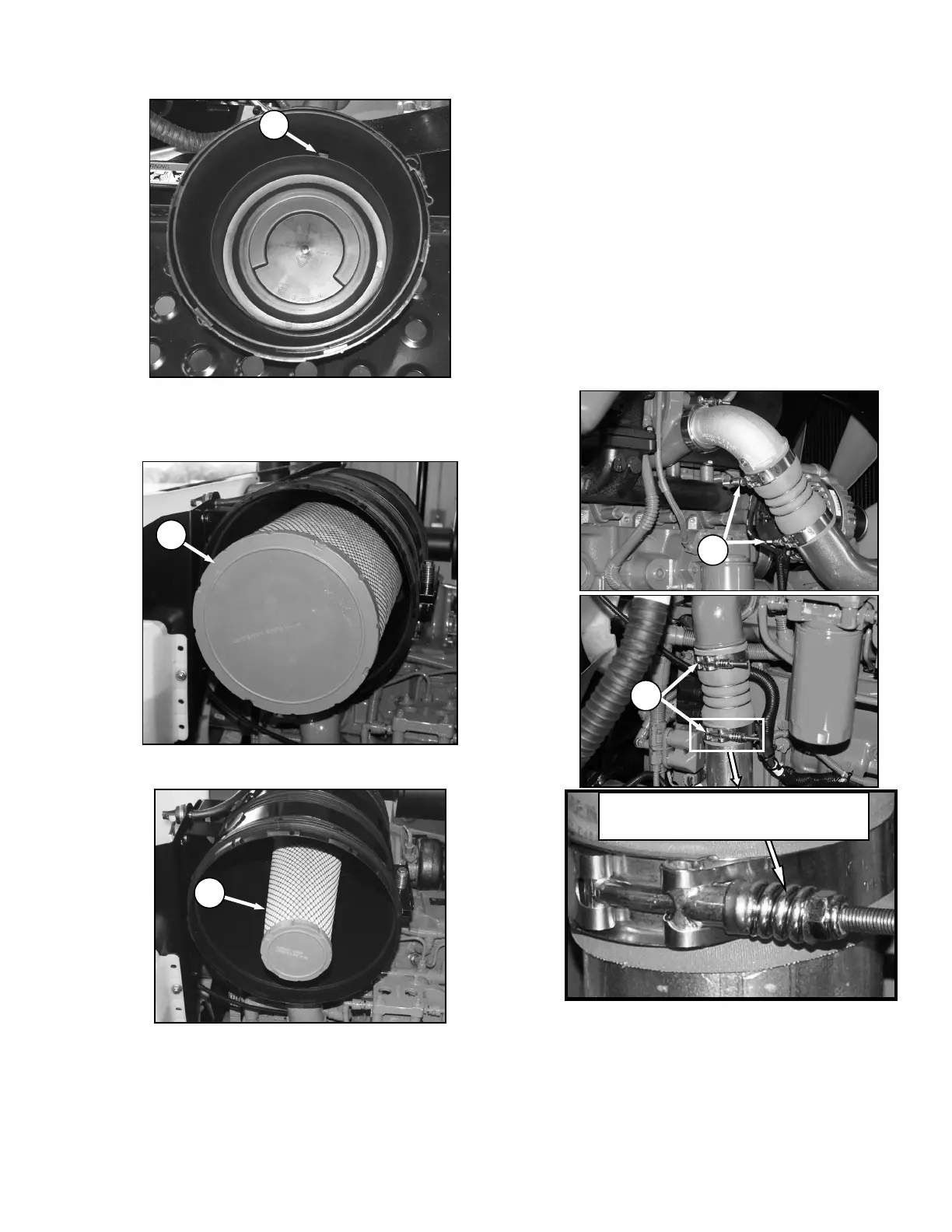
d. Check the vacuator duct (D) daily for
obstructions or damage. Clean or replace if
necessary.
e. Pull out the primary filter element (J)
.
IMPORTANT
Do not remove the secondary filter
element (K) unless it needs replacing. Do
not attempt to clean the secondary (inner)
element.
f. Inspect as follows:
1. Hold a bright light inside element and check
carefully for holes. Discard any element
which shows the slightest hole.
2. Be sure outer screen is not dented. Vibration
would quickly wear a hole in the filter.
3. Be sure filter gasket is in good condition. If
gasket is damaged or missing, replace
element.
4. If element is coated with oil or soot, replace
the element.
g. Inspect the air intake piping for damage, cracked
hoses, loose clamps, etc. Repair or replace
damaged parts and tighten loose clamps.
h. If spring type clamps (L) require tightening use a
gauge as shown.
HOLD 0.018 in. (0.46 mm) GAUGE BETWEEN
MIDDLE COILS AND TIGHTEN CLAMP UNTIL
GAUGE IS SNUG. REMOVE GAUGE.



 To Next Page