MAINTENANCE AND SERVICE
Form 169469/169470/169471 160 Revision C
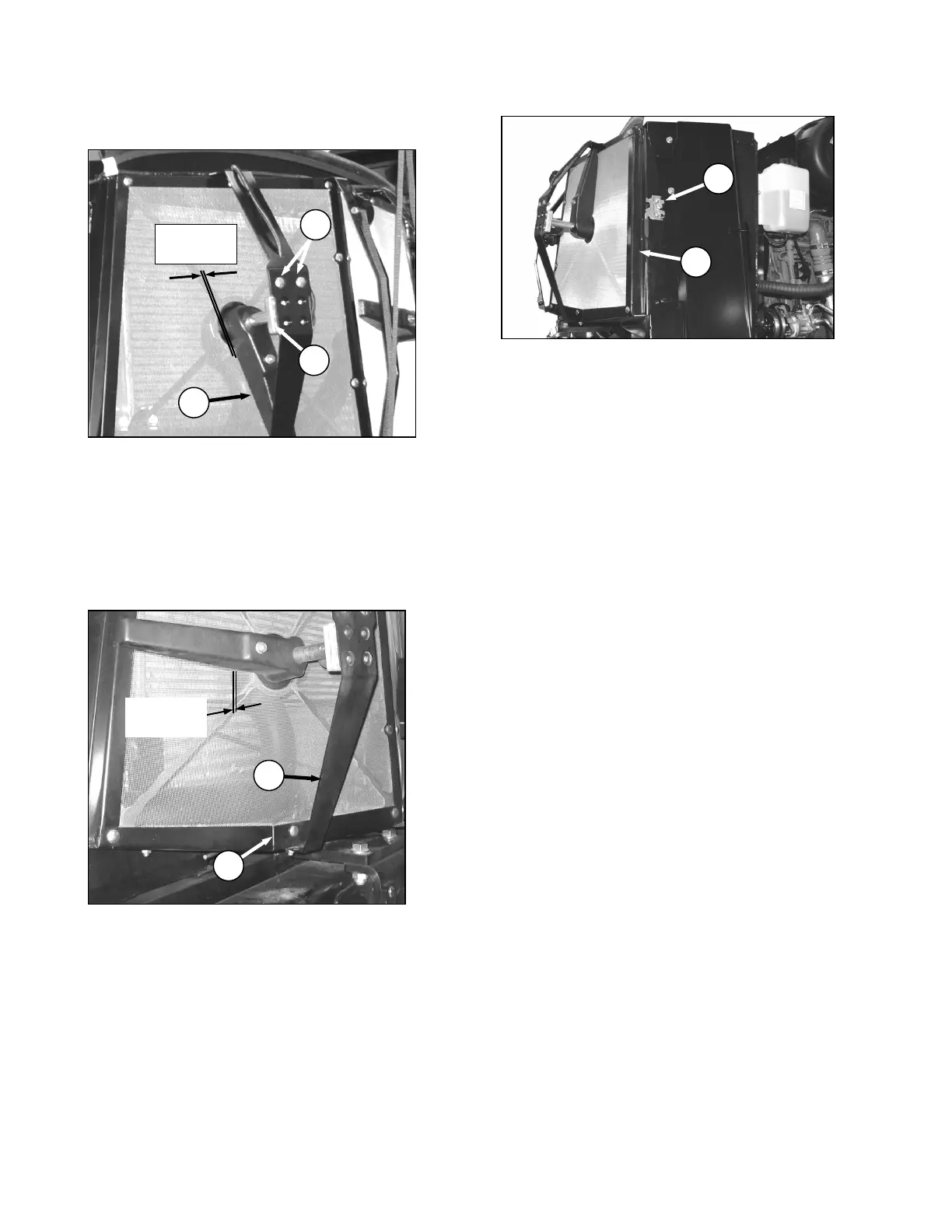
7.9.2 ROTOR TO SCREEN CLEARANCE
a. Check clearance between trailing edge of rotor
(A) and screen. It should be .04-.32 inches (1-8
mm) at all locations when rotating.
NOTE
Rotor may touch screen as long as it
continues to rotate.
b. If necessary, adjust clearance as follows:
1. Loosen nut (B) on motor support (C).
2. Move support in or out until duct is 0.08-0.24
in. (2-6 mm) from screen near the center.
3. Re-tighten nut (B).
4. Loosen the two motor mount bolts (D).
5. Move motor/ duct assembly (E) to obtain
0.04-0.32 in. (1-8 mm) gap to screen at full
rotation of the duct.
6. Re-tighten nuts (D) on motor mount.
c. Close screen access door (F) and engage latch
(G).
d. Lower engine compartment hood.



 To Next Page