MAINTENANCE/SERVICE
Form 169469/169470/169471 159 Revision C
7.9 COOLING BOX
7.9.1 COOLING BOX SCREEN
The cooling box screen is equipped with an
automatic cleaning device which "vacuums" the
screen by means of two rotors. They only
operate when the engine is running. The rotors
are electrically driven and the suction is provided
by the engine cooling fan.
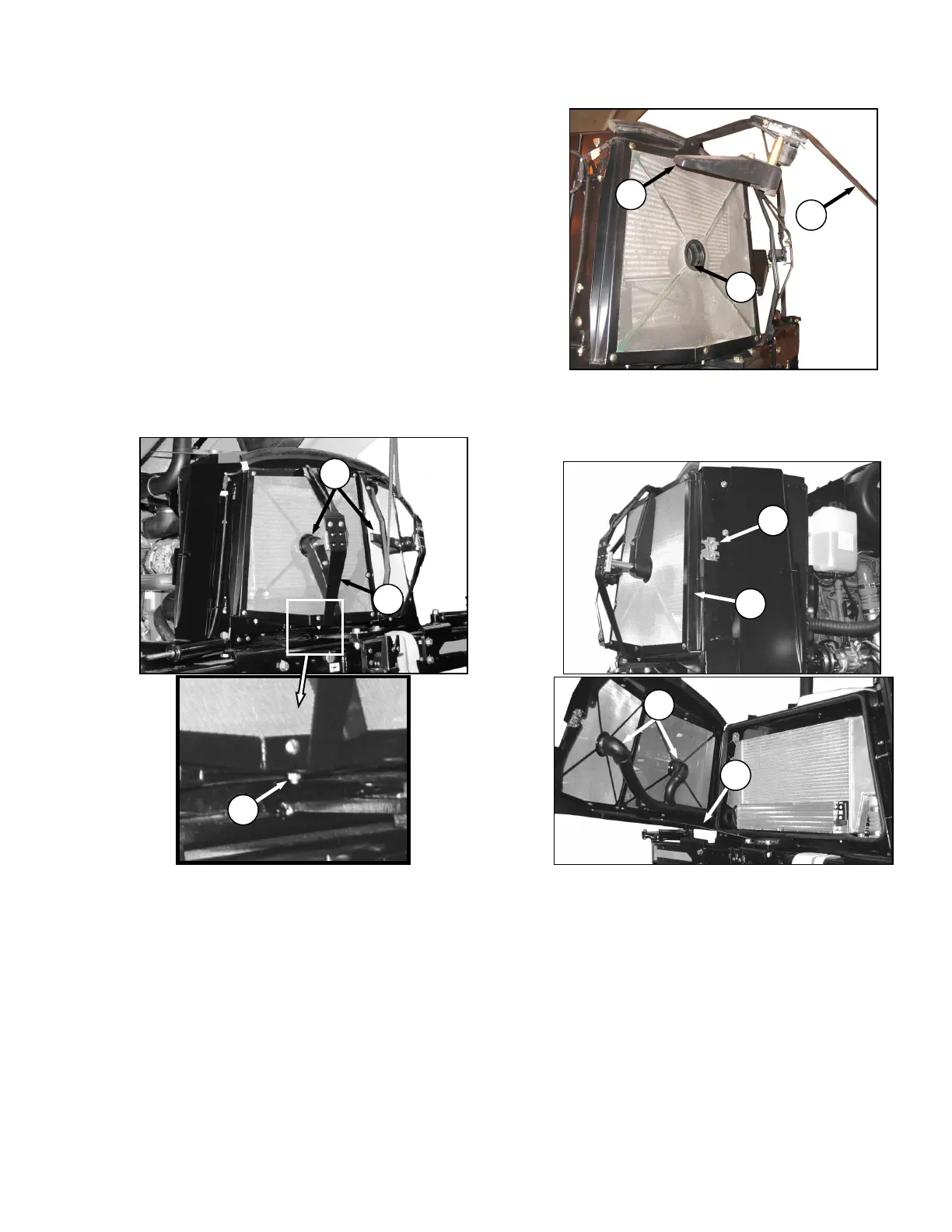
If the screen is not being cleaned by the rotors,
they may be plugged. Service rotors and screen
as follows:
a. Stop engine and remove key.
b. Raise engine compartment hood fully. See
Section 7.4 ENGINE COMPARTMENT HOOD.
c. If rotors (A) are plugged, clean as follows:
1. Remove nut (B).
2. Pivot rotor assembly (C) away from screen.
3. Blow out debris from rotors (A) with
compressed air.
d. Push latch (D) and open screen assembly
access door (E). Secure with rod (F) stored
inside screen door.
e. If ducts (G) are plugged, blow out debris with
compressed air.
f. Clean screen with compressed air.
g. Reposition rotor assembly (C) secure with bolt
and nut (B).
h. Close screen access door (E) and engage latch
(D).



 To Next Page