MAINTENANCE AND SERVICE
Form 169469/169470/169471 174 Revision C
7.10.6 RED AND AMBER LIGHTS
DANGER
Stop engine and remove key from ignition
before leaving operator's seat for any
reason. A child or even a pet could engage
an idling machine.
a. Shutdown engine and remove the key. Turn off
the lights.
NOTE
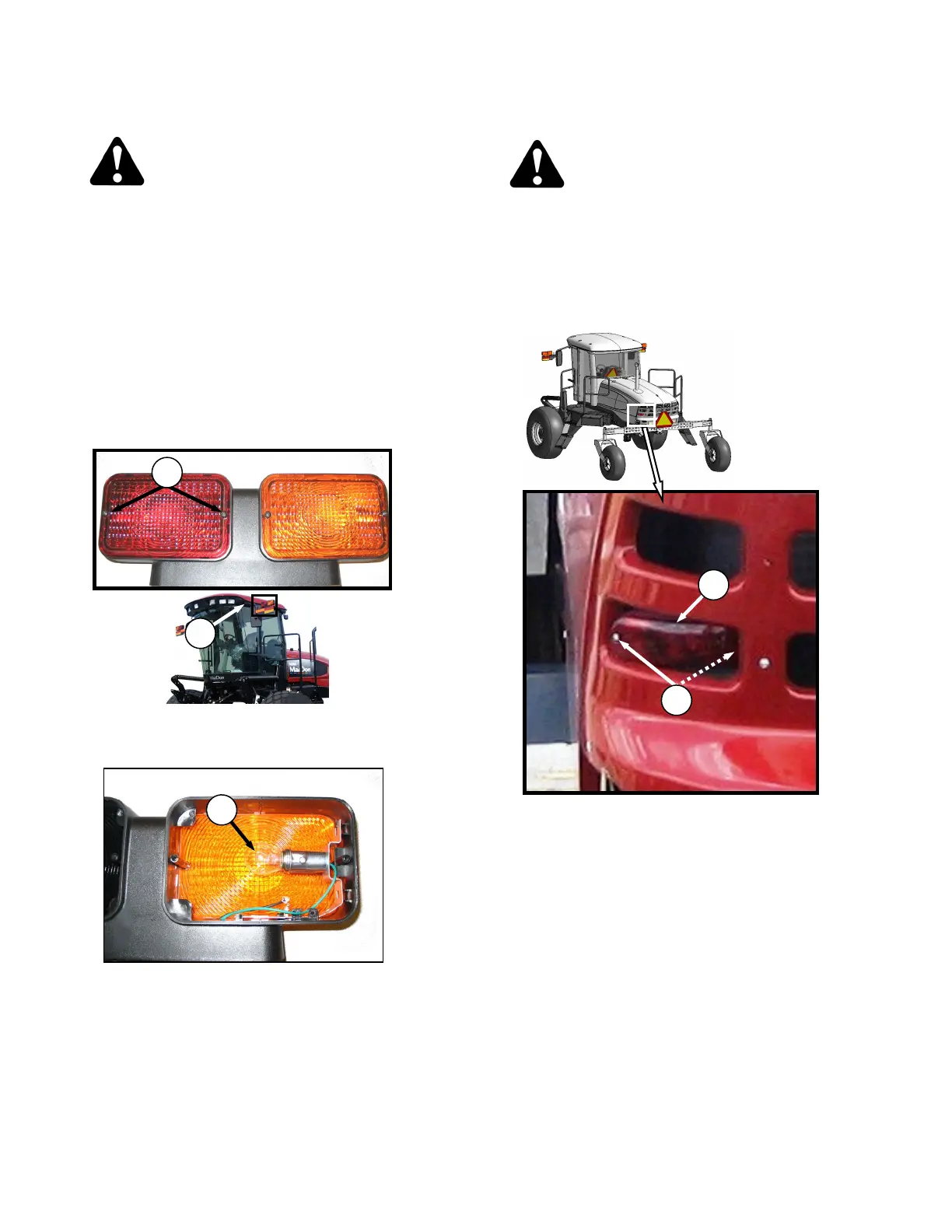
Hold onto the hand-holds (A) on the cab
front corners and stand on the header
anti-slip strips or stand on the
maintenance platform when accessing the
red and amber lights.
b. Remove two screws (B) from lens and remove
lens.
c. Push and twist light bulb (D) to remove from
socket.
d. Install new bulb (D) in socket ensuring that bulb
base is properly engaged in socket. Use Bulb
Trade #1157 for red tail-lights and #1156 for
amber lights.
e. Reinstall lens with screws (B).
7.10.7 RED TAIL LIGHTS (IF INSTALLED)
DANGER
Stop engine and remove key from ignition
before leaving operator's seat for any
reason. A child or even a pet could engage
an idling machine.
a. Shutdown engine and remove the key. Turn off
the lights.
b. Remove two screws (C) from light (D) and
remove light.
c. Remove connector from light.
d. Connect wiring harness to new light (D) and
install light with screws (C).



 To Next Page