OPERATOR’S STATION
Form 169469/169470/169471 47 Revision C
DETAILED PROGRAMMING INSTRUCTIONS
IMPORTANT: ENGINE MUST BE RUNNING TO CALIBRATE SENSORS.
NOTE: The software version code Mxxx in the following charts will show as Xxxx on the CDM for the M205 windrower.
(continued next page)
L1 C x x x
||
T R A C T O R S E T U P ?
L2 M x x x
||
N O / Y E S C A B D I S P L A Y S E T U P ?
L1 C x x x
||
S E T K N I F E S P E E D ?
L2 M x x x
||
1 2 0 0 S P M
L1 C x x x
||
K N I F E O V E R L O A D S P D ?
L2 M x x x
||
1 0 0 0 S P M
L1 C x x x
||
D I S K O V E R L O A D S P D ?
L2 M x x x
||
2 0 0 0 R P M
L1 C x x x
||
O V E R L O A D P R E S S U R E ?
L2 M x x x
||
4 0 0 0 P S I
L1 C x x x
||
H E A D E R I N D E X M O D E ?
L2 M x x x
||
R E E L & C O N V E Y O R
L2 M x x x
||
R E E L O N L Y
L1 C x x x
||
R E T U R N T O C U T M O D E ?
L2 M x x x
||
H E I G H T & T I L T
L2 M x x x
||
H E I G H T O N L Y
L1 C x x x
||
A U T O R A I S E H E I G H T ?
L1 C x x x
||
D W A I N S T A L L E D ?
L2 M x x x
||
N O / Y E S H E A D E R C U T W I D T H ?
L1 C x x x
||
S W A P D W A C O N T R O L S ?
L1 C x x x
||
D W A A U T O U P / D O W N ?
L1 C x x x
||
T I L T C Y L I N S T A L L E D ?
L2 M x x x
||
N O / Y E S H E A D E R C U T W I D T H ?
L1 C x x x
||
D I S C B L K I N S T A L L E D ?
L2 M x x x
||
N O / Y E S H E A D E R C U T W I D T H ?
L1 C x x x
||
H D R C U T W I D T H ? 0 1 0 1
L2 M x x x
||
2 0 . 5 F E E T
L1 C x x x
||
H A Y C O N D I T I O N E R ?
L1 C x x x
||
A U G E R H D R R E E L S P D
L2 M x x x
||
R P M / M P H
L2 M x x x
||
R P M / K P H
L1 C x x x
||
S E T T I R E S I Z E ?
L2 M x x x
||
1 8 . 4 X 2 6 T U R F
L2 M x x x
||
1 8 . 4 X 2 6 B A R
L2 M x x x
||
2 3 . 1 X 2 6 T U R F
L2 M x x x
||
6 0 0 - 6 5 R 2 8
L2 M x x x
||
5 8 0 / 7 0 R 2 6 T U R F
L1 C x x x
||
S E T E N G I N E I S C R P M ?
L2 M x x x
||
N O / Y E S S E T C O N T R O L L O C K S ?
L1 C x x x
||
P R E S S H A Z A R D T O S E T
L2 M x x x
||
I S C R P M O F F
L1 C x x x
||
P R E S S H A Z A R D T O S E T
L2 M x x x
||
I S C R P M 2 0 0 0
L1 C x x x
||
P R E S S H A Z A R D T O S E T
L2 M x x x
||
I S C R P M 1 9 0 0
L1 C x x x
||
P R E S S H A Z A R D T O S E T
L2 M x x x
||
I S C R P M 1 8 0 0
Use the "arrow" keys to set the header cut
width. The header ID appears at the RHS.
DRAPER HEADER ONLY. Default will be
flashing. Use "arrow" keys to select.
Swaps the GSL reel fore / aft with the DWA console
controls. If NO jump to DWA AUTO UP & DOWN?
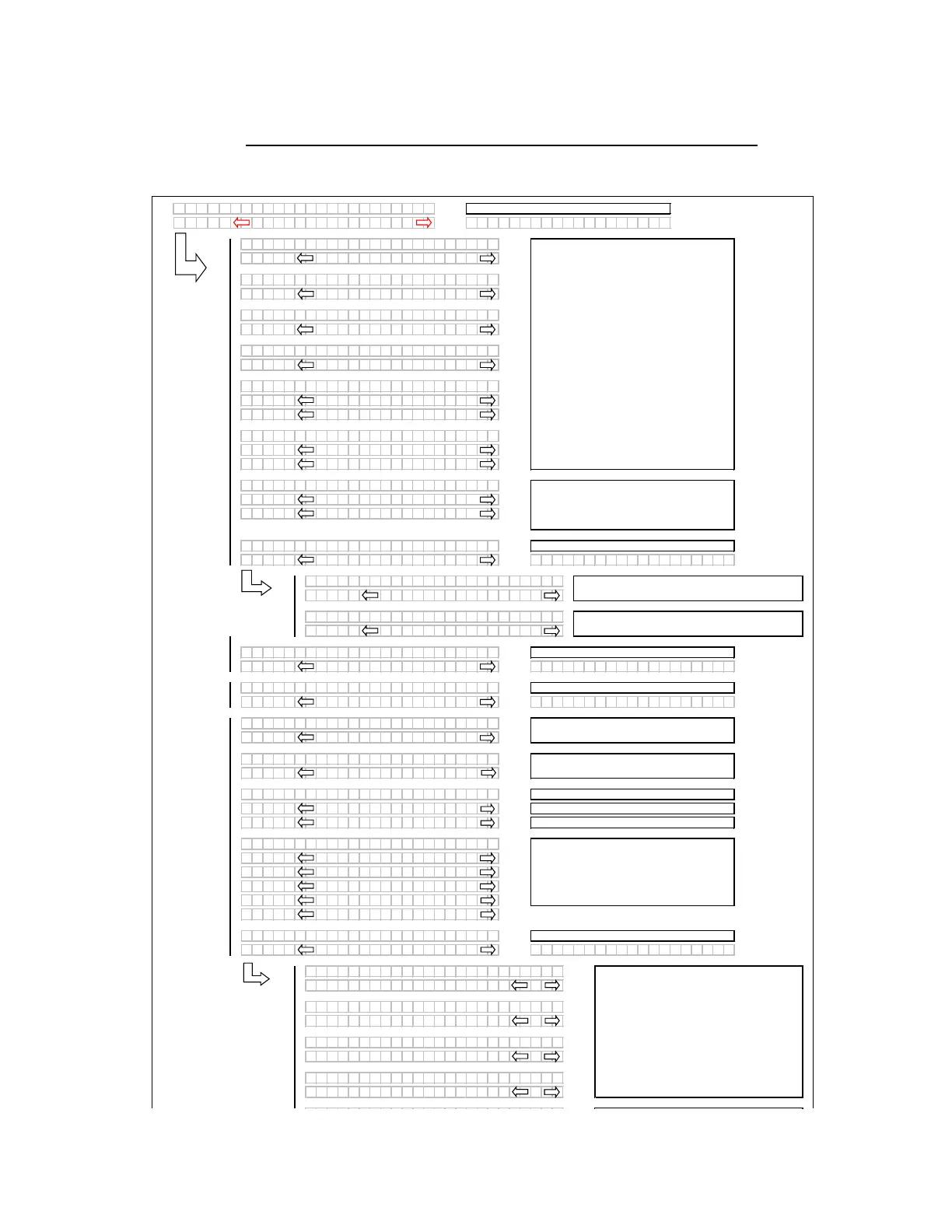
When the programming mode is entered the
header ID will be displayed on the top line of
the CDM using the last 4 display positions.
Pressing "SELECT" will go to the next line 1
(L1) menu selection. The turn signal "arrow"
keys are used to change the values. Pressing
"PROGRAM" at any time will cancel the
pr
ogramming mode / menus and return back
to the main operating displays.
The auto raise setting can be changed from
4.0 (min.) to 10.0 (max.) in 0.5 increments
OFF disables the auto raise function.
Enables the express up and down feature with the
header RTC. If NO jump to HEADER CUT WIDTH?
Programming Menu Flow Chart
Appears for M150 ONLY - If "NO" then jump to:
Pressing "SELECT" will go to the next line 1
(L1) menu selection. The turn signal "arrow"
keys are used to change the values.
This is used to set the Intermediate Speed
Control function for the engine. The default or
last selected rpm will be displayed first and will
be flashing.
The "arrow" keys are used to cycle between
the selections. When "SELECT" is pressed the
program goes to the EXIT ENGINE ISC? menu
selection.



 To Next Page