Editing text 147
Editing text
Within a text block, you can vary all aspects of text, including size, font, spacing, leading,
and baseline shift. When you edit text, Fireworks redraws its stroke, fill, and filter
attributes accordingly.
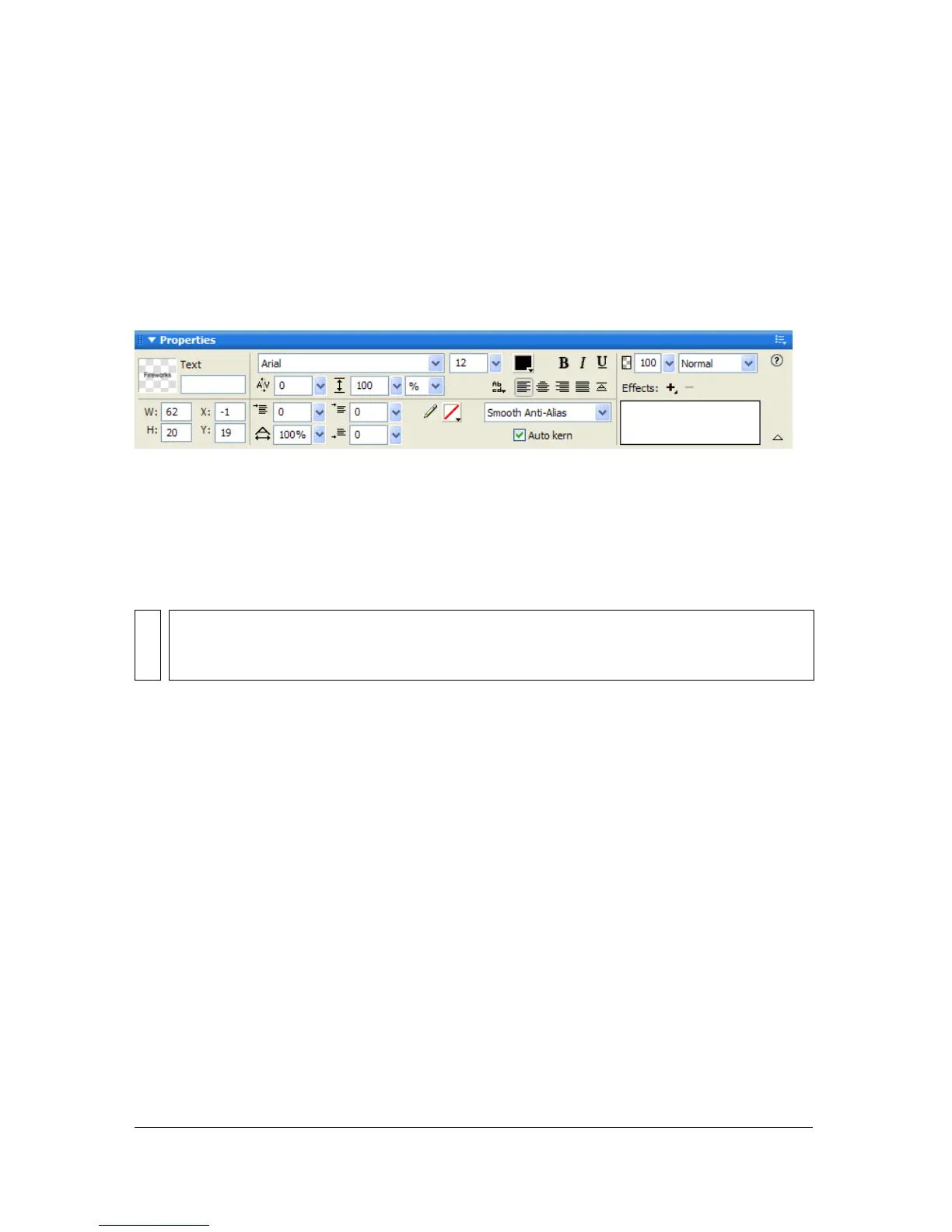
You can change a text block’s attributes using the Property inspector. If the Property inspector
is minimized, click the expander arrow in the lower right corner to see all text properties.
Property inspector when a text block is selected
You can also use the Text Editor and the commands in the Text menu to edit text, but the
Property inspector offers the quickest way to change text attributes and provides more
detailed editing control than the other two options. For more information about the Text
Editor, see “Using the Text Editor” on page 165.
To edit text:
1. Select the text you want to change:
■ Click a text block with the Pointer or Subselection tool to select the entire block. To
select multiple blocks simultaneously, hold down Shift as you select each block.
■ Double-click a text block with the Pointer or Subselection tool, and highlight a range
of text.
■ Click inside a text block with the Text tool, and highlight a range of text.
2. Make your changes.
For information about changing text attributes, see “Choosing a font, size, and text style”
on page 148, “Inserting special characters” on page 148, “Setting kerning” on page 150,
“Setting leading” on page 151, “Setting text orientation” on page 152, “Setting text
alignment” on page 153, and “Indenting text” on page 154.
NOTE
Changes you make during a text-editing session constitute only one Undo. Choosing
Edit > Undo while editing text will undo every text edit you’ve made from the time you
double-clicked the text block to edit its contents.



 To Next Page