$
To select records using Edit-Records:
.
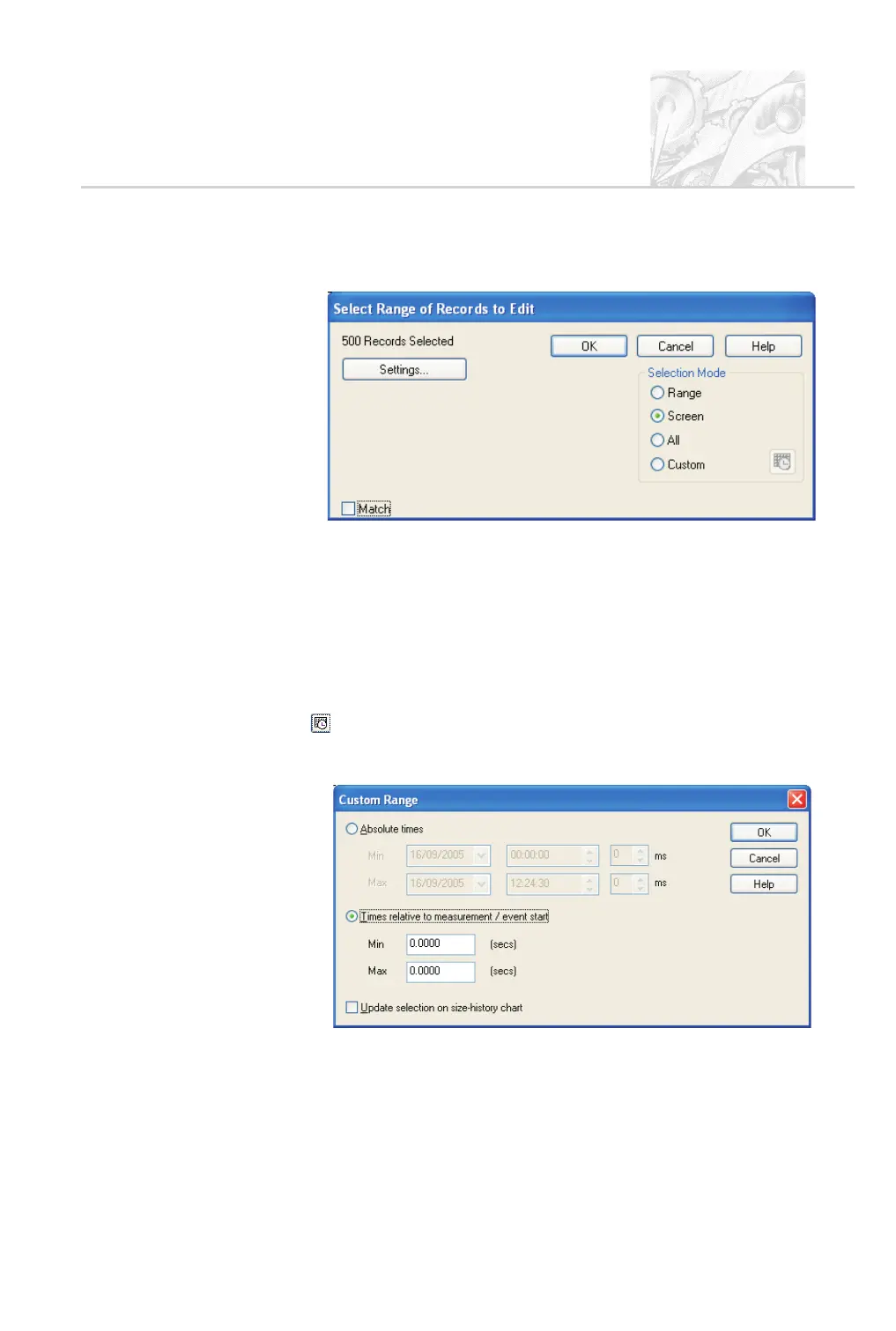
Open the Size History view and select Edit-records to open this dialogue:
.
Choose one of the following Selection Mode options:
Range – to use a range selected using the mouse (see above).
Screen – to use the records currently visible in the Size History view (this
is affected by any scrolling or zooming in or out).
All – to use all records in the measurement file.
Custom – to use a custom range based on the measurement timing, usually
the time relative to the start of a given measurement or event. Click the
button to define a custom range. This is useful for selecting records
after the initial spray plume burst but before the main spray plume ends, to
analyse the moment that important measurement characteristics changed.
.
Alternatively, select the Match check box to select on the basis of Sample,
Source name, Lot value or Notes data supplied for the spray. The search
fields are detailed in the online help.
CHAPTER 6
Spraytec Page 6.5



 To Next Page