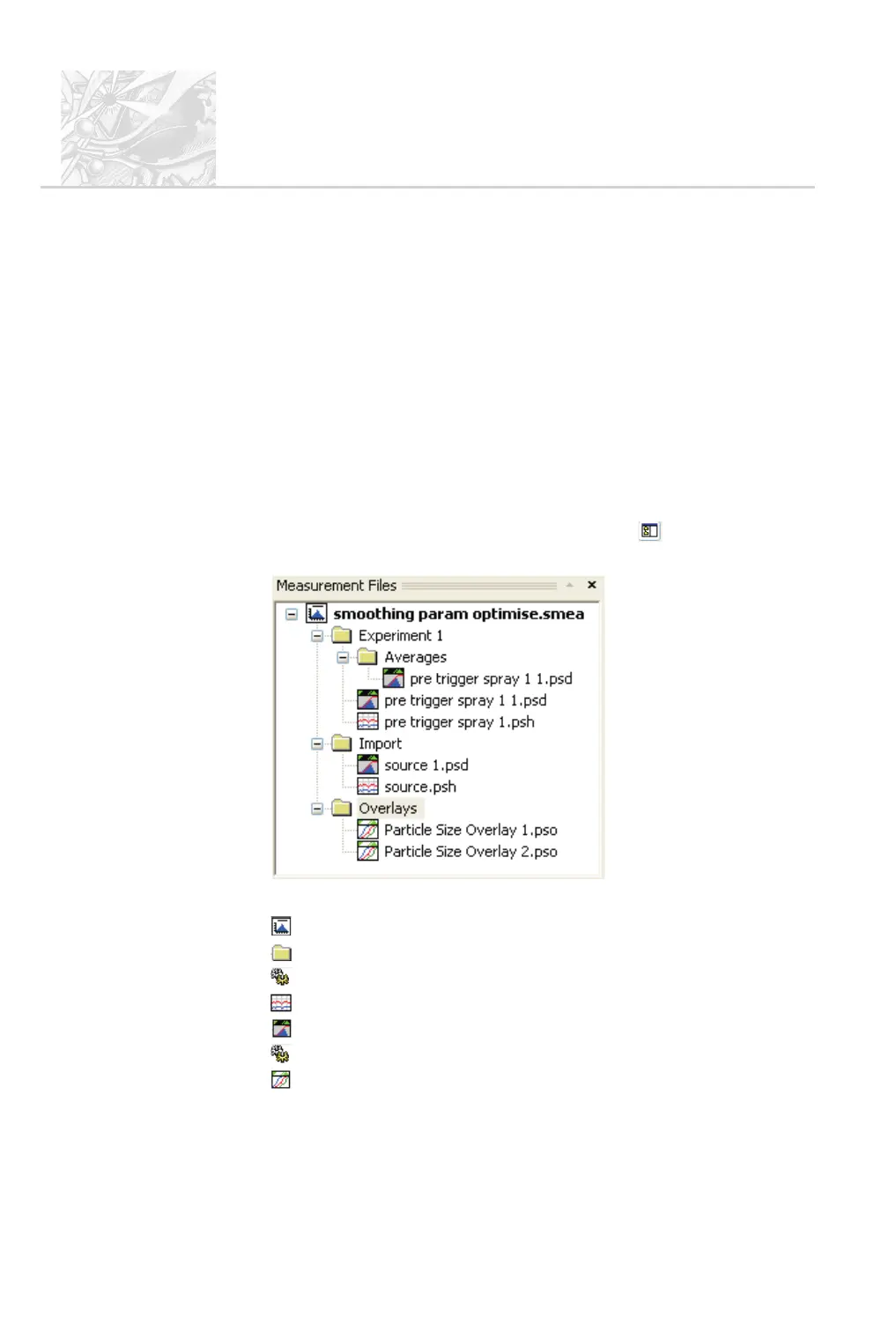
The Measurement file window
Measurement results are automatically saved to a measurement file. This file
and the experiment(s) and record(s) it contains are described in Chapter 2. The
measurement file contains a virtual folder structure and the window displays its
contents as a tree based on this. The measurement file can be considered as a
folder where all results (records) can be viewed. It can be used to average and re-
analyse results.
Open a measurement file by selecting File-Open-Measurement file.An
example set of records in a file named Example results.smea is opened when
the software is first launched after installation. Subsequently the software defaults
to the last measurement file that was used before the previous shutdown. To close
a measurement file, right-click on it and select Close in the pop-up menu.
Turn display of this window on/off as required using the button on the
toolbar. This example shows a typical window:
Each component of the measurement file is denoted by a symbol in the tree:
.
.smea file – the measurement file itself, this is the root of the tree.
.
Folder – there is one of these for each experiment.
.
.dat – manual measurement settings are stored as mansettings.dat.
.
.psh – Particle Size History file.
.
.psd – Particle Size Distribution file.
.
.ssop – SOP file.
.
.pso – Particle Size Overlay file.
CHAPTER 4
Spraytec
Page 4.4 MAN 0368



 To Next Page