If averages are calculated, a new virtual folder named Averages is created with the
average .psd files listed within it, as shown above for Experiment 1.
If overlays are produced, a new virtual folder named Overlays is created to hold
these and the .pso files listed within this.
Measurement file window commands
Right-clicking on any file in this window displays a list of commands available for
the file type.
File type Commands
.smea Close, Import PSH.
Folder Delete, Rename.
.psh,.psd, Open, Delete, Rename, Add to Overlay.
.pso Open, Delete, Rename.
.ssop,.dat Extract (open settings used for the SOP or measurement).
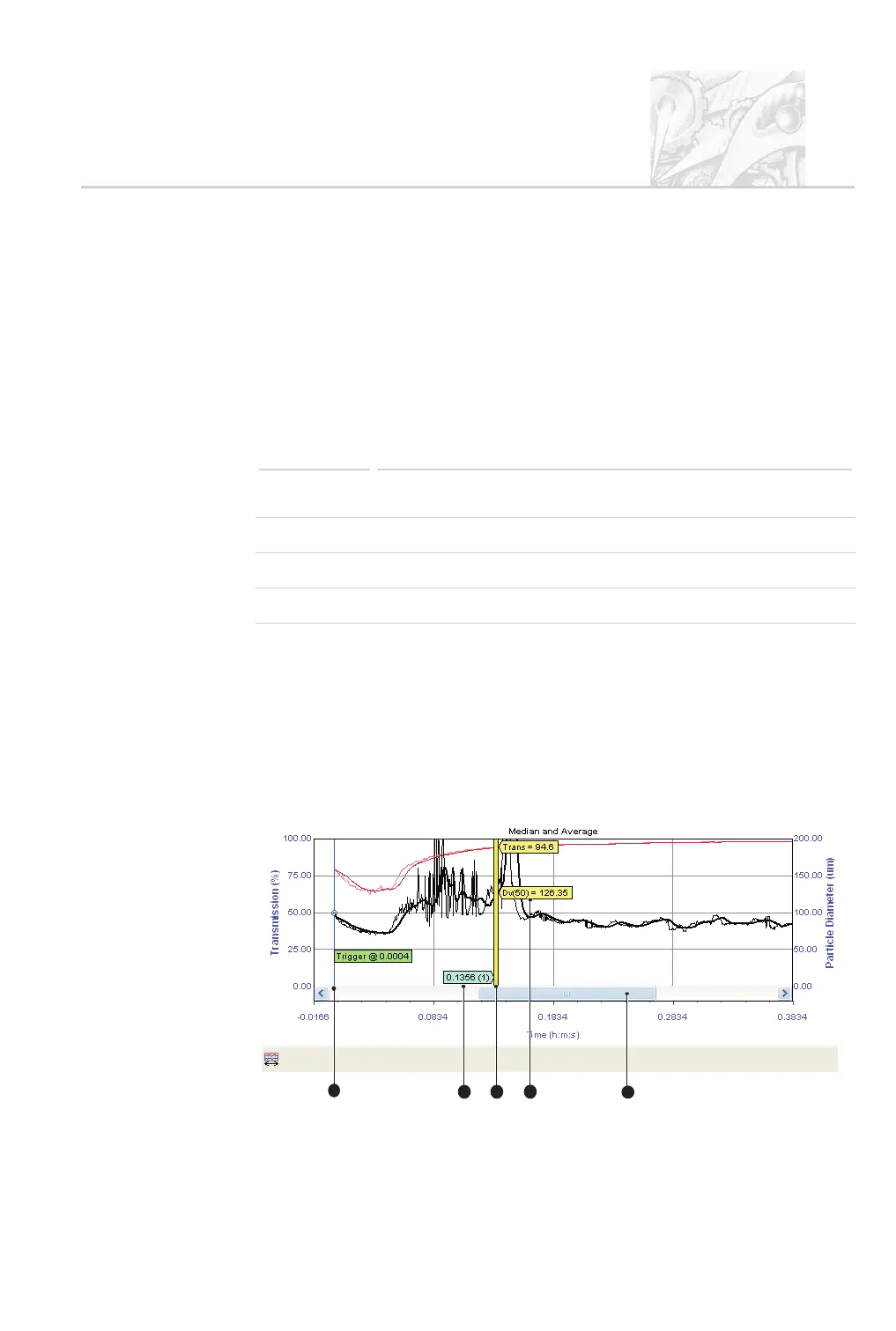
Size History view
The Size History view plots the values of all derived parameters for each record
against time. Initially it shows the Size and Transmission view, showing how
the particle size and concentration changed over time:
CHAPTER 4
Spraytec Page 4.5
1
2
5
3
4
ill7459



 To Next Page