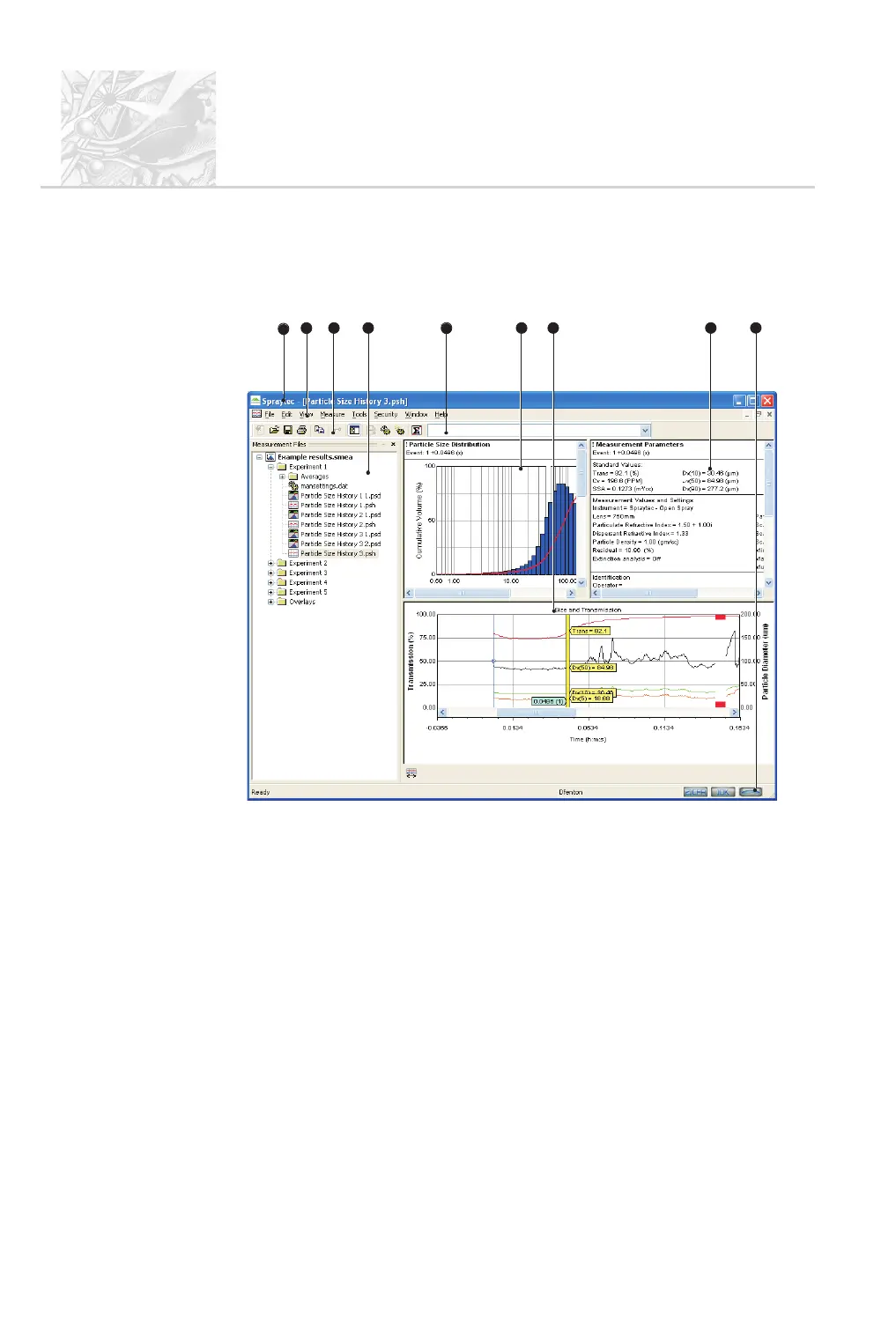
The main window
This section shows what the Spraytec window looks like. This example shows a
typical Spraytec display when the software is launched and a .smea file opened:
The components are:
+
Title bar – shows the product name and, if a result window (see below) is
maximised, the name of that window.
,
Menu bar – the commands are described later in this section. Commands
which end with a row of dots (...) are those which open a dialogue box.
Clicking an item which ends with an arrow displays a further menu of
commands.
-
Toolbar – contains shortcuts for common commands. To help identify a
button, a tooltip describing its action is displayed when the cursor is moved
over it. Display of the toolbar can be toggled on/off.
.
Measurement file window – lists all files in tree form. This is described
in detail below.
CHAPTER 4
Spraytec
Page 4.2 MAN 0368
3
1
2
5
7
6
4
8
8



 To Next Page