As this shows, the default is 60 bands dividing the range 0.1 to 2000mm. The
procedure for creating/editing a set of bands is described below. The permitted
number of bands is from 3 to 60, inclusive.
$
To generate a set of size bands:
.
Click the button shown in the above graphic.
.
In the Select a set of user sizes dialogue which this displays, click Add.
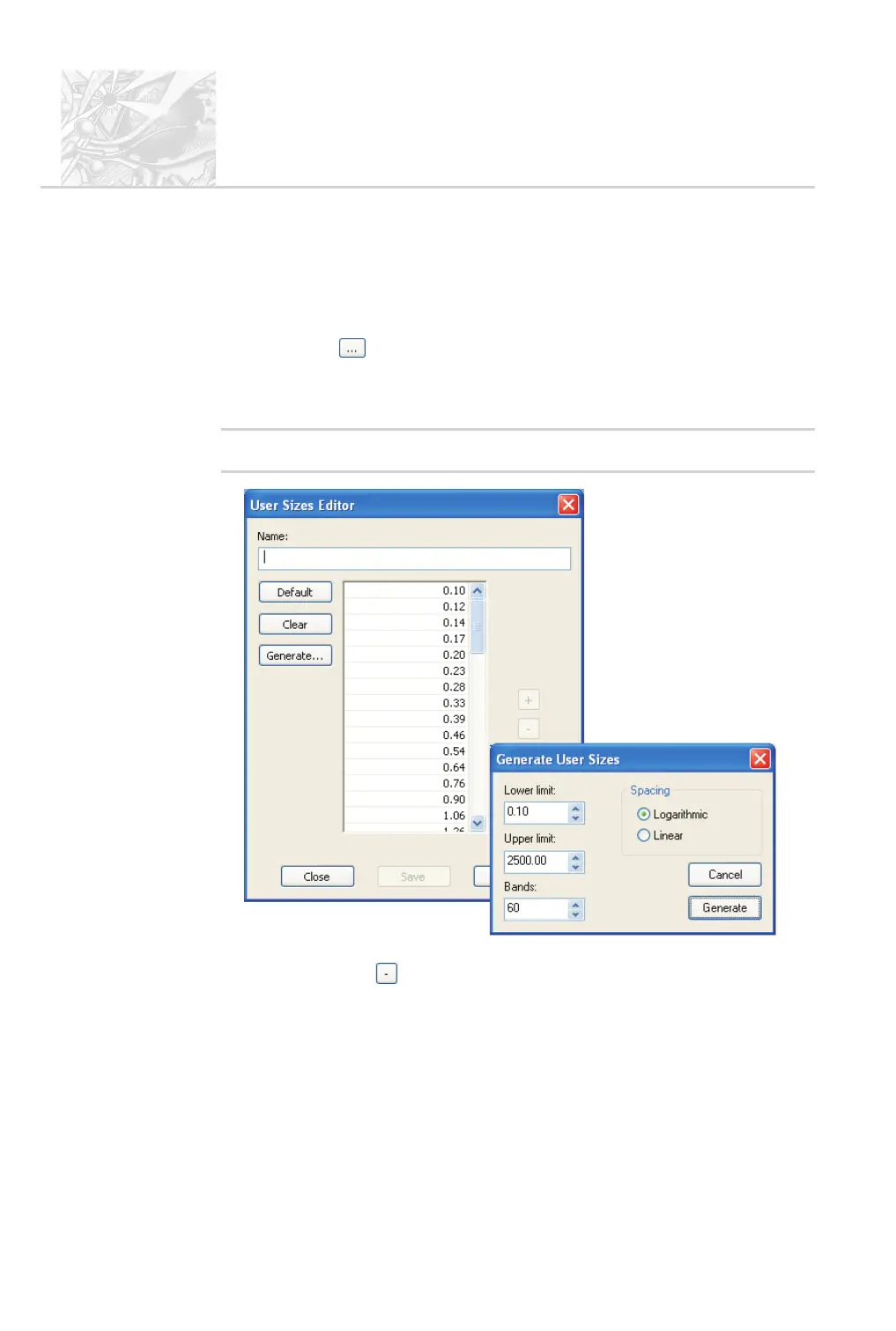
This opens the User Sizes Editor shown below.
'
Note
.
To modify an existing band, select it and click Modify instead of Add.
.
To modify the bands manually, type in values. (To remove an existing
band, click the button. To remove all bands click the Clear button.)
.
Alternatively, click Generate to open the Generate User Sizes dialogue
(shown above). This is used to generate linear or logarithmic sequences of
size bands.
.
Select the limits, the type of spacing required and the number of bands,
then click the Generate button.
CHAPTER 6
Spraytec
Page 6.14 MAN 0368



 To Next Page