Exporting directly to a file
Three output options are available, as described above:
.
Data – produces another .psh file containing the selected records.
.
Image – produces an .emf file (Enhanced Metafile) containing the graph
as an image.
.
Text – produces a .txt file.
$
To export size history directly to a file:
.
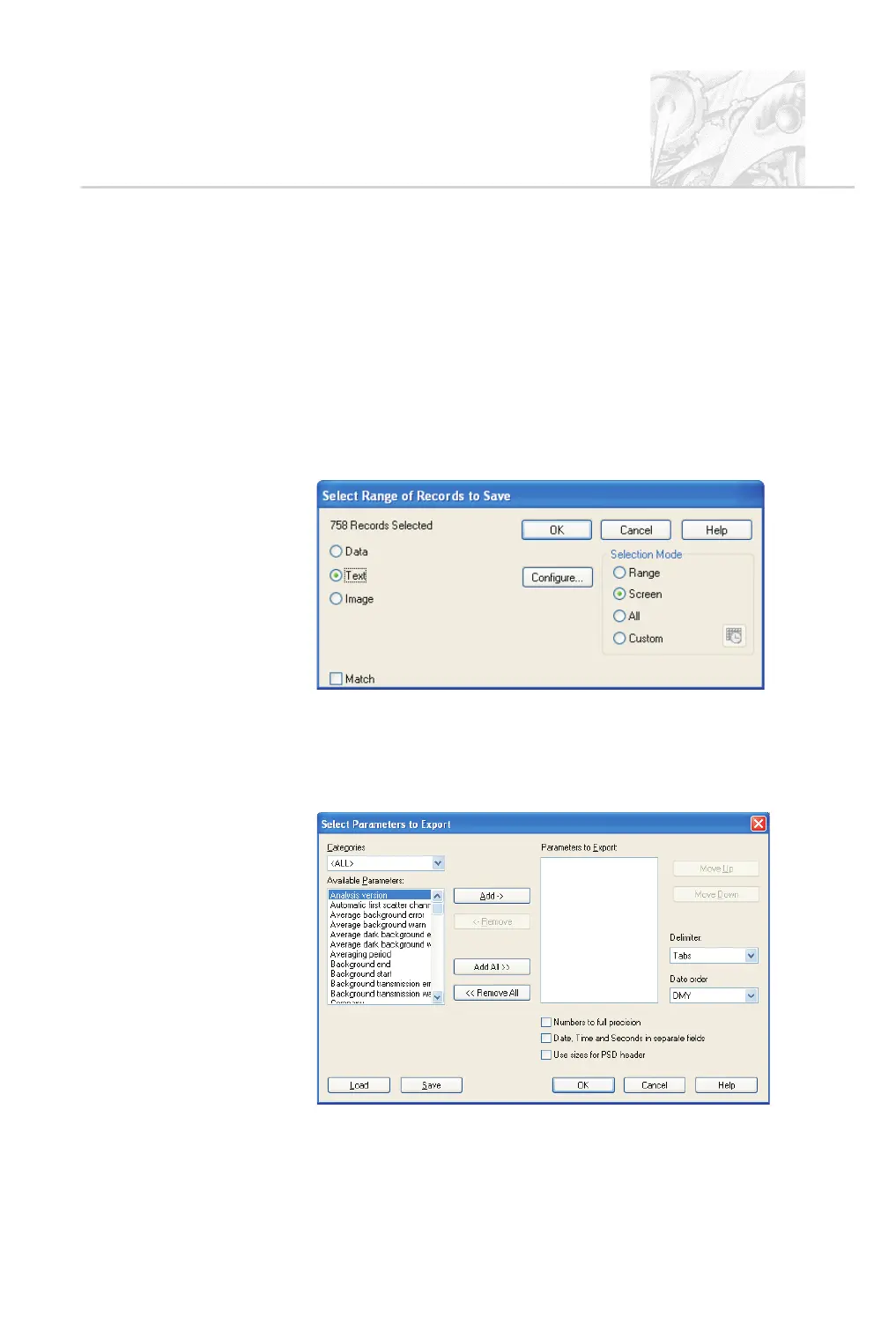
Click on the Size history window. Select File-Export... to display the Se
-
lect Range of Records to Save dialogue:
.
To change the selected records use the Selection Mode as described in
Chapter 6.
.
Select the Data, Text or Image radio button. (The Configure button
appears only when Text is selected.) To produce a text file, click this but-
ton to open the Select Parameters to Export dialogue shown below:
CHAPTER 7
Spraytec Page 7.3



 To Next Page