Setting up a PS driver Creating Files for the SprinterB Printer
11-16 Sprinter User's Manual
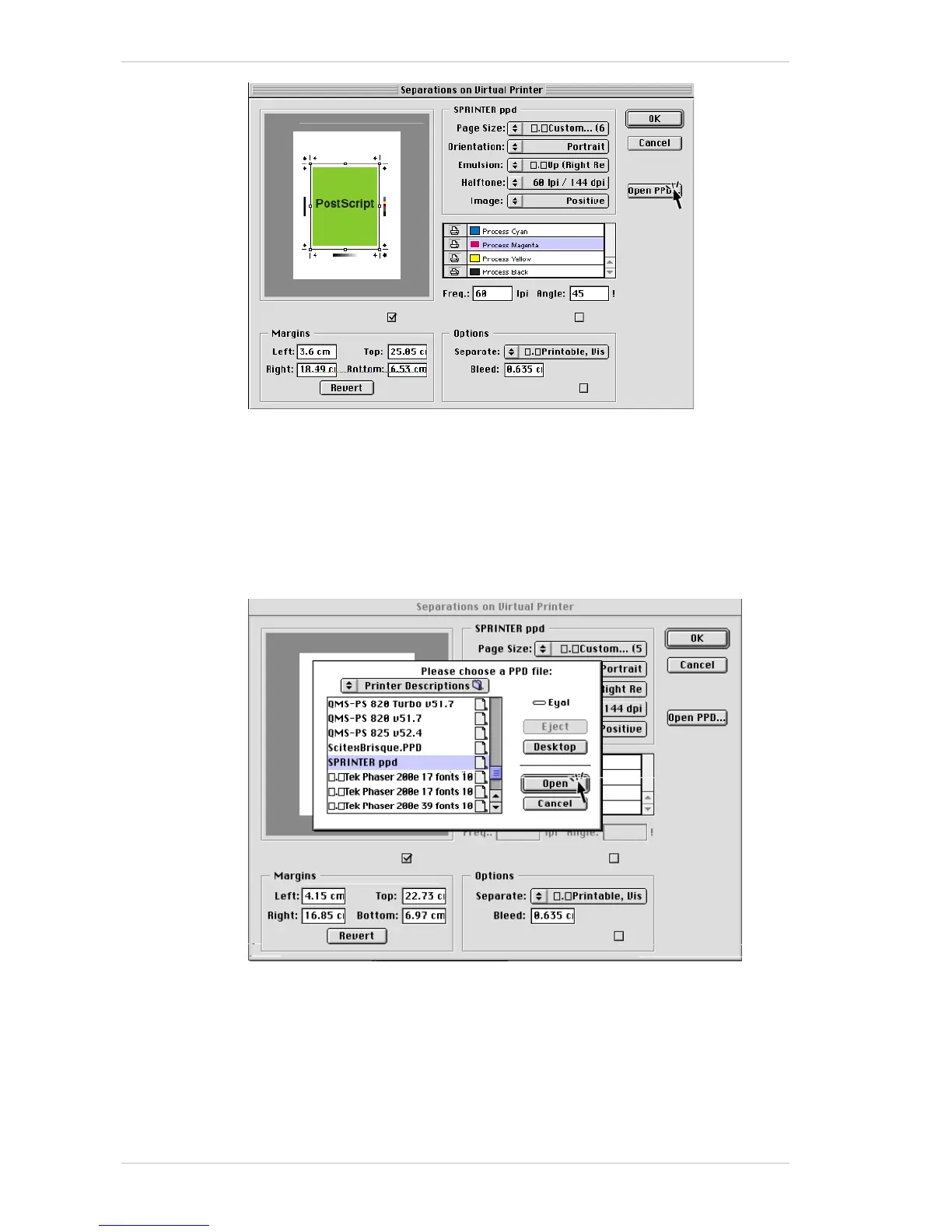
4. Set the P
AGE SIZE.
If you selected any options such as crop marks, you must specify a
page size that is large enough to display those options.
5. Specify the O
RIENTATION, EMULSION, HALFTONE and IMAGE options as
required.
6. Ensure that all the colors that you have used are checked.
7. Click O
PEN PPD and from the window that appears, (illustrated below,)
select SPRINTERB ppd and click O
PEN.
8. Click OK and from the remaining window, click S
AVE.
9. Another window appears and we recommend you select A
LL as the FONT
INCLUSION
option.
10. Enter the file name and click S
AVE.
The file is now ready to be sent to RIP.



 To Next Page