Preliminary Preparations for Printing Preparing Your Printer for Printing
8-8 Sprinter User's Manual
Replacing the Used Ribbons
The following procedure has to be followed when replacing the RIBBON with
another one, or renewing a used one.
The take-up core should not be overloaded at any time.
If the volume of used Ribbon on the Take-up Core exceeds half the
volume of the new Ribbon, you should empty the used Ribbon.
! To replace a Ribbon:
1. From the C
ONTROL PANEL dialog box, click UNLOAD SUBSTRATE.
The printer will come to rest.
2. Open the T
OP COVER.
3. Tear off the R
IBBON on the take-up core side, close to the core.
4. Roll the excess R
IBBON back on to the roll that you are about to change.
5. Take out the R
IBBON that needs to be changed, by pushing it to the
side, and then pulling it out.
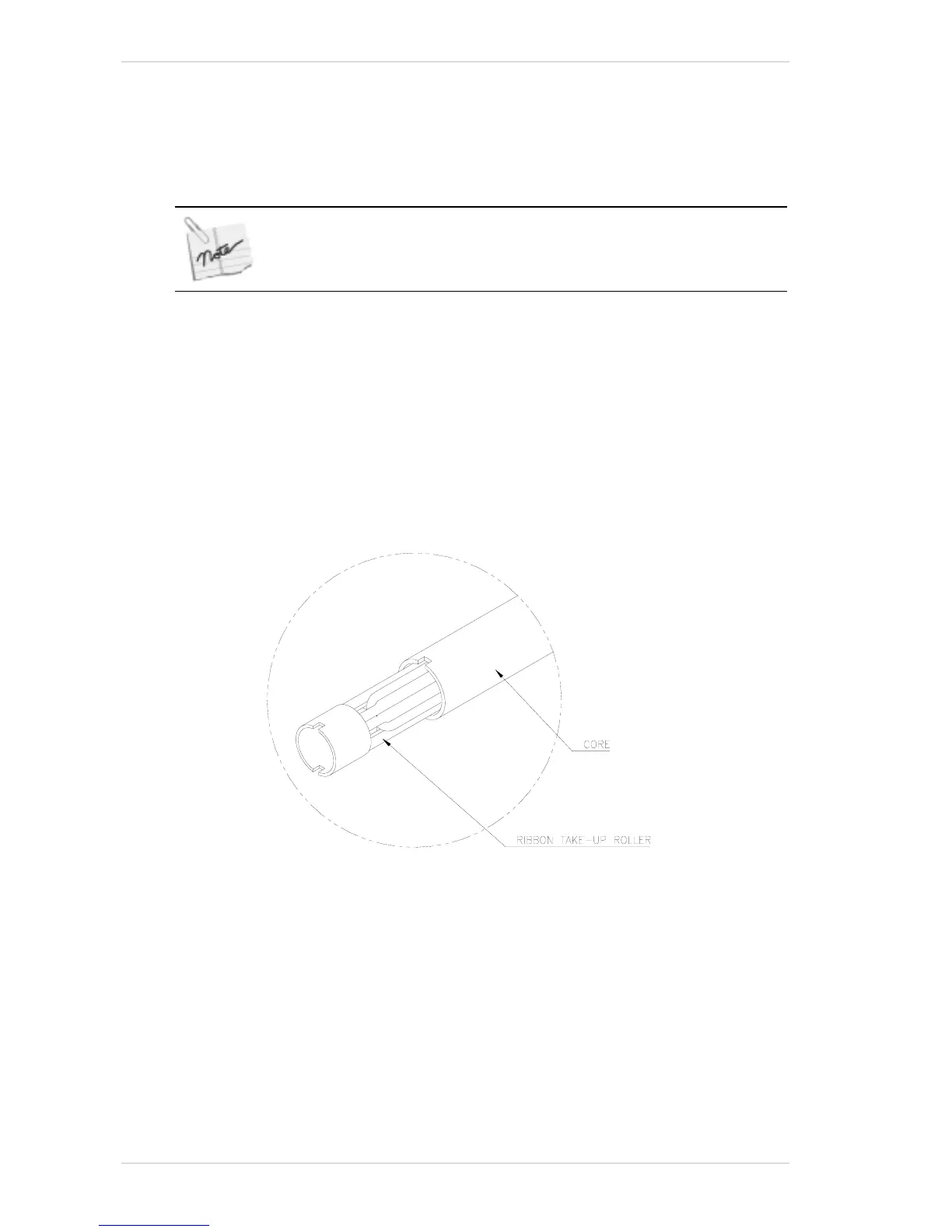
6. Remove the T
AKE-UP ROLLER.
Figure 8-9: Cleaning the take-up Roller from the used Ribbon
7. Remove the used RIBBON from the TAKE-UP ROLLER by pulling off the
R
IBBON ROLL.
8. Install an empty core on the T
AKE-UP ROLLER and return it to its correct
location (Figure 8-10, page 8-9).



 To Next Page